

You heard the pitch: content curation is free content. Find a good article, add a paragraph of commentary, hit publish, and your blog stays active without writing anything from scratch. The reality is different. Real content curation, the kind that adds value instead of duplicating what already ranks, takes 55 to 85 minutes per post. That is more time than generating an AI-assisted original post, reviewing it, and publishing it through WordPress. The myth of curation as a shortcut collapses the moment you track your actual minutes.
What Content Curation Actually Means in 2026
Content curation is not republishing. It is not embedding an RSS feed. It is not copy-pasting someone else’s article with a one-line intro. Those are the practices that Google’s spam policies explicitly flag as scraping and scaled content abuse, and they will not help your rankings. Real curation is a specific, labor-intensive process: you filter sources, select the pieces worth your audience’s attention, write original commentary that contextualizes the source, format it as a proper WordPress post, and attribute it correctly. The labor is real, and pretending otherwise is how blogs end up with 40 thin posts that rank for nothing.
The honest version of curation looks like this: you find an industry report that your clients would not discover on their own. You write 150 words explaining why the data matters for your specific audience, what the report gets right, and where you disagree. You format that as a WordPress post with a blockquote from the source, a link back to the original, and your own analysis as the main content. The reader gets your expertise applied to someone else’s research. That is genuinely useful. It is also not free, and it is not fast.
The dishonest version of curation, the one most WordPress plugins and “curation tips” articles actually describe, is closer to scraping. You install an RSS-to-post plugin, it pulls full articles from feeds, slaps your category and tags on them, and auto-publishes. Google’s policies address this directly: “reproducing content feeds from other sites without providing some type of unique benefit to the user” is listed as abusive scraping. The plugin saves you 20 minutes and costs you your site’s reputation with Google. The gap between useful curation and penalized scraping is entirely in the human labor, and that labor has a real time cost.
The Real Time Cost of Content Curation

Here is where the “free content” myth dies. Every step of a real curation workflow involves human judgment that cannot be automated without turning curation into scraping. The total time per curated post is 55 to 85 minutes, and that is for a single curated item. Batch-curating reduces some overhead, but the per-post time stays above 50 minutes because the reading and commentary steps do not compress. You cannot skim an article you are about to stake your brand’s credibility on.
Compare that to AI-assisted original content published through a WordPress-native plugin. The AI handles keyword research, draft generation, and SEO setup. The human spends their time reviewing, editing, and approving, not formatting and attributing someone else’s work. Total time per post: 24 to 40 minutes. Curation takes more than twice as long, and the original content targets keywords with actual search demand instead of commenting on someone else’s coverage of them.
| Task | Manual Curation (min) | AI-Assisted Original (min) |
|---|---|---|
| Source discovery / keyword research | 10 to 15 | 2 to 5 |
| Reading and evaluating source | 10 to 15 | 0 |
| Writing commentary / draft generation | 15 to 20 | 3 to 5 |
| WordPress formatting | 10 to 15 | 2 to 5 |
| Attribution and source linking | 5 to 10 | 0 |
| SEO setup (meta, categories, tags) | 5 to 10 | 2 to 5 |
| Human review and editing | Included above | 15 to 20 |
| Total per post | 55 to 85 | 24 to 40 |
The numbers tell a story that contradicts every “curation saves time” blog post on the first page of Google. Curation is slower than AI-assisted original content because the bottleneck is not writing. It is the human judgment required at every step: which sources are worth curating, what your audience needs to hear about them, how to frame the commentary, and how to attribute correctly. AI-assisted original content front-loads the mechanical work and leaves you with editorial judgment, which is where your time is best spent.
If you want to understand the full cost breakdown of original content production, AI-assisted original content costs less per post when you include all labor, while curation costs the same or more in time but produces posts that are harder to rank.
Curation vs. Original Content: Which Moves Rankings?
Curated posts rarely earn rankings on their own, and Google’s policies explain exactly why. The spam policies list “scraping feeds, search results, or other content to generate many pages” and “stitching or combining content from different web pages without adding value” as examples of scaled content abuse. The helpful content guidelines ask a question that is the bar for any curated post: “If the content draws on other sources, does it avoid simply copying or rewriting those sources, and instead provide substantial additional value and originality?” Most curated posts do not clear that bar.
Google’s Search Quality Rater Guidelines, updated in 2025, are even more specific. Pages where “almost all the main content is copied, paraphrased, embedded, auto or AI generated, or reposted from other sources with little to no effort, little to no originality, and little to no added value for visitors” should receive the Lowest rating, per the guidelines. The examples include “pages with content from other sources with little additional comment, discussion, or curation.” A curated post with a two-sentence intro and a blockquote from the source is exactly what this language targets.
The distinction in the rater guidelines is sharp. A page gets a Low rating if “some main content is reused, but there is at least minimal effort to curate or modify it.” It gets the Lowest rating if “almost all main content is copied or paraphrased with no effort or added value.” Your 150 words of commentary might keep you at Low. Your two-sentence intro puts you at Lowest. The difference is the labor, and the labor is what makes curation expensive.
Why Curation Alone Does Not Build Topical Authority
Topical authority, the signal Google uses to determine whether your site is a credible source on a subject, is built through depth and coherence. Twenty original posts systematically covering your niche, interlinked and organized into clusters, signal that your site is an authority. Twenty curated posts linking to other sites signal that your site is a middleman. Google’s systems reward the site that produced the analysis, not the site that pointed to it.
This is not speculation. Our analysis of how many posts it takes to see organic traffic found that topical authority is the strongest predictor of ranking, and it requires original, focused content concentrated in a single cluster. Curated posts scattered across topics dilute that signal. They add pages to your site without adding the depth that triggers the authority threshold. Every curated post that links outward is a page that tells Google the real authority lives somewhere else.
The Honest Tradeoff
Curation does have real value, but it is not SEO value. Curating industry sources builds relationships with the publishers you link to, and those relationships can lead to backlinks, collaborations, and referrals. It saves you from writing a full article from scratch when you do not have the expertise to add original analysis on a topic. It gives your audience a filtered view of your industry, which is a genuine service if your audience trusts your judgment.
But rankings come from original analysis. Google’s systems are designed to reward the site that says something new, not the site that says “here is what someone else said.” If your goal is traffic from search, original content is the mechanism. If your goal is industry relationships and audience engagement, curation has a role. Most small business owners do not have time for both, which means the choice matters.
A Practical Curation Workflow for WordPress
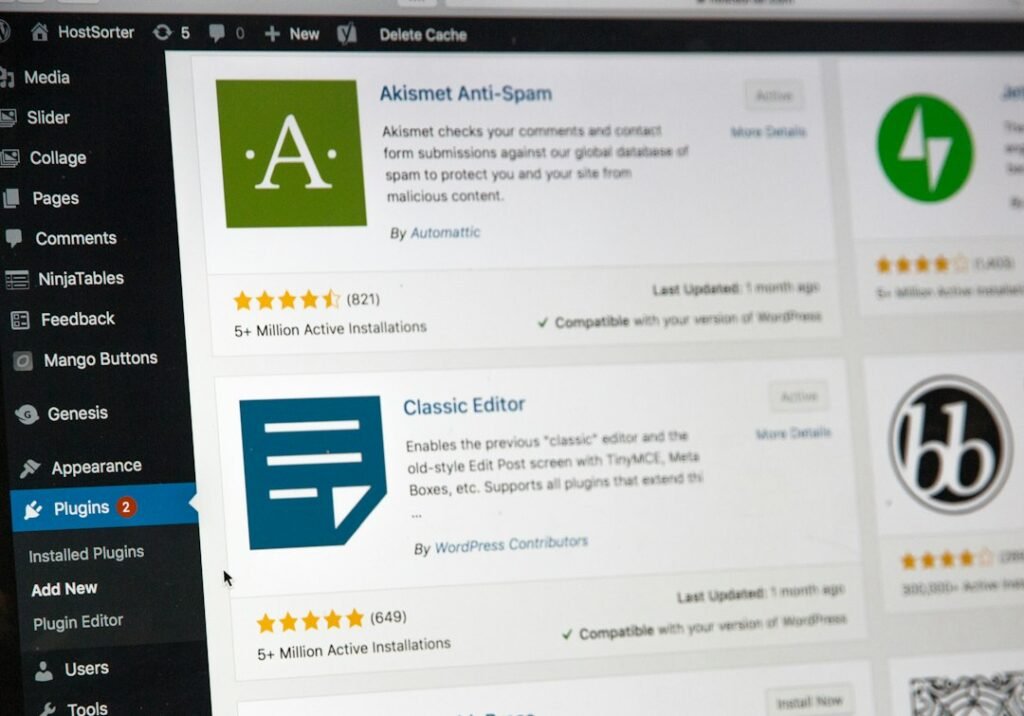
If you decide curation has a place in your content mix, here is the workflow that keeps it safe and useful. The goal is to minimize the time per post while staying on the right side of Google’s policies. Every step assumes you are publishing through WordPress and have a basic SEO plugin installed.
Step 1: Set Up 3 to 5 Reliable Source Feeds
Pick three to five sources that cover your industry and that your audience would not read on their own. Trade publications, industry blogs, and research reports work better than mainstream news, which your audience has already seen. Add them to an RSS reader like Feedly or Inoreader. Do not use automated RSS-to-post plugins that republish feed content directly to your blog. That is scraping, and Google’s policies are explicit about it: “reproducing content feeds from other sites without providing some type of unique benefit to the user” is abusive scraping, regardless of whether you attribute the source.
Step 2: Batch-Curate Once Per Week
Set aside 90 minutes once per week to scan your feeds and select one or two items worth curating. Do not try to curate daily. The context-switching cost of fitting curation into your day is higher than the time spent doing it in a batch. Pick the pieces that your audience needs to know about, and skip the ones that are already everywhere. If a source article is already ranking on page one of Google for your target keyword, curating it will not help you rank for that keyword. You will just be another page pointing at the authority.
Step 3: Add 100 to 200 Words of Original Take
This is the step that separates curation from scraping. Your commentary must add value beyond the source. State why the source matters, what it gets right, where you disagree, and what it means for your specific audience. If your commentary is “Here is an interesting article about X,” that is not curation. That is a social media post. Google’s quality raters are trained to flag content with “little additional comment, discussion, or curation by the content creator of the page.” Your 100 to 200 words is the difference between a post that adds value and one that gets rated Lowest.
Step 4: Format and Publish in WordPress
Use a blockquote for any text you pull from the source, and keep it short: two or three sentences at most. Write your commentary as the main content of the post, not as an intro to the blockquote. The blockquote supports your analysis, not the other way around. Set your category, tags, meta description, and featured image. If you are scheduling the post for later in the week, test that WordPress scheduling actually works. Our WordPress scheduled posts troubleshooting guide covers the wp-cron failures that silently prevent scheduled posts from publishing, which is a common problem on low-traffic sites where the scheduler only fires when a visitor arrives.
Step 5: Attribution Best Practices
Name the source, link to the original article, and make the link visible to readers. Do not relabel someone else’s work as your own. Do not publish the full text of the source article, even with attribution. Fair use allows quoting short excerpts for commentary, not republishing entire articles. If you want to share the full article, link to it and let readers click through. The attribution line should be specific: “Source: [Publication Name], [Article Title], [Date]” with a link on the title. Vague attributions like “via Industry Blog” do not give the original publisher proper credit and do not help Google understand the relationship between your post and the source.
Why Auto-Publishing Curated Content Is a Liability
Any tool that auto-publishes curated content without human review is a liability, not a time-saver. The same principle applies to AI-generated content: the approval gate is non-negotiable. With curation, the risk is different but equally serious. You might curate a source that turns out to be wrong, outdated, or contradicted by newer information. You might accidentally republish content that the source did not permit to be shared. You might select a source that conflicts with your own business positioning. The 15 minutes you spend reviewing each curated post is the difference between content that builds trust and content that undermines it.
For a broader look at how automated content workflows fit into WordPress, Cost comparisons of automated blog post approaches show that standalone AI tools can look cheap on a subscription basis, but hidden publishing labor adds significant cost per month for a typical posting cadence. Curation has a similar hidden labor tax, and the output is harder to rank.
Where Curation Fits in Your Content Mix
Curation has a place in a content strategy, but it is a supplement, not a substitute. Use it to share industry developments your audience should know about, to build relationships with publishers in your space, and to fill gaps in your publishing calendar when you do not have the expertise to write an original post on a topic. Do not use it as your primary content strategy if your goal is search traffic, because curated posts rarely earn rankings and they do not build the topical authority that original content does.
The math is clear. Curation takes 55 to 85 minutes per post. AI-assisted original content takes 24 to 40 minutes per post and targets keywords with actual search demand. If your time is limited, and it is, the question is not whether curation is worth it. The question is whether 68 minutes of curation that produces a post unlikely to rank is a better use of your time than 31 minutes of AI-assisted original content that produces a post targeting a keyword your audience is searching for.
For most small business owners running WordPress sites, the answer is no. Original content, produced efficiently with AI assistance and a human approval gate, is the better investment of limited time. ClearPost was built for this exact scenario: AI handles keyword research, drafting, SEO optimization, and internal linking, and you approve every post before it goes live. No auto-publishing, no agency overhead, no curated posts that link away from your site.
Try ClearPost free for 7 days. AI does the heavy lifting, you approve every post before it goes live. See what 30 SEO-optimized original posts a month looks like compared to the curated roundup you spent an hour assembling. No long onboarding, no agency overhead, cancel anytime.
Frequently Asked Questions
Does curated content count as duplicate content?
Not if you do it correctly. Google distinguishes between duplicate content (substantive blocks that match other content) and curated content with original commentary. Google says duplicate content is mostly not deceptive in origin, so it is not a penalty trigger. The real risk is that Google filters duplicate documents and will not rank a page that copies or closely paraphrases a source. If your curated post is mostly the source text with a short intro, Google will rank the original, not yours.
How often should I publish curated posts?
Curated posts should be no more than 20 percent of your publishing volume. If you publish 10 posts per month, 2 curated and 8 original is a reasonable mix. Curated posts fill gaps and build relationships, but original content is what builds topical authority and earns rankings. Publishing more curated posts than original ones signals to Google that your site is an aggregator rather than an authority source.
Can AI help with content curation?
AI can help with source discovery and draft commentary, but the editorial judgment is still yours. You can use AI to scan feeds and summarize articles, which saves 10 to 15 minutes per post on the reading step. But you still need to evaluate whether the source is worth curating, write commentary that adds value beyond the source, and review everything before publishing. AI-assisted curation reduces time per post from 55 to 85 minutes down to 40 to 55 minutes, but AI-assisted original content at 24 to 40 minutes is still faster.
Is content curation worth it for small business blogs?
Rarely, if your goal is search traffic. Curation takes more time than AI-assisted original content and produces posts that are harder to rank because they link to other sites as the authority. It is worth it if you want to build relationships with industry publishers, share developments your audience would miss, or fill calendar gaps on topics where you lack expertise. For most small business owners with limited time, original content targeting search demand is the better investment.