

You signed the agency retainer at $4,000 a month. Six months in, your WordPress blog has 24 posts, a keyword spreadsheet you barely recognize, and traffic numbers that have not moved. The agency sends a monthly progress deck with green checkmarks and “domain authority trending upward” language. Your Analytics says otherwise. This is the moment most small business owners start searching for a way to handle automated blog posts in WordPress without the agency overhead, and without risking their domain on garbage AI content.
The good news: the tools to produce, optimize, and publish SEO content directly inside WordPress exist and are genuinely usable in 2026. The hard part is cutting through the pricing theater to figure out what each approach actually costs per published post, including the labor layers that every sales page hides. That is what this guide breaks down.
The Real Cost of Agency Blog Content

Most small business content marketing retainers run $2,000 to $8,000 per month and deliver 4 to 8 blog posts, according to 2026 pricing data from multiple agency sources. The median small business retainer sits around $3,000 to $4,000 monthly for 4 to 6 posts with basic SEO and editorial review. That sounds reasonable until you do the per-post math: at $4,000 per month for 5 posts, you are paying $800 per published article.
Here is where the math gets painful. Long-form blog posts from agencies typically cost $300 to $600 per piece at mid-quality, and $800 to $2,500 at high quality with subject-matter expert interviews. If your agency is charging $800 per post and delivering mid-quality work, you are paying a premium for output that a competent freelancer would produce for $300.
What You Are Actually Paying For
The agency retainer is not just paying for words on a page. It covers strategy, keyword research, editorial review, project management, reporting, and the agency’s margin. The problem is that most of those layers are invisible to you, and the layer you care about most (the actual content quality) is the one most agencies cut corners on when they scale. A common pattern: the agency’s strategist does the keyword research and brief, then hands it to a junior writer billing at $0.05 to $0.15 per word, and an editor does a 15-minute polish. You are paying senior strategy prices for junior execution.
| Approach | Monthly Cost | Posts/Month | Per-Post Cost | What You Get |
|---|---|---|---|---|
| Agency retainer (small business) | $3,000-$8,000 | 4-8 | $500-$1,000 | Strategy, writing, SEO, editing, reporting |
| Freelance writer | $500-$1,500 | 4-8 | $150-$300 | Writing and basic SEO, no strategy |
| AI tool + manual publishing | $14-$59 | 8 | $27-$57 | Drafts only, 30-45 min manual work per post |
| WordPress-native AI plugin | Contact for plans | Up to 30 | Varies | Full pipeline: research, draft, SEO, publish, approval gate |
That table tells the story. The agency delivers the most complete package but charges 10x to 20x what an AI-assisted workflow costs per post. The freelancer is cheaper but gives you no strategy and no SEO tooling. The standalone AI tool is the cheapest on paper, but the hidden labor cost of manually publishing each post to WordPress eats most of the savings. The WordPress-native plugin collapses the entire pipeline into one system, which is where the real cost savings live.
If you want to see the full per-post cost breakdown across specific AI tools, our AI content writer pricing comparison computes the real cost at 8 posts per month with every hidden layer accounted for, including images, SEO optimization, and publishing labor.
The Hidden Layers That Double Your Costs
Three cost layers show up in every content production model, and most buyers only price the first one:
- Generation: The cost of producing the draft text. For agencies, this is writer and editor time. For AI tools, this is the subscription or API cost. Range: $2 to $800 per post.
- SEO optimization: Keyword research, meta descriptions, schema markup, internal linking, and content scoring against live SERP data. Agencies bundle this into the retainer. Standalone AI tools often do not include it, which means you need a separate SEO tool ($19 to $99 per month) or you skip it and your posts are guessing at search intent.
- Publishing labor: The time it takes to go from finished draft to live, formatted, SEO-optimized WordPress post. This includes copying text, fixing heading hierarchy that breaks during paste, adding internal links, writing meta descriptions, finding a featured image, assigning categories, and clicking Publish. At $100 per hour and 30 to 45 minutes per post, this is $200 to $300 in labor per post that no pricing page mentions.
The publishing labor layer is the one that surprises people most. You find an AI tool that generates a decent 1,500-word draft in two minutes, and you think the problem is solved. Then you spend 45 minutes reformatting headings, pasting into WordPress, fixing the H2 structure that broke during the paste, manually adding internal links, writing a meta description, setting the category, finding a featured image, and double-checking the Yoast fields. That draft that took two minutes to generate just cost you an hour of manual labor. For a deeper look at how this workflow breaks down, our ranked comparison of AI content writers breaks down the full pipeline for five tools.
Three Ways to Automate Blog Posts in WordPress
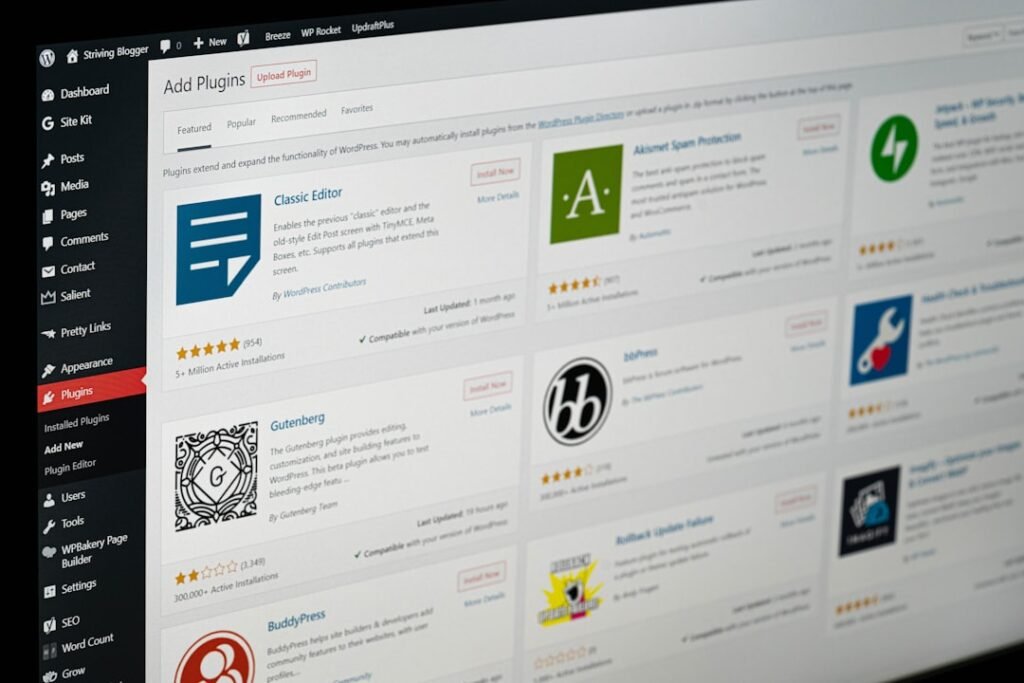
There are three practical paths to automated blog posts in WordPress, each with a different cost structure and a different level of human involvement. Understanding the tradeoffs between them is the difference between a content strategy that compounds and one that collapses by month three.
Path 1: Standalone AI Tool Plus Manual WordPress Publishing
You use a tool like ChatGPT, Jasper, or a dedicated AI writing platform to generate drafts, then manually copy, paste, format, optimize, and publish each post in WordPress. This is the most common starting point for small business owners who want to cut the agency cord without committing to a new plugin.
The generation cost is low. ChatGPT Plus runs $20 per month, which at 8 posts is $2.50 per post for the text. Jasper starts at $59 per seat per month. The problem is what happens after the draft is generated. Every step between “text produced” and “post published” is manual, and those steps add 30 to 90 minutes per post depending on how much SEO work you do.
At 8 posts per month with 45 minutes of manual work each and $100 per hour labor rate, the real cost is $20 (tool) plus $600 (labor) equals $620 per month, or $77.50 per post. The $20 headline price is 3% of the real cost. The other 97% is your time, which is the most expensive resource in your business.
This path works if you have more time than budget and you enjoy the editorial process. It collapses if you are a business owner wearing five hats, because by week three the publishing cadence drops to zero and the blog goes quiet again. For a look at what happens when you try a free version of this approach, our analysis of free AI writing plugins for WordPress covers which free plans are genuinely usable and which ones waste your time.
Path 2: Custom REST API Pipeline
Every modern WordPress installation ships with a REST API that can create, update, and publish posts programmatically. If you have a developer on your team, or if you are comfortable writing scripts, you can build a custom pipeline that takes AI-generated content and publishes it directly to WordPress without manual copy-paste.
The authentication method is Application Passwords, a built-in WordPress feature since version 5.6. You create a dedicated Editor-role user (never an Administrator), generate an Application Password for that user, and authenticate API calls with HTTP Basic Auth. The REST API endpoint for creating posts is /wp-json/wp/v2/posts, and a single POST request can set the title, content, slug, excerpt, categories, tags, and status in one call.
Here is what a minimal publish request looks like:
POST /wp-json/wp/v2/postsAuthorization: Basic base64(username:application_password)Content-Type: application/json
The payload accepts title, content (as HTML), slug, excerpt, status (use “draft” until you are confident), categories (as term ID arrays), and tags. Featured images require a two-step process: upload the image file to /wp-json/wp/v2/media first, get the returned media ID, then set featured_media on the post creation call. If you skip this step, you will ship posts with no featured images, which is a common mistake in first-time integrations.
The advantage of a custom pipeline is total control. You own every step, you can customize the workflow however you want, and there is no recurring SaaS fee beyond your AI API costs. The disadvantage is maintenance. Web Application Firewalls on managed hosts like WP Engine and SiteGround routinely block API calls from cloud IP addresses, returning 403 Forbidden errors on POST requests even with correct credentials. You will need to whitelist your API caller’s IP or route through a proxy. SEO plugin meta fields differ between Yoast (_yoast_wpseo_title, _yoast_wpseo_metadesc) and Rank Math (rank_math_title, rank_math_description), so your script needs to detect which plugin is installed. Error handling is on you: silent failures, timeout issues, and rate limiting are all things you will debug at 11 PM when a scheduled batch does not publish.
This path is right for WordPress developers and technical integrators who want full control and have the engineering bandwidth to maintain a custom pipeline. For everyone else, the maintenance burden makes it a poor tradeoff. For more on how WordPress-native SEO automation fits into a complete content strategy, our guide on automatic SEO on WordPress maps which tasks are genuinely automatable and which ones still require human judgment.
Path 3: WordPress-Native AI Plugin With Approval Gate
The third path is a plugin built specifically for WordPress that handles the entire content pipeline inside your site. Instead of generating drafts in a separate tool and moving them to WordPress, the plugin installs on your site, connects to your data, and manages keyword research, drafting, SEO optimization, internal linking, and publishing from within the WordPress admin.
This is what we built ClearPost to do. The plugin connects to your Google Search Console data to identify content gaps: keywords your site already ranks for on page 2, topics your competitors cover that you do not. It drafts posts grounded in live SERP data, not blank-prompt guesses. Every draft lands in an approval queue inside WordPress with categories, tags, featured images, and SEO plugin fields (Yoast or Rank Math) pre-filled. You review, edit if needed, and approve. Nothing publishes without your explicit sign-off.
The workflow difference is measurable. With a standalone tool, the path from keyword to published post involves six steps and 75 to 90 minutes per post. With a WordPress-native plugin, the path is two steps: AI drafts, you approve. Total time per post drops to 15 to 30 minutes, most of which is editorial judgment, not mechanical formatting. At 10 posts per month, that is 7 to 10 hours saved compared to the standalone tool workflow. At 20 posts, you are looking at 15 to 20 hours.
| Step | Standalone AI Tool | WordPress-Native Plugin |
|---|---|---|
| Topic research | Manual or separate SEO tool | AI pulls from your Search Console data |
| Draft generation | AI drafts text only, no SEO layer | AI drafts with headings, internal links, meta |
| Human review | Review in separate tool, then copy to WordPress | Approval queue inside WordPress, 10-20 min |
| SEO optimization | Manual: 30-45 min of meta, schema, linking work | Yoast/Rank Math fields pre-filled, schema auto-generated |
| Publish | Copy-paste, reformat, set categories, add image | One click via REST API, categories and tags set |
| Post-publish monitoring | None. You build your own tracking spreadsheet | Tracks rankings, flags posts needing refresh |
| Total time per post | 75-90 minutes | 15-30 minutes |
How AI Changes the Equation for WordPress Content
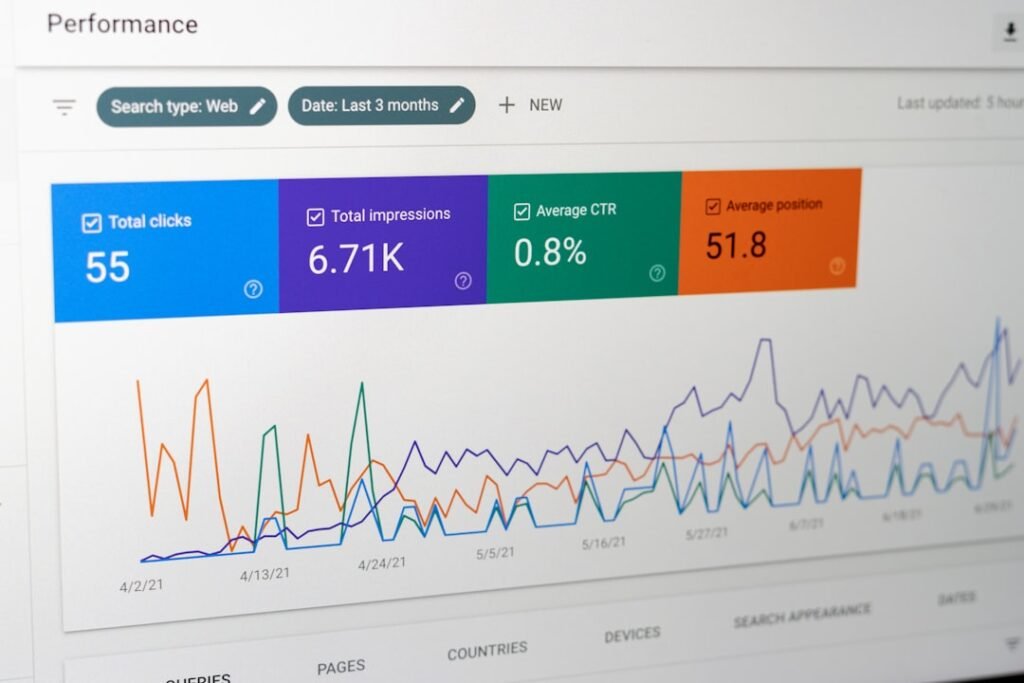
The shift from agency-produced content to AI-assisted content is not just a cost reduction. It changes who controls the content pipeline and how fast you can iterate. When an agency holds the pen, your publishing cadence is limited by their capacity, their turnaround times, and their prioritization of your account relative to their other clients. When you own the pipeline, your cadence is limited only by your editorial review bandwidth.
The Approval Gate Is the Difference Between Automation and Gambling
The biggest fear small business owners have about AI content is that it will damage their site’s credibility or rankings. That fear is justified when the workflow is “generate and auto-publish.” Unreviewed AI content at scale is the fastest path to a Google penalty for scaled content abuse, and one post with hallucinated statistics or off-brand messaging can undermine months of trust-building.
The approval gate is what makes automated blog posts safe for WordPress. Instead of auto-publishing, every draft sits in a review queue where you can read it, edit it, reject it, or approve it before anything goes live. This is not a nice-to-have feature. Research and practitioner experience consistently show that AI-assisted content with meaningful human editing performs close to fully human-written content in rankings, while pure, unedited AI content tends to rank noticeably worse. The human review step is the mechanism that determines whether your AI content strategy compounds or collapses.
From 4 Posts a Month to 30
The practical impact of collapsing the workflow is volume. An agency retainer at $4,000 per month delivers 4 to 6 posts. A WordPress-native AI plugin with an approval gate can deliver 20 to 30 posts per month at a fraction of the cost, with you maintaining editorial control over every piece. More published posts means more indexed pages, more keyword coverage, more internal linking opportunities, and more data in Google Search Console to inform your next round of content.
This is not about flooding your blog with low-quality content. It is about removing the mechanical friction that keeps you from publishing at the cadence your niche demands. If your competitors are publishing 20 posts a month and you are publishing 4, they are capturing keyword real estate you are not. The question is not whether you can afford to publish more. The question is whether you can afford not to.
Key Takeaways
- Agency retainers cost $500 to $1,000 per published post. The strategy and reporting layers add value, but the core writing is often produced by junior writers at a fraction of what you are paying.
- Standalone AI tools have a hidden labor tax. The $20 to $59 monthly subscription is 3% to 10% of the real per-post cost once you account for manual publishing, SEO setup, and formatting time.
- WordPress-native plugins eliminate the copy-paste workflow. The draft lands in your WordPress admin already formatted, with SEO fields filled, internal links added, and categories assigned. Your time goes to editorial judgment, not mechanical formatting.
- The approval gate is non-negotiable. AI-assisted content with human review performs within 4% of fully human-written content in rankings. Unedited AI content carries a 23% ranking deficit. Never auto-publish without review.
- Volume compounds. Going from 4 posts a month to 20 to 30 does not just increase content. It increases indexed pages, keyword coverage, internal linking density, and Search Console data for your next content decisions.
Next Steps
Start with a concrete test this week. Pick one topic you know well, generate a draft using whatever AI tool you currently have access to, and run it through your full publishing workflow to WordPress. Time every step: keyword research, drafting, formatting, SEO setup, image selection, and publish. If the total time exceeds 45 minutes, you are losing time to workflow friction, not writing speed. That is your signal that a WordPress-native approach would cut your per-post time in half or more.
Try ClearPost free for 7 days. AI does the heavy lifting: keyword research from your Search Console data, drafting with SEO structure, internal linking, meta generation, and one-click publishing via REST API. You approve every post before it goes live. No long onboarding, no agency overhead, cancel anytime. See what 30 SEO-optimized posts a month looks like compared to the 4 you are getting now.
Frequently Asked Questions
Can I fully automate blog posts in WordPress without human review?
You can automate the drafting, formatting, SEO optimization, and publishing steps, but you should never auto-publish without a human approval gate. Unedited AI content at scale risks Google penalties for scaled content abuse and can damage your site’s credibility. The safe workflow is: AI generates the draft, you review and approve, then it publishes.
How much does it cost to automate blog posts in WordPress?
Standalone AI tools cost $14 to $59 per month but add $200 to $400 in hidden publishing labor at 8 posts per month. Agency retainers run $3,000 to $8,000 per month for 4 to 8 posts. WordPress-native AI plugins vary by plan but eliminate the manual publishing labor that dominates the cost of other approaches.
Does WordPress have a built-in API for automated publishing?
Yes. Every WordPress installation since version 4.7 includes a REST API. The /wp-json/wp/v2/posts endpoint accepts POST requests to create posts with title, content, categories, tags, and excerpt. Authentication uses Application Passwords, available since WordPress 5.6. Featured images require a separate upload to /wp-json/wp/v2/media first.
What is the difference between a standalone AI tool and a WordPress plugin for blog automation?
Standalone AI tools generate text in a separate platform, requiring you to copy, paste, format, and optimize each post manually in WordPress. A WordPress-native plugin handles the full pipeline inside your site: keyword research, drafting, SEO optimization, internal linking, and publishing via REST API, with drafts landing in an approval queue already formatted.
How many blog posts can I publish per month with automation?
With an agency retainer, typically 4 to 8 posts per month. With a standalone AI tool and manual publishing, 8 to 10 posts before the labor becomes unsustainable. With a WordPress-native AI plugin and approval gate, 20 to 30 posts per month is realistic because the per-post time drops from 75-90 minutes to 15-30 minutes.