

You pay $139.95 a month for Semrush Pro. You open it to check rankings, maybe run a site audit, and close it. The Keyword Magic Tool, Keyword Gap, SEO Content Template, and Position Tracking are sitting right there in the left sidebar, and you have never touched them together as a workflow. That is the exact problem this article solves: how to use Semrush for content marketing in five connected steps, using exact tools and menu paths, with honest boundaries about where the research ends and the writing begins.
What Semrush Actually Does for Content Marketing
Semrush gives you the research layer of content marketing: what to write about, who you are competing against, what your brief should contain, and how your published posts perform over time. It does not write the content, format it for WordPress, or publish it. That distinction matters because most subscribers use Semrush for one or two tools and treat the rest as background noise. The Content Marketing Toolkit, available on Guru and Business plans, is where the content-specific features live. On the Pro plan, you get the SEO Content Template and basic keyword research, but the deeper content workflow tools require the Guru tier at $249.95/month.
The five-step workflow below works on any plan that includes the core tools. If you are on Pro, you can follow steps 1 through 4. Step 5, historical Position Tracking with trend data, needs Guru or above. For a deeper look at what each Semrush tier includes and whether you are paying for features you never open, see our breakdown of 7 SEMrush competitors compared by real cost.
Step 1: Find Topics Worth Writing About
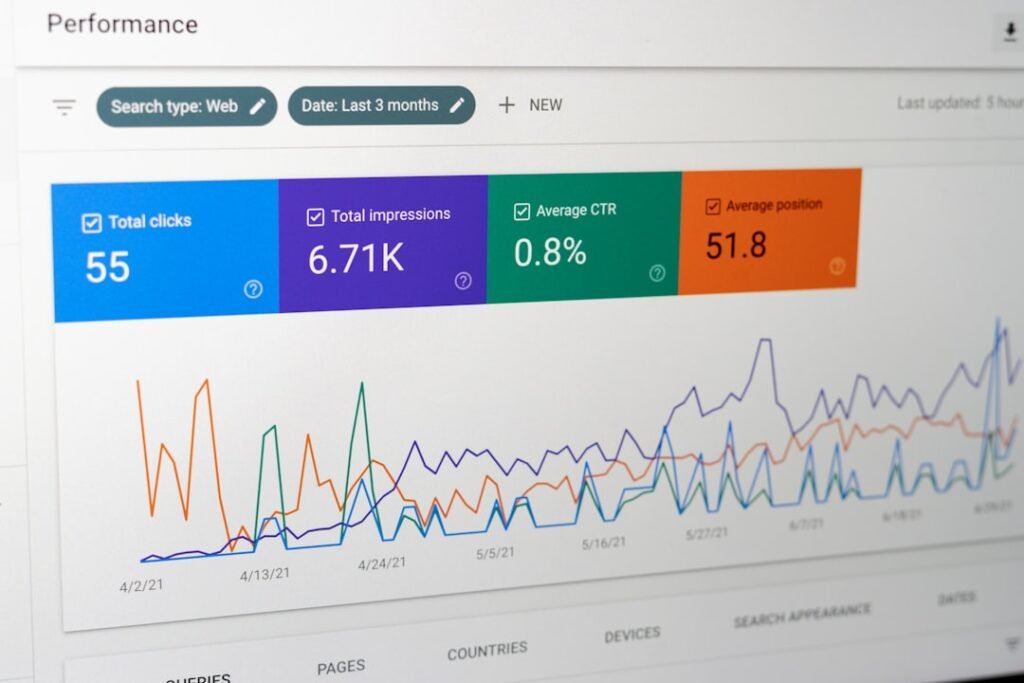
The Keyword Magic Tool is where every content workflow starts, and it is genuinely the strongest keyword research tool in Semrush’s suite. You access it from the left sidebar under SEO, then Keyword Research, then Keyword Magic Tool. Enter a seed keyword related to your business, select your country database, and hit enter. The tool returns a table of related keywords with monthly search volume, keyword difficulty (KD %), and personal keyword difficulty (PKD %), which estimates how hard it is for your specific domain to rank.
Here is what most people miss: the left sidebar organizes keywords into topical groups, and you can expand those groups into subgroups up to three levels deep. This is not just a keyword list. It is a content plan hiding in plain sight. Each group represents a potential article or pillar page, and the keywords within it are the subtopics and secondary terms that page should cover.
Filtering for Quick Wins
Before you export anything, apply filters. Set keyword difficulty to 0-49 to surface terms you can realistically rank for without a massive backlink profile. Filter for search volume above 100 to weed out terms with no real traffic. If you want question-based content for FAQ sections or blog posts that capture long-tail intent, click the Questions button to see only keywords phrased as questions.
Add your domain in the AI-powered filter bar to get personalized keyword recommendations. This surfaces terms Semrush identifies as opportunities for your specific site based on your existing rankings and topical coverage. Those personalized suggestions are often the fastest wins because you already have some authority in those areas.
Once you have a filtered list, select the keywords you want and click “Add to keyword list.” This saves them to a list you can carry into Step 2 and Step 3. Export the list as CSV or Excel for offline reference. If you want to understand how this compares to other keyword research tools on the market, our analysis of sites like Semrush ranked by what they actually solve covers the alternatives.
Step 2: Run a Keyword Gap Analysis Against Competitors

Keyword Gap shows you exactly what your competitors rank for that you do not. Navigate to SEO in the left sidebar, then Keyword Research, then Keyword Gap. Enter your domain in the first field labeled “You,” and add up to four competitor domains in the fields below. Semrush auto-suggests competitors based on your keyword overlap, or you can enter them manually. Select your regional database, keep the keyword type set to Organic, and click Compare.
The report populates with a keyword table that has seven tabs: Shared, Missing, Weak, Strong, Untapped, Unique, and All keywords. The two tabs that matter most for content planning are Missing and Weak. Missing shows keywords where all your competitors rank and you do not, meaning there is a topic gap in your content. Weak shows keywords where you rank but below all your competitors, meaning you have a page that needs improvement, not a new page.
How to Read the Gap Report
Filter the Missing tab by keyword difficulty 0-49 and search volume above 100. This gives you a prioritized list of content opportunities: terms your competitors are capturing that you could realistically target. Sort by volume descending to see the highest-traffic gaps first. Check the boxes next to the keywords you want to target and click “Add to keyword list” to save them alongside your Step 1 research.
The Weak tab is your content refresh queue. These are pages that already exist on your site and are ranking, but poorly. Updating them is faster and cheaper than creating new content from scratch. Note the URLs, because you will revisit them in Step 4 when you track performance and spot decay.
Keyword Gap Comparison
Here is how the gap report tabs break down and what each one tells you to do:
| Tab | What It Means | Action |
|---|---|---|
| Missing | Competitors rank, you do not | Create new content |
| Weak | You rank but below all competitors | Refresh existing content |
| Strong | You outrank all competitors | Monitor, do not change |
| Untapped | One competitor ranks, you do not | Evaluate for new content |
| Unique | You rank, no competitors do | Defend and expand |
| Shared | All sites rank for this keyword | Competitive, needs differentiation |
Step 3: Build a Content Brief With the Content Template Tool
Now you have a keyword list from Steps 1 and 2. The next step is turning that list into a content brief that tells you or your writer exactly what to produce. Navigate to Content Marketing in the left sidebar, then SEO Content Template. You can also find it under SEO, then On Page and Tech SEO. Enter your primary keyword, select your location and language, and click “Create content template.”
Credit where it is due: the SEO Content Template is genuinely strong. It analyzes the top 10 Google results for your target keyword and generates a brief that includes semantically related keywords to include, recommended text length based on what is already ranking, readability score targets, suggested backlink sources, and title and meta description recommendations. This is not a generic template. It is reverse-engineered from the pages that are actually winning for your keyword.
What the Brief Includes
The template gives you four actionable outputs. First, a list of semantically related keywords pulled from the top-ranking pages, which you should incorporate into your content to build topical relevance. Second, a recommended word count based on the average length of competitor content. Third, a readability score target. Fourth, a list of domains that link to multiple competitors, which are your backlink prospects if you plan outreach.
The Handoff Problem Starts Here
This is where the workflow hits a wall. Semrush hands you a brief with keywords, word count, semantic terms, and an outline. Then it stops. You still need someone to write the article from that brief. You still need someone to format it for WordPress, add internal links, write the meta description, set up schema, find a featured image, assign categories, and click Publish. The brief is 10 minutes of work. The writing and publishing are 60 to 90 minutes of work per post, and Semrush does not touch any of it.
If you brief a freelance writer at $300 per post, that is $2,400 a month for 8 posts. If you write it yourself at $100 per hour and spend 90 minutes per post, that is $1,200 in labor. The SEO Content Template gave you the blueprint for free within your subscription, but the production cost is entirely on you. For a full breakdown of what this costs across different production methods, see our analysis of AI content writer pricing and real cost per post.
Step 4: Track Performance and Spot Decay
Once your content is published, Position Tracking tells you whether it is working. Navigate to the left sidebar, then SEO, then Position Tracking. Click “Create project,” enter your domain, select your search engine and device type and location, choose your device type and location, and add the keywords you want to track. You can import keywords from a CSV, from your Keyword Magic Tool research, or from Google Search Console.
Position Tracking checks rankings on a regular basis. The Overview report shows your visibility score, estimated traffic, and average position. The Overview report shows your visibility score, estimated traffic, and average position. The Rankings Distribution report breaks down how many keywords sit in the top 3, top 10, top 20, and top 100. These two reports tell you whether your content is gaining traction or flatlining.
Spotting Content Decay Before It Costs You Traffic
The metric that most people ignore is ranking decline over time. A post that sits at position 4 for six months and then drops to position 11 is losing roughly 90% of its traffic, because click-through rate falls off a cliff after position 10. Position Tracking shows you this if you look at the Overview report and sort by position change. Filter for keywords that have dropped more than 3 positions in the last 30 days.
Those declining pages are your refresh queue. Compare them with the current top-ranking results. Did a competitor publish something more recent, more in-depth, or better aligned with search intent? Update your page: add new sections, refresh outdated statistics, fix broken links, add internal links to newer content, and revise the CTA. A content refresh on an existing page that already has backlinks and search history is faster and more effective than creating a new page from scratch.
Set up email alerts so you are notified when rankings move. Click the bell icon in Position Tracking and configure alerts for significant drops. This way you do not need to check the dashboard daily. You get notified when something changes, and you act before traffic is impacted.
Where Semrush Stops (and What Still Needs a Human)
Semrush covers steps 1 through 4 of the content workflow: topic research, competitor gap analysis, content briefs, and rank tracking. It does not cover the part where the brief becomes a published post on your WordPress site. That gap has three layers, and each one costs time or money.
Layer one is writing. The SEO Content Template gives you keywords, word count, and semantic terms. It does not produce a draft. You write it yourself, brief a freelancer, or use an AI writing tool. Layer two is formatting. The draft needs heading hierarchy, internal links to related posts, meta descriptions, schema markup, and a featured image with alt text. Layer three is publishing. Someone has to log into WordPress, create the post, paste the content, fix the formatting that breaks during paste, assign categories and tags, and click Publish.
At $100 per hour and 90 minutes per post, that is $150 per post in labor that no Semrush tool addresses. For 8 posts a month, that is $1,200 in production labor on top of your $139.95 subscription. Semrush is 10% of your content cost. The other 90% is the writing and publishing pipeline it does not touch.
If your bottleneck is keyword data and competitive analysis, Semrush is excellent at that job and worth the subscription. If your bottleneck is publishing volume, no amount of keyword research solves it. You need a production layer that takes the brief and turns it into a published post. For more on how to close that gap, see our guide on automatic SEO on WordPress and what actually works.
From Research to Published Post
The five-step workflow above is the research half of content marketing. Semrush handles it well: Keyword Magic Tool finds topics, Keyword Gap reveals competitor opportunities, SEO Content Template builds the brief, and Position Tracking measures results. That is a real workflow that produces real output, and if you have been paying for Semrush and only using rank tracking, following these steps will get you significantly more value from your subscription.
The writing and publishing half is where most teams stall. The brief sits in a Semrush tab for a week, then two weeks, then it gets buried under other priorities. The keyword research was the easy part. Turning it into 8 or 30 published, SEO-optimized posts a month is the part that actually moves traffic, and it is the part Semrush does not do.
That is the gap ClearPost fills. ClearPost takes the research layer and connects it to production: AI drafts the post from SEO data, handles internal linking, meta descriptions, schema, categories, tags, and featured images, and publishes to WordPress via REST API. AI does the heavy lifting, you approve every post before it goes live. No surprises, no auto-published drafts, no brand damage from unreviewed output. Try ClearPost free for 7 days. No long onboarding, no agency overhead, cancel anytime. See what 30 SEO-optimized posts a month looks like compared to the 4 you are getting now.
Frequently Asked Questions
Can Semrush write blog posts for me?
No. Semrush provides keyword research, content briefs, and rank tracking. The SEO Content Template generates a brief with keywords and recommendations, but you still need to write the content yourself or brief a writer.
Which Semrush plan do I need for the Content Marketing Toolkit?
The full Content Marketing Toolkit, including the SEO Content Template and SEO Writing Assistant, is available on the Guru plan at $249.95/month and above. The Pro plan at $139.95/month includes basic keyword research and Position Tracking but has limited content tools.
How long does it take to run the full 5-step Semrush workflow?
Steps 1 through 4 (topic research, keyword gap, content brief, and position tracking setup) take roughly 30 to 45 minutes per article. The writing and publishing that follow take 60 to 90 minutes per post, depending on whether you write, hire, or automate.
Does Semrush publish to WordPress?
Semrush has a WordPress integration that lets you export content from the Content Toolkit to WordPress, but it does not handle the full publishing pipeline: SEO metadata, internal linking, schema, images, and category assignment are still manual.
What is the difference between Keyword Magic Tool and Keyword Gap?
Keyword Magic Tool generates keyword ideas from a seed keyword. Keyword Gap compares your domain against up to four competitors to find keywords they rank for that you do not. Use Keyword Magic Tool for new topic discovery and Keyword Gap for competitive gap analysis.
Frequently Asked Questions
Can Semrush write blog posts for me?
No. Semrush provides keyword research, content briefs, and rank tracking. The SEO Content Template generates a brief with keywords and recommendations, but you still need to write the content yourself or brief a writer.
Which Semrush plan do I need for the Content Marketing Toolkit?
The full Content Marketing Toolkit, including the SEO Content Template and SEO Writing Assistant, is available on the Guru plan at $249.95/month and above. The Pro plan at $139.95/month includes basic keyword research and Position Tracking but has limited content tools.
How long does it take to run the full 5-step Semrush workflow?
Steps 1 through 4 (topic research, keyword gap, content brief, and position tracking setup) take roughly 30 to 45 minutes per article. The writing and publishing that follow take 60 to 90 minutes per post.
Does Semrush publish to WordPress?
Semrush has a WordPress integration that lets you export content from the Content Toolkit to WordPress, but it does not handle the full publishing pipeline including SEO metadata, internal linking, schema, images, and category assignment. Those steps remain manual.
What is the difference between Keyword Magic Tool and Keyword Gap?
Keyword Magic Tool generates keyword ideas from a seed keyword. Keyword Gap compares your domain against up to four competitors to find keywords they rank for that you do not. Use Keyword Magic Tool for new topic discovery and Keyword Gap for competitive gap analysis.