

At ClearPost, we approach competitor SEO analysis for WordPress with one goal: identify exactly why other sites win clicks and rankings, then turn those insights into a repeatable optimization plan for your own pages. This guide walks through the tools to use, a step-by-step process, and practical actions you can implement in WordPress to close gaps and outperform competitors over time.
Why Competitor Analysis Matters for WordPress SEO
WordPress sites tend to share common SEO strengths and weaknesses: themes that create similar templates, plugins that output similar metadata, and comparable site structures (categories, tags, archives). That makes competitor research especially valuable because the differences that drive results are often discoverable and fixable.
A solid competitor analysis helps you answer a few high-leverage questions: Which topics are your competitors earning traffic from? Which pages are actually driving their visibility? What do their best pages include that yours does not? And where are they vulnerable (thin pages, slow templates, weak internal linking, outdated content)?
If you want to tighten your own WordPress foundation first, review our internal checklist: WordPress SEO Improvements Checklist: Quick Wins and Essential Optimizations for Existing Sites.
Essential Tools for SEO Competitor Research

You can do meaningful competitor research with a mix of free tools and a couple of paid platforms. The best setup is the one you will actually use consistently.
| Tool | What to use it for in competitor analysis | Best output to capture |
|---|---|---|
| Google Search (manual SERP review) | Identify true search competitors per keyword and see what Google is rewarding | Top-ranking URLs, page types, and common SERP patterns |
| Google Search Console (your site) | Find queries where you already have impressions so you can prioritize “gap closing” work | Queries with high impressions and low clicks, pages close to page 1 |
| SEO suite plugin in WordPress (one primary plugin) | Control indexing, titles, meta descriptions, canonical behavior, and sitemaps while applying competitor insights | A clean, consistent on-page and indexing configuration |
| Ahrefs or Semrush | Competitor keyword discovery, top pages, backlink analysis, content gaps | Competing domains, keyword lists, linking domains, top URLs |
| Screaming Frog SEO Spider | Crawl competitor sites to analyze templates, internal linking, headings, indexability signals, and duplication patterns | Export of titles, meta descriptions, H1s, canonical tags, status codes |
| PageSpeed Insights | Compare performance constraints (especially mobile) and identify template-level issues | Key performance opportunities and repeated issues across page types |
| Rich Results Test | Validate structured data and compare how competitors qualify for rich results | Detected structured data types and errors |
Before you execute competitor-driven changes in WordPress, make sure your SEO plugin setup is clean and conflict-free. If you need a step-by-step configuration walkthrough, see: How to Set Up WordPress SEO Plugins: Beginner Step-by-Step (Install, Configure, Optimize).
Step-by-Step Competitor Analysis Process
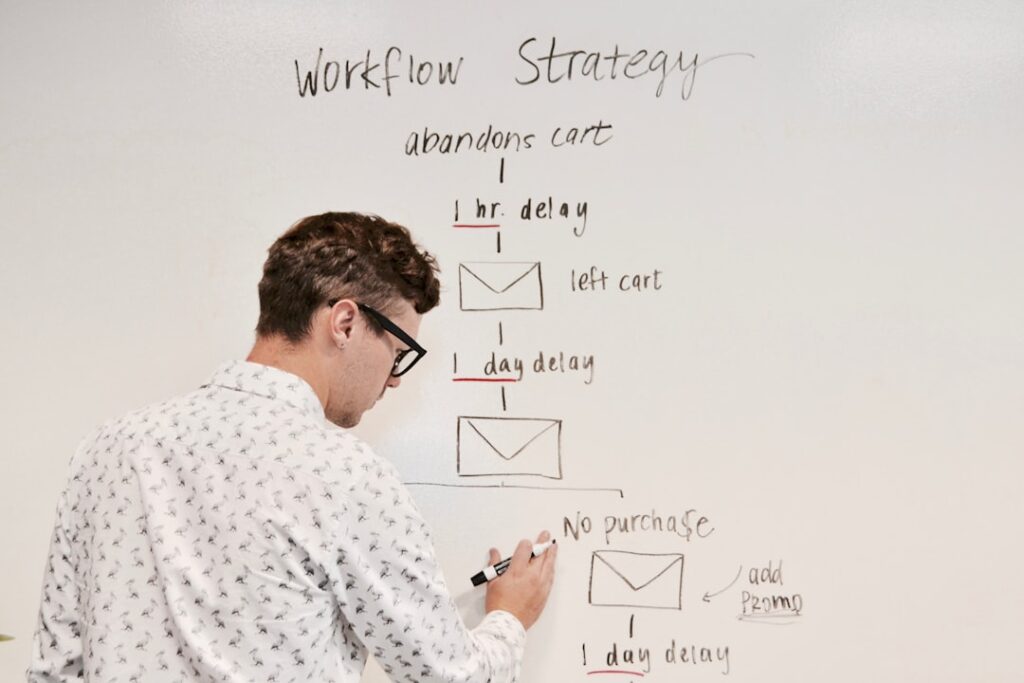
Use this process as a monthly or quarterly routine. The value comes from repeating it, not from doing a one-time “big audit.”
Step 1: Define what “competitor” means for each keyword
In SEO, your real competitors are not always your business competitors. For each topic you want to rank for, Google decides which pages are relevant enough to compete. Start by searching your target query and writing down the top results that appear consistently.
Capture the intent pattern in the results. Are the top pages tutorials, category pages, product pages, list posts, or tool pages? In WordPress terms, this quickly tells you whether you should be competing with a post, a page, a category hub, or a custom template.
Step 2: Build a competitor set and a tracking sheet
Pick 3 to 8 competitor domains that show up across your core topics. Create a simple tracking sheet with columns for: topic cluster, target query, competitor URL, your comparable URL (or “missing”), and the specific gap you observe.
Keep the sheet focused on decisions. If the note does not result in an action (create, improve, consolidate, noindex, redirect, internal link), it is usually noise.
Step 3: Identify each competitor’s top pages and traffic drivers
In an SEO tool, review each competitor’s top pages and the keywords those pages rank for. Your goal is to find patterns, not to copy individual keywords. Patterns often show up as repeated page formats, repeated headings, and repeated internal linking paths.
Then classify what you find into three buckets: “topics we don’t cover,” “topics we cover but underperform,” and “topics we cover but our page type is wrong for intent.”
Step 4: Crawl the competitor to understand site architecture
Use a crawler to see how competitors structure WordPress-like content: how deep key pages are from the homepage, whether they use category hubs, how they handle tag and author archives, and which templates generate duplicate titles or thin pages.
Look for internal linking signals that are easy to replicate ethically: breadcrumb patterns, “related posts” blocks, table-of-contents usage, and contextual links from high-authority pages to important commercial pages.
Step 5: Compare on-page structure for a handful of “money” keywords
Pick 5 to 10 high-value queries and compare the top competitor page to your page side-by-side. Focus on elements that move rankings and clicks: title tag, H1, the first 10 lines of the intro, the H2 outline, and the internal links above the fold.
This is where WordPress implementation matters: your theme controls many template decisions, but you can still win by improving headings, intro clarity, content completeness, media, and contextual internal links.
Analyzing Competitor Keywords and Rankings
Competitor keyword research is most effective when you convert keywords into page decisions. Avoid collecting a giant list without mapping it to actions.
Find “near-win” queries for your own site
Start with your own Google Search Console data. Identify queries where you already get impressions but low clicks, and queries where your average position is close enough that improvements could realistically move you onto page one.
Then use competitor tools to confirm what pages Google is ranking for those queries. This helps you diagnose whether you need a better title and meta description, more complete content, or a different page type.
Build topic clusters instead of chasing single keywords
Competitors rarely win because they have one page. They win because they have a connected set of pages. If you see competitors ranking for many related questions, that is a signal to build a pillar page plus supporting pages and link them together intentionally.
For a broader WordPress SEO fundamentals framework (including content clusters and internal linking), see: Learn WordPress SEO: Complete Beginner’s Guide to Ranking Higher in 2026.
Evaluating Competitor Content Strategies
Content strategy analysis is not about copying writing style. It is about understanding what information the searcher expects and what Google is consistently surfacing.
Reverse-engineer the “required sections” for each topic
For each important query, review the H2 sections used by multiple top results. Repetition across multiple sites usually indicates essential subtopics. Use that repetition to improve completeness on your page, but add your own differentiator: clearer steps, screenshots, examples, templates, FAQs, and tighter editing.
Assess freshness and update cadence
When competitors win with updated content, you can often outrank them with a better update system. Create a simple refresh cycle: pick a small set of URLs each month, update one meaningful section, improve internal links, and rewrite titles and introductions where intent has shifted.
Look for “content UX” advantages you can replicate in WordPress
Competitors may be winning because their pages are easier to use, not just because they have more words. Common UX elements that can improve SEO outcomes include a scannable intro, clear section headers, jump links or a table of contents, comparison tables, and obvious next-step internal links.
Backlink Analysis and Link Building Opportunities

Backlink analysis is where you stop guessing about “authority” and start seeing specific link patterns. Your objective is not to match link volume. Your objective is to earn relevant links to your most important pages and topic hubs.
Find linkable assets competitors already earned links for
In your backlink tool, identify competitor pages with many referring domains. These are often templates, glossaries, original research, beginner guides, or comparison pages. Create a better version that is more current, clearer, and more actionable, then build internal links to it so it becomes a true hub on your site.
Prioritize “relationship-fit” outreach
When you have a genuinely better resource, outreach becomes simpler: contact sites that already link to similar resources and show them why your version helps their readers more. Keep outreach targeted and relevant, and focus on quality placements over volume.
Strengthen internal links before chasing external links
Many WordPress sites underperform because important pages have weak internal link support. Before you invest heavily in link building, add contextual internal links from your strongest pages to the pages you want to rank. This can raise performance faster than expected and makes any future backlinks more effective.
Technical SEO Comparison
Technical SEO comparison is about eliminating hidden disadvantages. If competitors are faster, cleaner, and easier to crawl, they can outrank you even with similar content quality.
Indexing control and thin-page prevention
Review how competitors handle low-value WordPress-generated URLs such as thin tag archives, thin author archives (especially on single-author sites), and media attachment pages. If you find a competitor has a cleaner index, replicate the principle: keep your index focused on pages you actually want ranking, and reduce duplication through consistent settings in one primary SEO plugin.
Speed and template performance
Use PageSpeed Insights on a few page types (homepage, a blog post, a category page, and a conversion page) for both your site and competitor sites. If you see a repeated disadvantage for your templates, prioritize fixes that apply sitewide: image optimization, reducing unnecessary scripts, caching configuration, and plugin cleanup.
Structured data and search appearance
Competitors may win clicks through rich results. Validate a few competitor pages with the Rich Results Test to see what types of structured data are being detected. Then ensure your own pages are eligible by using accurate page types, clean headings, and honest, consistent metadata rather than trying to force markup onto weak pages.
Turning Insights into Action
Competitor research only matters if it becomes a prioritized plan inside WordPress. Use these action categories to turn findings into work that compounds.
Action 1: Create missing pages that competitors rely on
If competitors consistently rank with a specific page type you do not have, create that page. In WordPress, that could mean a new pillar page, a comparison post, a glossary page, or a dedicated landing page rather than trying to force a blog post to rank for commercial intent.
Action 2: Upgrade underperforming pages with a structured rewrite
For pages that already exist, focus on upgrades that change outcomes: rewrite the title to match intent, tighten the intro so it immediately confirms the problem and solution, improve the H2 outline to cover required subtopics, add internal links to related pages, and add a clear call-to-action aligned with intent.
Action 3: Consolidate and prune thin or overlapping pages
If competitor crawls reveal they have fewer thin pages, you may be losing to index bloat. Merge overlapping posts into a single stronger resource, redirect old URLs when appropriate, and reduce low-value archives through your SEO plugin settings. A smaller, cleaner index can be a ranking advantage.
Action 4: Build internal link pathways that mimic how competitors “flow” authority
Map how competitor hubs link to supporting pages and back. Then implement a similar structure with your own content: link from your main navigation or top hub pages to key pages, link from each supporting post back to the hub, and add contextual links between closely related articles.
Frequently Asked Questions
How do we choose the right SEO competitors for a WordPress site?
Start with search results, not brands. For each target query, note which domains appear repeatedly on page one. Those sites are your SEO competitors for that topic, even if they are not direct business competitors.
How often should we run competitor SEO analysis?
A practical cadence is monthly for a lightweight review (new pages, new links, ranking shifts) and quarterly for a deeper crawl and content gap assessment. The key is consistency so insights feed a steady optimization backlog.
What is the fastest competitor-driven win in WordPress?
Improving pages that already get impressions. Use Search Console to find near-win queries, then compare your page to the top results and fix the biggest gaps first: title and intro clarity, missing sections, internal links, and page type alignment with intent.
Should we copy competitor keywords into our content?
No. Use competitor keywords to understand the topic language and subtopics people care about, then write a better, more complete page that satisfies intent. In most cases, outperforming competitors comes from better structure, clarity, and usefulness, not keyword duplication.
Do we need to change themes or rebuild the site to outrank competitors?
Not usually. Many competitor-driven improvements are editorial and structural: clearer content, better internal links, improved indexing control, and fixing template-level performance issues. Rebuilds can help when a theme is fundamentally bloated or inflexible, but they are not the first lever to pull.
Start Outranking Your Competitors
If you want competitor insights to translate into consistent publishing and faster iteration, we can help. At ClearPost, we build workflows that turn competitor research into clear outlines, structured drafts, and an ongoing optimization plan you can execute week after week. When you’re ready, reach out to ClearPost and we’ll help you turn analysis into rankings.