

You optimized your meta descriptions. You wrote alt text for every product image. You installed Yoast and hit green lights on your category pages. Your desktop PageSpeed score is 87. Your category pages still sit on page 4.
The ecommerce SEO advice you have been reading is not wrong. It is just incomplete. Most guides focus on blog content, title tags, and meta descriptions because those are the easy wins to write about. They skip the three structural problems that are quietly draining your store’s ranking signals right now: faceted navigation creating thousands of duplicate URLs, out-of-stock product pages bleeding link equity, and manufacturer descriptions triggering duplicate content filters that push your pages out of search results.
These are WordPress and WooCommerce-specific issues. They do not appear in Shopify-centric guides because Shopify handles canonical tags and URL structures differently. If you are running WooCommerce with 200-plus SKUs, these three leaks are likely costing you more traffic than any blog post could ever generate. Here is how to find them and fix them without a $3,500/month agency retainer.
The Ecommerce SEO Problem Nobody Talks About
Your product pages are your money pages. They are where search intent meets commercial intent, where a search for “stainless steel French press” turns into a $45 sale. Yet most ecommerce SEO content talks about blog posts, pillar pages, and content clusters. That advice works for SaaS companies and service businesses. It misses the point for online stores.
A WooCommerce store with 200 SKUs has 200 product pages, 20 to 40 category pages, and potentially thousands of filtered navigation URLs. Your blog might have 15 posts. If you spend your SEO budget on the blog, you are optimizing 15 pages while 240 commercial pages sit underoptimized, duplicated, or broken. The math does not work.
The real ecommerce SEO problem is structural. It lives in your URL structure, your product data, and your inventory workflow. These are not content problems you can fix by writing more blog posts. They are architecture problems that silently compound until Google decides your site is not worth crawling deeply.
Google’s own crawling documentation for faceted navigation warns that parameter-based filtering “can generate infinite URL spaces” that waste crawl budget and slow discovery of your real pages. This is not a hypothetical. If your WooCommerce store uses filter widgets for color, size, price, and sort order, you are generating combinations Google has to crawl before it can determine they are useless.
Traffic Leak #1: Faceted Navigation Is Creating 10,000 Duplicate URLs

Every filter combination on your WooCommerce store creates a new URL. Your “shoes” category page might live at /product-category/shoes/. Add a color filter and it becomes /product-category/shoes/?filter_color=black. Add size and you get /product-category/shoes/?filter_color=black&filter_size=10. Add sort by price and you have a fourth URL showing nearly identical products.
A typical store with 200 products and five filterable attributes can generate thousands of URL combinations. A fashion store with color, size, fit, material, and price range filters can easily exceed 10,000. Each URL is technically unique. Google crawls each one, discovers the same products, and has to decide which version to rank. Without explicit canonical tags, Google guesses. It often guesses wrong.
What This Looks Like in Google Search Console
Open Google Search Console and go to the Pages report. Look for the “Duplicate, Google chose different canonical than user” flag. If you see hundreds or thousands of URLs in this state, faceted navigation is your problem. Google is crawling filtered URLs, indexing some of them, and ignoring your intended category pages.
The downstream effect is crawl budget waste. Googlebot has a finite amount of time it will spend on your site per crawl cycle. If it spends that time crawling 8,000 filtered URL combinations that show the same 200 products in slightly different orders, it has less time to discover your new product pages, your updated category pages, and your blog content. Your new product launches sit in the crawl queue while Googlebot churns through filter combinations.
The Fix: Canonical Tags and robots.txt
You do not need to remove faceted navigation. Your customers need filters to find products. You need to tell Google which URLs to crawl and which to ignore.
First, set canonical tags on every filtered URL pointing back to the base category. If /product-category/shoes/?filter_color=black exists, its canonical tag should point to /product-category/shoes/. WooCommerce with Yoast SEO or Rank Math can handle this, but you need to verify it is actually configured. Check your filtered page source for the rel="canonical" tag and confirm it points to the unfiltered category URL.
Second, block low-value parameter URLs in your robots.txt file. Add disallow rules for filter and sort parameters:
Disallow: /*?filter_
Disallow: /*&filter_
Disallow: /*?orderby=
Disallow: /*&orderby=
Third, keep high-value filter combinations indexable only if they have proven search volume. If “black running shoes size 10” gets 500 searches per month, that filtered URL deserves its own canonical, unique metadata, and server-rendered content. If a filter combination has zero search demand, it should canonicalize to the base category.
This is the kind of technical SEO work that an agency charges $3,500/month to identify and fix. On WordPress, it is a one-time configuration in your SEO plugin plus a robots.txt update. For a deeper look at how technical issues interact with content production, our analysis of what SEO tools actually cost per published post breaks down where the real money goes.
Traffic Leak #2: Out-of-Stock Pages Are Bleeding Your Ranking Signals
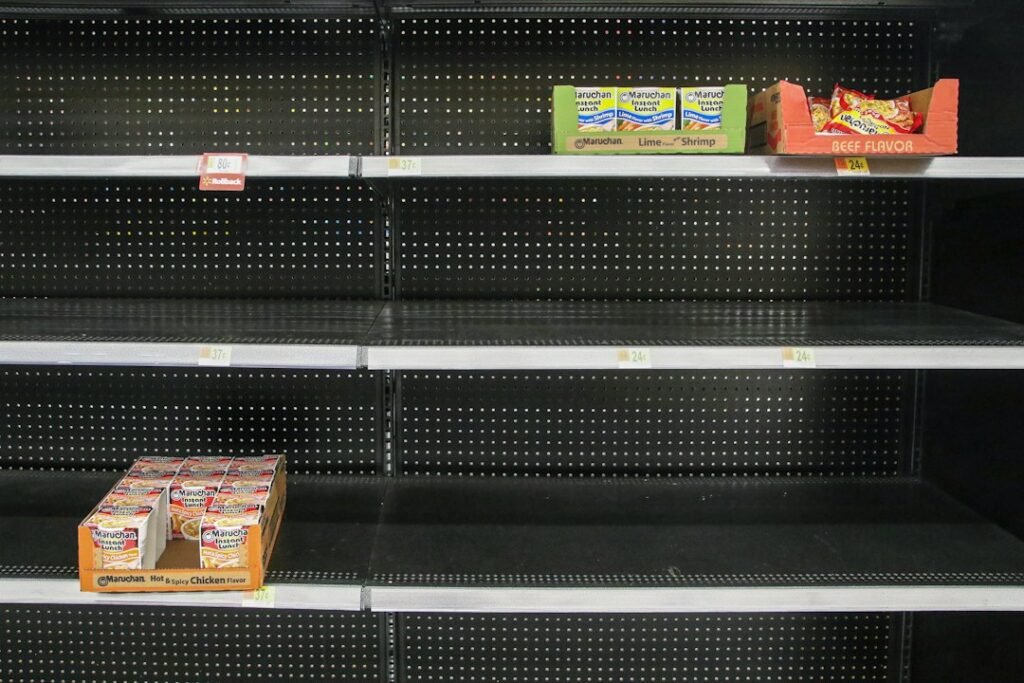
When a product goes out of stock, most WooCommerce stores do one of two things: they leave the page live with an “out of stock” notice, or they delete the product entirely. Both choices cost you ranking signals, but in different ways.
Leaving a bare out-of-stock page live creates a poor user experience. Users bounce. Google sees the bounce signal and lowers the page’s ranking. Over time, the page loses the position it earned when the product was available. When you restock, you have to rebuild that ranking from a weakened position.
Deleting the product and returning a 404 is worse if the page had backlinks or organic traffic. A 404 throws away every internal link pointing to that product, every external backlink, and every keyword ranking the page had built. If the product comes back, you are starting from zero.
The Right Approach Depends on the Stock Status
For temporarily out-of-stock products, keep the page live and indexed. Return a 200 status code. Update the product schema to show https://schema.org/OutOfStock. Replace the add-to-cart button with a back-in-stock notification signup. Show related products and alternative options on the page. This keeps the ranking signals intact, reduces bounce rate, and gives Google a clear availability signal.
For permanently discontinued products, the decision depends on the page’s SEO value. If the page has backlinks or ranks for a keyword with search volume, 301 redirect it to the closest replacement product or the parent category. If the page has no SEO value, let it return a 410 status code, which tells Google the page is gone permanently and should be removed from the index faster than a 404.
Do not redirect discontinued products to your homepage. Google treats redirects to irrelevant pages as soft 404s, which means you lose the link equity you were trying to preserve. The redirect target needs to be a genuinely relevant replacement.
Automating This in WooCommerce
WooCommerce does not handle out-of-stock redirects out of the box. You need either a plugin like Redirection (free) or a custom function in your theme’s functions.php file. The workflow: when a product’s stock status changes to “out of stock,” trigger a check. If the product is flagged as discontinued, create a 301 redirect to the replacement. If it is temporary, update the schema and display a notification form. This is a one-time setup that runs automatically thereafter.
The point is that out-of-stock pages are not a content problem. They are an inventory-to-SEO workflow problem. If your inventory management and your SEO are not connected, every stock change creates a ranking signal leak that compounds across 200 products.
Traffic Leak #3: Manufacturer Descriptions Are Triggering Duplicate Content Filters
Here is the nuance most ecommerce SEO guides get wrong. Google does not penalize duplicate product descriptions. Google’s John Mueller has stated directly that using manufacturer descriptions is “perfectly fine” and that there is no penalty for it. But “no penalty” and “your pages will rank” are two different things.
What Google does is filter. When multiple pages have the same product description, Google picks one page to show in search results and suppresses the others. For generic product queries that match the manufacturer’s description text, Google will typically choose the manufacturer’s page, the largest retailer, or whichever page has the strongest domain authority. Your WooCommerce store with a domain authority of 28 loses to the manufacturer with a domain authority of 75 every time.
Why “No Penalty” Still Costs You Traffic
The filtering is not a penalty, but the outcome is the same: your page does not appear in search results. Mueller explained that Google “will try to pick one of those pages and show only that one.” If your product page is 100% manufacturer description with no unique content around it, Google has no reason to pick yours over the dozens of other stores using the same text.
This is why your product pages do not rank even when your technical SEO is clean. The title tag is optimized. The URL structure is correct. The schema is valid. But the body content is identical to 50 other stores selling the same product. Google sees no differentiating value and filters your page out.
The Fix: Unique Descriptions That Add Value
Mueller noted that “it’s always a good practice to have unique descriptions on your pages.” The fix is not to paraphrase the manufacturer description. The fix is to add value the manufacturer cannot: your store’s specific expertise, use cases, compatibility notes, shipping details, and customer context. A rewritten description that says the same thing in different words adds minimal value. A description that says “this French press is dishwasher safe, fits in a standard cabinet, and our customers report the mesh filter lasts about 18 months before needing replacement” adds value no manufacturer page has.
With 200 SKUs, rewriting every product description manually at $200 to $500 per description from a freelance writer would cost $40,000 to $100,000. That is not realistic for a solo founder. This is where AI-assisted rewriting becomes practical, and we will walk through the exact workflow later in this article.
The Three Leaks Compared
Here is how the three traffic leaks compare in terms of impact, effort to fix, and whether you can automate the solution on WordPress.
| Traffic Leak | What It Does | Impact on Rankings | Fix Effort | Automatable? |
|---|---|---|---|---|
| Faceted navigation duplicates | Creates thousands of low-value URLs that waste crawl budget and split ranking signals | High: delays indexing of new products, dilutes category page authority | Medium: one-time robots.txt + canonical configuration | Yes, via SEO plugin settings |
| Out-of-stock pages | Bare pages create bounce signals; 404s waste link equity and backlinks | Medium: compounds over time as products cycle in and out of stock | Low: set up redirects and schema updates once | Yes, via Redirection plugin or custom function |
| Manufacturer descriptions | Google filters your page out of results because it is identical to other retailers | High: prevents product pages from ranking for any non-branded query | High: requires unique content for every SKU | Yes, via AI-assisted batch rewriting |
The Real Cost: Agency Retainer vs. WordPress Automation
Let us talk about what fixing these three leaks actually costs. You have two paths: hire an agency or handle it in-house with WordPress automation.
Path 1: Shopify or Ecommerce SEO Agency
Specialist ecommerce SEO agencies typically charge $2,500 to $5,000 per month, based on widely reported industry pricing ranges. That retainer covers technical audits, on-page optimization, content production, and link building. For a WooCommerce store with 200 SKUs and the three leaks above, the agency would need to:
- Audit faceted navigation and configure canonical tags (4 to 8 hours of developer time)
- Set up out-of-stock redirect rules and schema updates (2 to 4 hours)
- Rewrite 50 product descriptions to replace manufacturer text (25 to 50 hours of copywriter time)
- Monthly monitoring and reporting (2 to 3 hours/month ongoing)
At $3,500/month, the median retainer, you are paying $42,000 over 12 months. The agency produces a one-time technical fix in months 1 to 2, then bills $3,500 every month for monitoring and a handful of content updates. The technical fixes do not recur. The retainer does. For a fuller breakdown of how agency retainers allocate budget, our guide on what a $3,500/month SEO retainer actually buys walks through every line item.
Path 2: WordPress-Native Automation with ClearPost
The same fixes on a WordPress-native workflow cost $99/month for ClearPost plus approximately 3 hours of one-time setup. Here is the breakdown:
| Fix | Agency Cost (One-Time) | ClearPost + DIY Cost | Your Time |
|---|---|---|---|
| Faceted nav canonicals + robots.txt | $500 to $1,500 (billed monthly in retainer) | $0 (configure in Yoast or Rank Math) | 1 hour |
| Out-of-stock redirect rules | $300 to $800 | $0 (Redirection plugin, free) | 30 minutes |
| 50 product description rewrites | $2,500 to $5,000 (agency copywriter) | $99/month (AI-assisted batch) | 2 hours (review and edit) |
| Ongoing monitoring | $3,500/month retainer | $99/month (included) | 15 minutes/week |
| 12-Month Total | $42,000 | $1,188 | ~3 hours setup + 1 hour/month |
The gap is not subtle. $42,000 versus $1,188 over 12 months for the same set of fixes. The agency brings strategic judgment and link building that automation cannot replace. But the three structural leaks in this article are configuration and content problems, not strategy problems. They do not require a $3,500/month retainer to solve.
Your 50-Product-Description Batch Workflow

Fixing leaks #1 and #2 takes a single afternoon. Fixing leak #3, the manufacturer description problem, takes longer because it requires unique content for every SKU. Here is the workflow to batch-rewrite 50 product descriptions in one afternoon using AI, with you as the brand voice gatekeeper.
Step 1: Export Your Product Data (15 minutes)
In WooCommerce, go to Products and export your catalog as a CSV. You need three columns: product name, current description (the manufacturer text), and product category. Filter for products that still have manufacturer descriptions. Sort by category so you are rewriting related products in batches, which keeps the brand voice consistent across each group.
Step 2: Generate Unique Descriptions with AI (45 minutes)
This is where ClearPost earns its keep. Instead of copy-pasting each product into ChatGPT individually and manually formatting 50 separate outputs, you set up a batch workflow. Feed ClearPost the product data, your brand voice guidelines, and the specific value-adds you want included for each category. The AI generates structured descriptions with unique opening paragraphs, specific use cases, and SEO keywords for each product.
The prompt structure matters. For each product, instruct the AI to include: what the product is, who it is for, one practical use case the manufacturer description does not mention, one specification that matters for purchasing decisions, and a closing line about shipping or availability. This structure ensures every description adds value beyond the manufacturer text, which is what Google needs to stop filtering your pages.
Step 3: Review and Edit for Brand Voice (60 to 90 minutes)
This is the step that separates a store that ranks from a store that publishes AI filler. AI generates the draft. You review for accuracy, brand voice, and claims you cannot verify. Read every description. Check that product specifications are correct. Remove any sentence that sounds like it came from a generic product description generator. Add one sentence per description that only you could write: something about your customers’ experience, a common question you get, or a detail about how the product fits your store’s positioning.
The honest limitation: AI does not know your customers. It does not know that your buyers ask about dishwasher safety more than any other feature. It does not know that a particular product gets returned 15% of the time because the sizing runs small. You do. That knowledge is what makes the description unique and what gives Google a reason to rank your page instead of the manufacturer’s.
Step 4: Publish Back to WooCommerce (15 minutes)
With ClearPost, the descriptions publish directly to WordPress through the REST API. No copy-paste into the WooCommerce product editor, no manual formatting, no per-product SEO setup. If you are doing this manually with a standalone AI tool, you would need to update each product page individually, which adds 3 to 5 minutes per product and turns a 2-hour job into a 4-hour job.
Step 5: Verify Canonical Tags and Schema (15 minutes)
After publishing, spot-check 5 to 10 product pages to confirm the canonical tags are self-referencing, the product schema is valid, and the descriptions are rendering correctly. Use Google’s Rich Results Test on one page to verify the structured data. This is a 15-minute quality check, not a deep audit.
Total time: 2.5 to 3.5 hours for 50 product descriptions. At a freelance rate of $200 to $500 per description, that batch would cost $10,000 to $25,000 outsourced. With the AI-assisted workflow, your cost is $99/month for ClearPost plus your 3 hours of review time. For more on why standalone AI tools fail to close this gap, our breakdown of why AI drafts never become published traffic explains the missing workflow layer.
Next Step: Audit Your Store’s Three Leaks
You now know the three structural leaks draining your WooCommerce store’s rankings. The next step is to audit your own site for each one. Start with Google Search Console: check your Pages report for duplicate canonical warnings, look at your crawl stats for signs of faceted navigation waste, and review your indexed page count against your actual product count. If Google has indexed significantly more URLs than you have products, faceted navigation is creating index bloat.
Then export your product catalog and flag every product still using a manufacturer description. Count them. That number is your content debt, and each page is one that Google is filtering out of search results because it has no reason to rank yours over the manufacturer’s.
The three leaks are fixable. They do not require a $3,500/month retainer. They require a one-time technical configuration and a batch content update you can complete in a single afternoon.
Try ClearPost free for 7 days. AI does the heavy lifting: batch product description rewrites, SEO meta tags, internal linking, and publishing through the WordPress REST API. Full autopilot by default, or review posts first if you prefer. No long onboarding, no agency overhead, cancel anytime. See what 50 unique product descriptions look like compared to the manufacturer text every other store is using.
Frequently Asked Questions
Does WooCommerce faceted navigation hurt SEO?
Yes, if left unconfigured. Every filter combination creates a new URL, and a store with 200 products can generate thousands of duplicate URLs. This wastes Google’s crawl budget and splits ranking signals across filtered pages. The fix is to set canonical tags on filtered URLs pointing to the base category, and block low-value parameter URLs in robots.txt.
Should I delete out-of-stock product pages on my WooCommerce store?
It depends on the stock status. For temporarily out-of-stock products, keep the page live, update the schema to OutOfStock, and show a back-in-stock notification form. For permanently discontinued products with backlinks or rankings, 301 redirect to the closest replacement. For discontinued products with no SEO value, let them return a 410 status code.
Will Google penalize my store for using manufacturer product descriptions?
Google does not issue a penalty for duplicate product descriptions. However, Google filters duplicate content by choosing one page to show in search results and suppressing others. If your product page uses the same manufacturer description as dozens of other stores, Google will typically rank the manufacturer or the largest retailer, not your store. Rewriting descriptions with unique value-adds gives Google a reason to rank yours instead.
How much does ecommerce SEO cost for a WooCommerce store?
An ecommerce SEO agency typically charges $2,500 to $5,000 per month. The three structural fixes in this article can be handled in-house for $99 per month with ClearPost plus approximately 3 hours of one-time setup. The 12-month cost difference is $42,000 for the agency retainer versus $1,188 for the WordPress-native workflow.
Can AI rewrite product descriptions for SEO without hurting quality?
Yes, with a human review step. AI generates unique drafts based on product data and brand voice guidelines, but you must review each description for accuracy, remove generic phrasing, and add details only you know about your customers. The batch workflow for 50 descriptions takes 2.5 to 3.5 hours including review, compared to $10,000 to $25,000 outsourced to a freelance copywriter.