
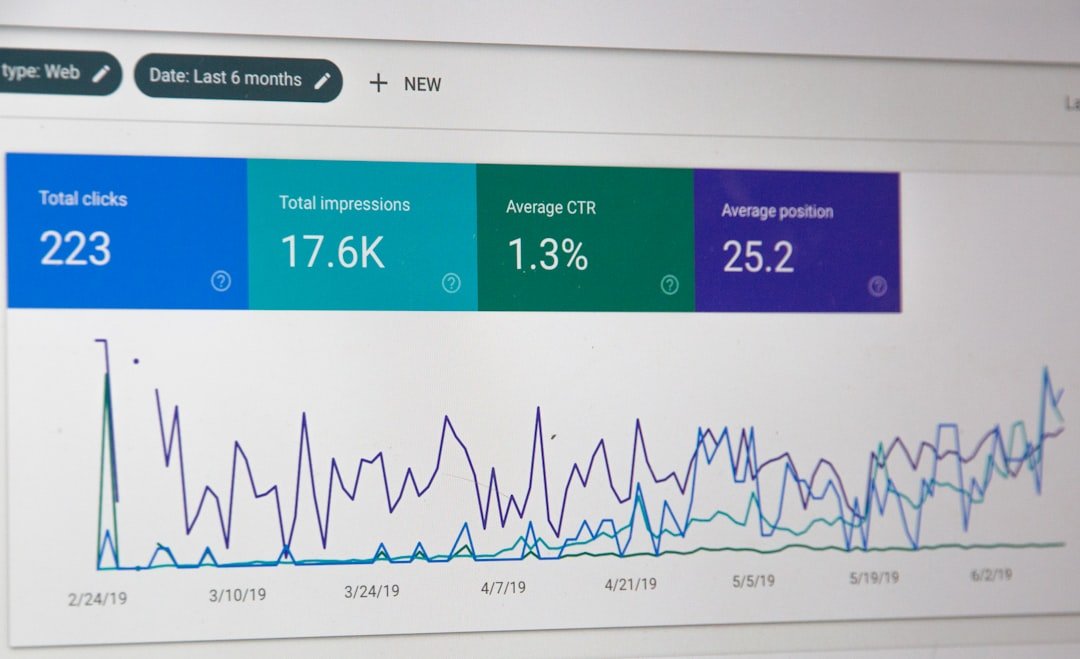
You pay $129 a month for an SEO rank tracker. You opened it three times in the last quarter. The dashboard has 500 keywords, 14 charts, a backlink graph, and a site audit score that has not changed since the day you ran it. You are not monitoring SEO. You are renting a dashboard you feel guilty about ignoring.
Here is the reframe that matters: the top SEO monitor tool is not the one with the most features. It is the one you actually open every week, understand in 15 minutes, and use to make a content decision. That tool might be free. For most solo WordPress site owners and small marketing teams, Google Search Console covers roughly 80% of what you need. The other 20% is where paid tools earn their keep, but only if you have a workflow that connects the data to action. This article compares five SEO monitoring tools by real cost, names what each one genuinely cannot do for WordPress workflows, and gives you a 15-minute Monday morning routine that replaces the dashboard you are not reading.
What Is SEO Monitoring and Why Most WordPress Owners Get It Wrong
SEO monitoring means tracking how your pages perform in Google search results over time and acting on what changes. That is the full definition. It is not keyword research. It is not site audits. It is not backlink analysis. Those are SEO activities that feed into monitoring, but monitoring itself is the closed loop: measure, compare, decide, act.
Most WordPress owners get it wrong because they treat monitoring as a tool purchase instead of a habit. They sign up for a rank tracker, import 500 keywords from a seed list, watch the dashboard populate with colorful charts, and then never open it again. The tool is running. The subscription is billing. No content decision has been made based on anything the tool reported. If you want to understand why this happens so consistently, our breakdown of SERP position monitoring covers the exact psychology: rank tracking for ego feels productive but changes nothing, while rank tracking for action triggers content updates and technical fixes.
The mistake is not buying a tool. The mistake is buying a tool without a workflow. A $129/month rank tracker you check weekly and act on is an investment. A $129/month rank tracker you check twice a quarter is a tax on indecision. The tool is the same. The habit is what separates signal from noise.
The Dashboard Abandonment Problem
Here is what happens to most WordPress owners who sign up for a paid SEO tool. Month one: you import keywords, run a site audit, feel a rush of productivity. Month two: you open it once, glance at the average position metric, close the tab. Month three: you get the monthly invoice email, think “I should check that dashboard,” and do not. Month six: you have spent $774 and made zero content decisions based on the data. The dashboard is not broken. You just never built a workflow around it.
This is the industry’s open secret. SEO tool churn rates are high not because the tools are bad, but because most buyers do not need the volume of data these tools provide. A solo WordPress site owner tracking 15 keywords does not need 2,000 tracked keywords, a backlink crawler, and a site audit engine running 250,000 pages per month. They need a 15-minute weekly check that tells them which pages to update. That check can happen in Google Search Console for $0.
The 5 Top SEO Monitor Tools Compared (Real Costs, Real Limits)

Five tools dominate SEO monitoring for small to mid-size sites: Google Search Console, SEOmonitor, SE Ranking, Serpstat, and Ahrefs. Below is what each one actually costs per month, verified against each tool’s pricing page at time of writing, and the specific limitation that matters for WordPress workflows. This is not an affiliate roundup. Some of these tools are genuinely worth their price for the right user. Others are overkill for a solo site owner.
| Tool | Monthly Price | Annual (per month) | What It Tracks | WordPress Integration | Key Limitation for WP Users |
|---|---|---|---|---|---|
| Google Search Console | $0 | $0 | Real impressions, clicks, CTR, avg position for all queries you rank for | Native (verify property) | No per-keyword daily tracking, 3-day data delay, no competitor data |
| SEOmonitor (Starter) | €99/mo (~$105) | ~$87/mo (17% off) | 1,000 keywords daily, AI Overview tracking, forecasting | None (web dashboard only) | No WordPress plugin, no content production, GSC connection costs extra |
| SE Ranking (Core) | $129/mo | $103.20/mo | 2,000 keywords daily, 10 projects, site audit, backlink monitoring | None (web dashboard only) | No content production, annual plan billed upfront in full |
| Serpstat (Individual) | $69/mo | $50/mo | 10,000 position checks/month, 5 projects, site audit, backlink analysis | None (API on Team+ only) | Small keyword database, no JavaScript rendering in audits on Individual plan |
| Ahrefs (Lite) | $129/mo | ~$108/mo | 750 keywords weekly, deepest backlink index in the industry, 5 projects | WP plugin (data overlay only) | Weekly tracking on base plan, no content production, one user seat |
Google Search Console: Free and Covers 80% of What You Need
Google Search Console is free, already connected to your WordPress site if you verified it, and gives you real search data from actual users. That last point matters more than people realize. Every paid rank tracker queries Google from a datacenter IP with no personalization, no cookies, no search history. GSC shows you what real searchers saw: their impressions, their clicks, the queries they actually used. No paid tool can replicate this data because no paid tool has access to Google’s real impression and click logs.
What GSC gives you: impressions, clicks, click-through rate, and average position for every query where your site appeared. You can filter by page, country, device, and date range. You can see which pages are gaining impressions and which are losing them. You can identify queries with high impressions but low CTR, which usually means your title tag or meta description needs work.
What GSC cannot do: it does not track keywords you are not yet ranking for. It does not give you daily per-keyword position snapshots. It has a built-in 3-day data delay. It does not benchmark competitors. It has no alerts when a ranking drops. And its “average position” metric is an impression-weighted blend across every location, device, and query variant, not the actual position any single searcher saw. Google’s own documentation is clear about this: the position value is averaged across all queries in which your property appeared.
For a solo WordPress site owner tracking 15 to 20 keywords, GSC is enough. You pull a 28-day comparison once a week, look for pages that gained or lost impressions, and act on the changes. The paid tools below fill specific gaps that GSC leaves open, but none of them replaces GSC as your baseline.
SEOmonitor: Best Forecasting, Agency Pricing
Credit where it is due: SEOmonitor’s forecasting is genuinely the strongest in the SEO monitoring category. The platform projects organic traffic growth based on ranking movements, search volume, and your current non-brand organic traffic data. For agencies building business cases for clients, that forecasting is a real differentiator. The AI Overview tracking, which monitors whether your site appears in Google’s AI-generated search summaries, is also ahead of most competitors.
The Starter plan costs €99/month (approximately $105 USD), based on 1,000 tracked keywords. Annual billing drops it by 17% to roughly €82/month. The Pro plan at €299/month is built for agencies managing multiple campaigns. There is also a Writer-Only plan at €25/month for content teams who just want the content brief features without rank tracking.
Here is the tradeoff for WordPress owners. SEOmonitor has no WordPress plugin. No REST API integration. No content production pipeline. You monitor rankings in the SEOmonitor dashboard, then manually transfer insights to WordPress. That context-switching is the hidden labor cost most tool comparisons skip. If you are a solo site owner, the Starter plan at €99/month for one website is a steep price for rank tracking without a content workflow attached. Connecting your GSC and GA accounts for integrated traffic analysis costs an additional €9.99/month per campaign, which pushes the real monthly cost above €108 for a single site.
SEOmonitor earns its price for agencies that need client-facing forecasting reports and AI Overview tracking at scale. For a solo WordPress owner, it is overkill.
SE Ranking: Best Value for Daily Tracking at Scale
SE Ranking is the best value for daily rank tracking if you need volume. The Core plan at $129/month (or $103.20/month billed annually) gives you 2,000 keywords tracked daily across 10 projects, site audits up to 250,000 pages, backlink monitoring, and the full SEO toolkit. That is more tracked keywords than comparable plans from other major SEO suites, with daily updates.
The platform also includes AI search tracking for Google AI Overviews, AI Mode, Perplexity, and ChatGPT visibility, plus GEO competitor research. These are forward-looking features that most competitors either do not offer or charge extra for.
The limitation for WordPress users is the same as SEOmonitor: no WordPress plugin, no content production. You research and monitor in the SE Ranking web dashboard, then manually move data to WordPress. Annual plans are also billed upfront in full, so “$103.20 per month” is a $1,238.40 charge on day one. And only one active session per login is allowed, so you cannot share a seat across a team without paying for extra seats at $16/month each.
For a deeper comparison of how SE Ranking stacks up against other SEO suites, our SEMrush competitors analysis breaks down the per-keyword cost math across seven tools, including SE Ranking.
Serpstat: Budget Option with a Small Database
Serpstat is the cheapest paid option on this list. The Individual plan costs $50/month on annual billing or $69/month if you pay month-to-month. That gets you 5 projects, 100 searches per day, 10,000 keyword position checks per month, and 30,000 site audit pages. For a solo site owner who wants more than GSC offers but cannot justify $129/month, Serpstat fills that gap.
The Team plan at $100/month annual ($129/month monthly) adds API access, ChatGPT and Claude integration, AI Overview brand opportunity reports, and batch analysis. That is where Serpstat differentiates: API access at $100/month when SEMrush charges $499.95/month for the same feature.
The tradeoff is database size. Serpstat’s keyword database is smaller than Ahrefs or SE Ranking, which means keyword suggestions and search volume estimates are less complete. The Individual plan also lacks JavaScript rendering in site audits, which means it will miss client-side rendered content on modern WordPress sites using page builders or dynamic content plugins. And, like every other tool on this list except GSC, Serpstat has no WordPress integration or content production pipeline.
Ahrefs: Best Backlink Data, Weak for WordPress Content
Ahrefs has the deepest and most frequently updated backlink index in the industry. That is not a marketing claim, it is a widely acknowledged fact among SEO practitioners. If your monitoring needs center on backlink growth, referring domain analysis, or link gap research, Ahrefs Lite at $129/month (or approximately $108/month billed annually) is the best tool for that job.
The Lite plan includes 750 tracked keywords, 5 projects, 100,000 site audit crawl credits, and 5 tracked AI prompts. A standalone Starter plan at $29/month exists but is limited to basic site explorer lookups with no rank tracking.
Here is the limitation that matters for WordPress owners. Ahrefs Lite tracks keywords weekly, not daily. Daily tracking requires the Standard plan at $249/month or a Project Boost add-on. Ahrefs does have a WordPress plugin that surfaces SEO metrics in the block editor, but it is a data overlay, not a production tool. It shows you what to target. It does not format, optimize, or publish anything. One user seat is included on Lite, with extra users at $40/month each.
Ahrefs earns its subscription for backlink-focused monitoring. For rank tracking alone, SE Ranking gives you nearly 3x the keywords at the same price with daily updates. For WordPress content production, Ahrefs does nothing.
How to Actually Use Rank Tracking Data (Without Drowning in Metrics)
The problem with most SEO monitoring setups is not the data. It is the volume. You import 500 keywords, the dashboard shows 500 rows of numbers, and the sheer quantity makes it impossible to know what to act on. The fix is not better software. It is fewer keywords and a tighter workflow.
Track 15 Keywords, Not 500
Every tracked keyword should map to a specific page on your site that you can edit if the ranking drops. If you cannot name the URL a keyword corresponds to, do not track it. Keywords without an owner are noise. You will see them move and have no idea what to do about it, so you will ignore them, and then you will ignore the whole dashboard.
Pick your 15 keywords from GSC. Open Search Console, go to Performance, set the date range to 28 days, and sort by clicks. Take your top 10 traffic-driving queries. Then sort by impressions and take 5 more that have high impressions but low CTR. These 15 keywords are your tracked list. Each one maps to a real page with real traffic potential.
Check Weekly, Not Daily
Daily rank checking is noise. Rankings fluctuate by 1 to 3 positions on any given day for reasons that have nothing to do with your content: Google tests different result layouts, competitors publish and index, personalized results shift, minor algorithm updates run. If you check daily, you will see movement that reverses by the next day. You will react to ghosts.
Weekly monitoring catches meaningful trends. A keyword that moved from position 5 to position 8 over seven days is a signal worth investigating. The same keyword bouncing between 5 and 7 across four daily checks is normal SERP volatility. Pick a day, check on that day every week, and compare against the previous week.
The 15-Minute Monday Morning Workflow

Here is the concrete workflow that replaces the dashboard you are not reading. It takes 15 minutes, runs every Monday morning, and connects ranking data to a content decision every single time.
Minutes 0 to 5: Pull your data. Open Google Search Console. Go to Performance, then Search Results. Set the date range to the last 7 days. Compare against the previous 7 days. Look at the query table sorted by clicks. Note any keyword where clicks or impressions changed significantly, meaning more than 20% up or down. If you have a paid rank tracker, pull the weekly snapshot there instead for cleaner per-keyword position data.
Minutes 5 to 10: Triage the changes. For each keyword that moved meaningfully, identify the corresponding page URL. If a keyword dropped 3 or more positions, flag the page for review. If a keyword gained positions, note what is working. If a new query appeared in your top 20 that you were not targeting, that is a content expansion opportunity. Write it down.
Minutes 10 to 15: Make one decision. Pick the single most impactful action item from your triage. That might be: update a page that dropped, add a missing section to match the competitor now ranking above you, refresh a dated statistic, improve a title tag for a high-impression low-CTR query, or plan a new post targeting a query you just started appearing for. Do not try to act on everything. Pick one, write it down as your content task for the week, and close the tab.
That is the entire workflow. Fifteen minutes, one decision, one action per week. Over a year, that is 52 content decisions driven by real data. Compare that to the dashboard you currently pay for and open twice a quarter.
SEO Monitoring for WordPress: What to Track and What to Ignore
WordPress site owners have specific monitoring needs that general SEO practitioners do not. Your site runs on a CMS that updates plugins, changes permalink structures, and can break schema markup without any visible error. Here is what to track and what to ignore.
Track These Five Things
- Impression trends per page: Which pages are gaining or losing impressions in GSC over 28-day windows? A page losing impressions may have dropped in ranking, lost a SERP feature, or been affected by a WordPress plugin update that broke its schema or canonical tag.
- Click-through rate for high-impression queries: If a query shows 2,000 impressions and 15 clicks, your CTR is 0.75%. That usually means your title tag or meta description is not compelling. Fix it in WordPress and resubmit the URL in GSC for indexing.
- New queries entering your top 20: When GSC shows a query you were not targeting, your content is ranking for something you did not plan. That is a content expansion signal. Add the query to your tracked list and consider writing a dedicated post for it.
- Indexing status: GSC’s Pages report shows whether your pages are indexed, excluded, or in error. A WordPress plugin conflict can silently noindex pages you want indexed. Check this monthly, not weekly.
- Core Web Vitals: GSC reports on LCP, FID, and CLS for your pages. WordPress sites are particularly vulnerable to CLS issues from images without dimensions, embeds, and ads. Check this monthly and fix any URLs flagged as poor.
Ignore These Three Things
- Daily position fluctuations: A keyword that bounces between position 6 and 8 across three days is not telling you anything actionable. Weekly trends are signal. Daily movements are noise. Checking daily wastes time and creates anxiety without producing decisions.
- Domain authority or domain rating scores: These are proprietary metrics invented by SEO tool companies. They are not used by Google’s algorithm. They correlate loosely with ranking ability but are not causal. Watching them go up or down by a point tells you nothing useful about your actual search performance.
- Competitor keyword gap reports for sites with 10,000+ keywords: If a competitor ranks for 10,000 keywords and you rank for 200, the “gap” is not actionable. You cannot close an 9,800-keyword gap. Focus on the 15 keywords that map to pages you can actually improve.
The WordPress-Specific Monitoring Gap None of These Tools Fill

Every paid tool on the comparison table above gives you data. None of them produce or publish content. You monitor rankings in one dashboard, identify a page that needs updating, then open WordPress, navigate to the post, edit the content, fix the heading hierarchy, update the meta description, add internal links, and hit publish. That manual labor takes 65 to 80 minutes per post on average. The SEO tool subscription is a rounding error compared to the labor cost of acting on what the tool tells you.
This is the gap ClearPost was built to close. ClearPost lives inside WordPress, uses your Google Search Console data to identify content gaps, and generates SEO-optimized posts that target the keywords your monitoring tells you are worth pursuing. AI does the heavy lifting, you approve every post before it goes live. The monitoring data tells you where to focus. ClearPost handles the production. If you want to understand the full cost math of content production, our content ROI analysis breaks down every dollar from keyword research through publishing.
Stop Paying for Dashboards Nobody Reads
The top SEO monitor tool for your WordPress site is the one you will actually open every Monday morning and use to make one content decision. For most solo site owners and small marketing teams, that tool is Google Search Console. It is free, it gives you real search data from actual users, and it covers the 80% of SEO monitoring that actually matters: which pages are gaining impressions, which queries are driving clicks, and where your CTR needs improvement.
The paid tools on this list earn their subscription when you need something GSC cannot do. SEOmonitor’s forecasting is genuinely strong if you are building client business cases. SE Ranking gives you the best daily tracking value at scale. Ahrefs has the best backlink data in the industry. Serpstat offers API access at a fraction of what competitors charge. Each tool is good at something specific. None of them replaces a weekly workflow, and none of them writes or publishes content on WordPress.
If you are currently paying $50 to $200 a month for a dashboard you open twice a quarter, cancel it. Switch to the 15-minute Monday morning workflow with GSC and a spreadsheet. Track 15 keywords. Make one content decision per week. If that workflow reveals that your bottleneck is not data but content production, that is where ClearPost comes in. ClearPost uses your Search Console data to identify content gaps and generates SEO-optimized posts you approve before they go live. See how ClearPost can accelerate your content production compared to what you are getting now. Try ClearPost free for 7 days. No long onboarding, no agency overhead, no credit card required, cancel anytime.
Frequently Asked Questions
Is Google Search Console enough for SEO monitoring?
For most solo WordPress site owners tracking 15 to 20 keywords, yes. GSC is free, shows real impression and click data from actual users, and gives you average position per query. It lacks daily per-keyword tracking, competitor benchmarking, SERP feature monitoring, and alerts. If you need those features or manage multiple sites, a paid tool like SE Ranking or Ahrefs earns its subscription.
How much does SEOmonitor cost per month?
SEOmonitor’s Starter plan costs approximately €99/month (about $105 USD) for one website and 1,000 tracked keywords. Annual billing drops it by roughly 17%. The Pro plan costs €299/month for agencies managing multiple campaigns. Connecting GSC and GA for integrated traffic analysis costs an additional €9.99/month per campaign.
What is the cheapest paid SEO monitoring tool?
Serpstat’s Individual plan at $50/month on annual billing ($69/month if paid monthly) is the cheapest paid option with real rank tracking, site audits, and backlink analysis. For a completely free option, Google Search Console covers most small site monitoring needs at $0.
How often should I check my SEO rankings?
Weekly, not daily. Rankings fluctuate 1 to 3 positions on any given day for reasons unrelated to your content. Daily checking creates anxiety without producing actionable decisions. Pick a day, check on that day every week, compare against the previous week, and act only on movements of 3 or more positions.
Which SEO monitoring tool integrates with WordPress?
Google Search Console integrates natively once you verify your property. Ahrefs has a WordPress plugin that shows SEO metrics in the editor but does not produce or publish content. SE Ranking, SEOmonitor, and Serpstat have no WordPress integration. ClearPost is the only tool that lives inside WordPress, uses GSC data to identify content gaps, and publishes SEO-optimized posts via the WordPress REST API with an approval gate.