
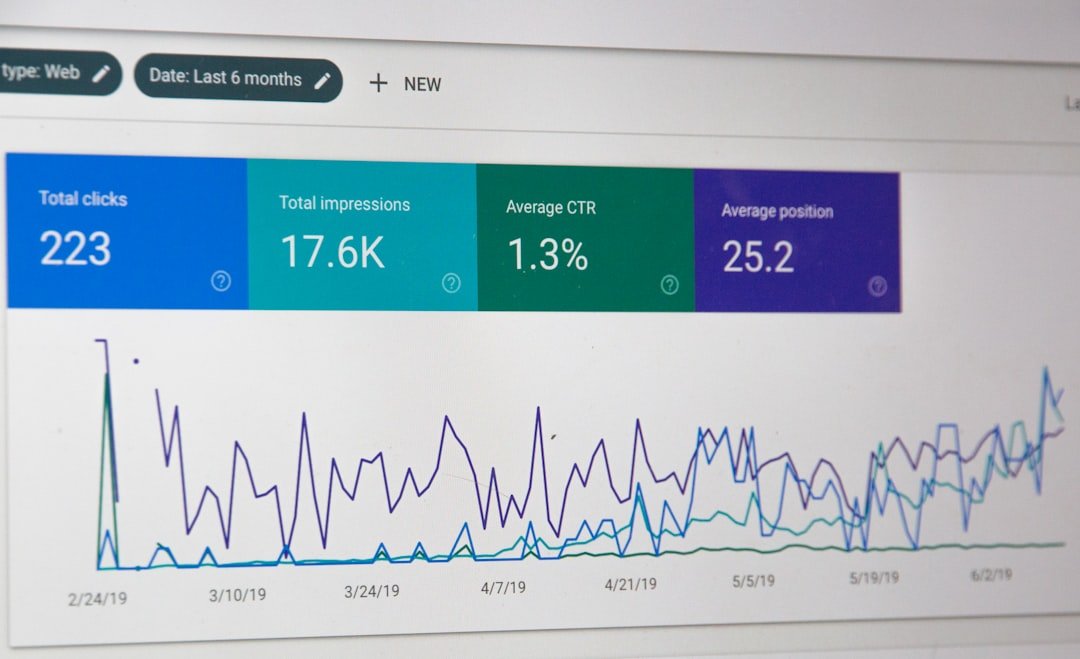
You wrote a post targeting a keyword with 2,400 monthly searches. You hit position 6. You got 11 clicks in 30 days. The post above you, at position 7, got 47 clicks. Same keyword, lower rank, four times your traffic. The difference was not content quality or backlinks. It was 53 characters of text in a title tag.
Optimizing blog post titles is the highest-leverage SEO action you can take in under five minutes per post. Title tags directly shape click-through rate, and CTR feeds back into rankings. Yet most WordPress site owners spend 30 minutes on keyword research and 10 seconds on the title. This post breaks down what actual SERP data says about title length, formatting, and Google rewrite behavior, then shows you before-and-after rewrites with the reasoning behind each change.
Why Optimizing Blog Post Titles Still Drives Rankings in 2026
Google rewrites 76% of title tags in search results. That figure comes from a Q1 2025 study by John McAlpin that tracked thousands of keywords across commercial and informational intent, analyzing the first 50 pages of results for each. Two years earlier, Cyrus Shepard’s Zyppy study of 80,959 title tags found a 61.6% rewrite rate. The trend is clear: Google is rewriting more titles, not fewer, and the words you put in your title tag are increasingly suggestions rather than commands.
Here is what makes this urgent: when Google rewrites your title, it retains only about 35% of your original title content on average. The rest is pulled from your H1, body text, or anchor text from internal links. If your title is generic enough that Google feels compelled to rewrite it, you have lost control of the first thing a searcher sees. And that loss is measurable.
Backlinko’s analysis of 4 million Google search results found that titles between 40 and 60 characters earned 8.9% higher CTR than titles outside that range. Research on title-tag performance finds that titles in the 50 to 60 character band tend to earn higher CTR, while titles over 70 characters are frequently truncated and earn lower CTR. The mechanism is simple: a truncated title hides part of your value proposition at the exact moment a searcher decides whether to click.
But length is not the only lever, and it may not even be the strongest one. A large-scale study of search results found that title length below 60 characters had only a minor impact on CTR (-10% for informational searches, -8% for transactional). What mattered more was title composition: specific, technical titles consistently correlated with higher CTR, while wordy or exaggerated titles correlated with lower CTR. The composition of your title, not just its character count, is what separates a page 1 result that gets clicked from one that gets scrolled past.
This matters at every stage of your content workflow. When you finish keyword research and move to title drafting, the title you write becomes the promise your content has to keep. If you use an AI-assisted outline to generate your draft, the title anchors what the AI produces. When you hit the approval gate before publishing, the title is the last thing you review. A weak title undermines every step that follows it. A strong title compounds.
5 Title Elements That Actually Move the Needle
Not every title tactic survives contact with real data. Below are five elements backed by large-scale SERP analysis, with the numbers that justify each one. These are not opinions. They are patterns extracted from millions of search results and tens of thousands of title tags.
| Title Element | Reported Effect | Source | Survival Rate in Google |
|---|---|---|---|
| 40 to 60 character length | +8.9% CTR vs. titles outside range | Backlinko (4M results) | 51 to 60 chars: 39 to 42% rewrite rate |
| Parentheses with modifier | +38% clicks vs. titles without | HubSpot and Outbrain (3.3M headlines) | Parenthetical text removed 19.7% of the time |
| Front-loaded keyword | Higher CTR for specific, technical titles | Exa academic study (79,853 results) | Keyword presence retained 21.5% of the time |
| Dash separator | 37% lower CTR than pipes (but pipes get stripped 41% of the time) | Exa academic study | Dash removed 19.7% of the time |
| Positive sentiment wording | +4.1% absolute CTR vs. negative sentiment | Backlinko (4M results) | Not measured by rewrite studies |
1. Title Length: The 50 to 60 Character Band
The Zyppy study found that titles between 51 and 60 characters had the lowest Google rewrite rate: 39 to 42%. Titles over 60 characters had a rewrite rate above 76%. Titles over 70 characters were rewritten 99.9% of the time. The 2026 meta tags audit confirmed the CTR consequence: the 50 to 60 character band averaged 4.6% CTR, while the 60 to 70 band dropped to 4.3% and titles over 70 plummeted to 2.9%.
Google counts pixel width, not characters. The desktop display limit is approximately 580 to 600 pixels. A title with 55 narrow characters (lots of “i”, “l”, “t”) will display fully. A title with 48 wide characters (lots of “W”, “M”, “O”) may truncate. Mobile truncates earlier. The 50 to 60 character range is a proxy, not a guarantee. When you draft a title, check it against a pixel-width tool, not just a character counter.
2. Parentheses With a Format Modifier
The HubSpot and Outbrain analysis of 3.3 million headlines found that titles containing brackets or parentheses earned 38% more clicks than titles without them. The lift comes from added specificity: a parenthetical qualifier like “(With Examples)” or “(2026 Data)” tells the searcher what format to expect before they click.
But not all enclosure types survive Google equally. The Zyppy study found that square brackets were rewritten 77.6% of the time, with the bracketed text removed entirely in 32.9% of cases. Parentheses fared much better: parenthetical text was removed only 19.7% of the time. If the modifier matters to your click rate, use parentheses, not brackets.
3. Front-Loaded Keyword Placement
The academic study from Exa found that specific and technical titles consistently correlated with higher CTR across both informational and transactional searches. “Specific” means the title names the exact thing the searcher typed. “Technical” means it signals depth rather than a surface-level overview.
Front-loading the keyword matters because Google truncates from the right. If your title is “The Complete Guide to Warehouse Management Software for SMBs: Features, Pricing, and Implementation,” Google will display roughly the first 58 characters. The searcher sees “The Complete Guide to Warehouse Management Software for S” and never gets to the differentiators. Put the keyword first, the modifier second, the brand or qualifier last.
4. Separator Choice: Dash, Pipe, or Colon
The Exa study found that titles using pipe separators (“|”) had 37% higher average CTR per position than titles using dashes (“-“). But there is a catch: the Zyppy study found that pipes were removed or replaced by Google 41% of the time, usually swapped for a dash. Dashes were removed only 19.7% of the time.
The practical read: pipes may correlate with higher CTR in the data, but they are less likely to survive Google’s rewrite. If your title depends on the separator for readability, use a dash or a colon. If you want to test pipes, monitor Search Console for rewrite behavior over a 30-day window.
5. Positive Sentiment Wording
Backlinko’s 4-million-result analysis found that titles with positive sentiment had a 4.1% higher absolute CTR than titles with negative sentiment. “7 Strategies That Increased Our Traffic 300%” outperforms “7 Mistakes Killing Your Traffic.” The effect is modest compared to length or parentheses, but it is real and consistent across the dataset.
Where this does not apply: troubleshooting and diagnostic content. If someone searches “why is my WordPress site so slow,” a positive-sentiment title feels dishonest. Match the sentiment to the intent. A searcher in pain wants a diagnosis, not a pep talk.
Before and After: Title Rewrites That Ranked

Each example below shows the original title, the rewrite, the character count change, and the specific reasoning behind every edit. These are the patterns to apply when you move from keyword research to title drafting in your own workflow.
Rewrite 1: The Generic Ultimate Guide
Before: The Ultimate Guide to Email Marketing Best Practices for Small Businesses in 2026 (82 characters)
After: Email Marketing for Small Businesses: 7 Tactics (49 characters)
Three changes, each with a reason. First, “The Ultimate Guide to” is 22 characters of throat-clearing that pushes the keyword past Google’s truncation point. Removed. Second, “Best Practices” is vague. “7 Tactics” promises a specific number of actionable items, which the HubSpot/Outbrain data supports. Third, the keyword “Email Marketing for Small Businesses” is now front-loaded in the first 42 characters, so it displays fully even on mobile. The year was dropped because dating a title reduces its shelf life and including a year in a title can reduce its shelf life and may add little CTR lift in practice.
Rewrite 2: The Vague How-To
Before: How to Choose the Right CRM for Your Business (45 characters)
After: CRM Selection: Compare 5 Tools by Real Cost (45 characters)
Same character count, completely different CTR potential. “How to Choose the Right CRM” matches search intent but tells the searcher nothing about what they will get. “Compare 5 Tools by Real Cost” promises a specific deliverable: a comparison, a count, and a cost angle. The Exa study found that specific and technical titles outperform vague ones. “Real Cost” also signals depth, which aligns with the technical-title pattern the study identified. The keyword “CRM” is still front-loaded.
Rewrite 3: The Long-Tail Stuffing
Before: Content Marketing Strategies That Will Help You Grow Your Business This Year and Beyond (88 characters)
After: Content Marketing: 4 Strategies With ROI Math (46 characters)
The original is 88 characters, which means a 99.9% rewrite probability per the Zyppy data. Google would truncate it to roughly “Content Marketing Strategies That Will Help You Grow Your Busin” and the searcher would never see the differentiator. The rewrite cuts 42 characters by removing “That Will Help You Grow Your Business This Year and Beyond,” which adds no information a searcher would click on. “4 Strategies With ROI Math” replaces it with a specific count and a specific proof type. The colon separator survived Google’s rewrite in the Zyppy data more reliably than pipes.
Rewrite 4: The Question Trap
Before: Is Your WordPress Site Slow? Here Is How to Fix It (52 characters)
After: WordPress Speed: Fix Slow Load Times (38 characters)
Backlinko’s 4-million-result analysis found that questions in titles made almost no difference to CTR (16.3% vs. 15.5%, which they called negligible). The question format wastes characters on “Is Your” and “Here Is How to” without adding click incentive. The rewrite front-loads “WordPress Speed,” adds the action verb “Fix,” and specifies the outcome “Slow Load Times.” At 38 characters, it sits in the lower end of the 40 to 60 sweet spot, but the specificity compensates. If you want to test a modifier, “(2026 Data)” in parentheses would bring it to 51 characters and add the format qualifier the HubSpot data supports.
Common Title Mistakes That Kill Click-Through Rate

Mistake 1: Writing the Title After the Content
You finish a 1,500-word post, then spend 30 seconds writing a title that summarizes it. The title becomes a description of what you wrote rather than a hook for what the searcher wants. Reverse the order. Draft three title options before you write the outline. The title sets the promise. The content fulfills it. When you use an AI-assisted outline, feed the title in first so the generated structure aligns with the searcher’s expectation, not the writer’s instinct.
Mistake 2: Using Three or More Pipes
The Exa study found that one pipe separator correlated with 37% higher CTR than a dash. But three or more pipes in a single title is associated with lower CTR. A title like “SEO Tips | 2026 | WordPress | Beginners Guide” looks spammy and Google strips the pipes 41% of the time anyway. Use one separator, maximum two. If you need to convey multiple qualifiers, use a colon after the keyword and a parenthetical modifier at the end.
Mistake 3: Stuffing the Brand Name
Adding “| YourBrandName” to every title is a habit inherited from the early 2010s. Google’s boilerplate detection flags titles that repeat the same brand string across many pages, and the Zyppy study identified boilerplate as a rewrite trigger. If your brand is recognizable, Google will add it. If it is not, the brand name wastes 12 to 20 characters that could carry a differentiator. Reserve the brand for homepage and about-page titles. On blog posts, spend those characters on specificity.
Mistake 4: Ignoring the Rewrite Problem
You publish a post, check it once in the SERPs, see your title displayed correctly, and move on. Three weeks later, Google rewrites it. You never notice. The fix is a 5-minute monthly routine. Open Google Search Console, go to Performance, filter by your top 20 pages by impressions. For each page, search the query in an incognito window and compare the displayed title to your title tag. If Google rewrote it, ask why. Was it too long? Too generic? Missing the keyword? The rewrite is Google telling you what your title should have been.
This is where your content workflow either catches problems or compounds them. If you have an approval gate in your publishing process, title review should be part of it. Before you approve a draft, check the title against the data: 50 to 60 characters, keyword front-loaded, parentheses for modifiers, one separator, positive sentiment for aspirational content. If the title fails two or more of these checks, rewrite it before you click publish.
Mistake 5: Treating the Title as Separate From the Meta Description
The title earns the click. The meta description earns the visit. Searchers read both in the same glance. If your title promises “7 Tactics” and your meta description talks about “strategies and insights,” the mismatch creates doubt. Write them as a pair. The title states the promise. The meta description delivers the proof. Together, they are your only sales pitch in the SERP.
For a deeper look at how marketing intelligence data can inform which keywords deserve title-level attention, the key is matching search volume and intent to title specificity. High-volume informational queries need number-led, specific titles. Long-tail transactional queries need cost or comparison angles. The title format should follow the query intent, not the other way around.
Frequently Asked Questions
Start Publishing Better-Titled Posts
You now have the data: 50 to 60 characters, parentheses for modifiers, front-loaded keywords, one separator, and positive sentiment for aspirational content. The question is whether your current workflow actually applies these rules to every post you publish.
Most WordPress site owners we talk to have a workflow that looks like this: keyword research in one tool, title drafted in a Google Doc, AI-assisted draft in another tool, manual copy-paste into WordPress, manual meta tag entry, manual category assignment, and a publish click with no structured title review. That workflow produces inconsistent titles because nothing enforces the rules. The approval gate, if it exists, checks content quality. It does not check title optimization.
This is the gap we built ClearPost to close. The workflow runs from keyword research through AI-assisted drafting, on-page SEO, internal linking, and scheduled WordPress publishing, all with an approval gate where you review every post before it goes live. The title, meta description, slug, categories, tags, and SEO plugin fields are all generated and presented for your review in one screen. No copy-pasting between tools. No separate meta tag editor. No publishing without human review. The approval gate is what makes this safe: AI does the heavy lifting, but you approve every post, including the title, before it goes live.
If you are paying $3,000 to $5,000 per month for an agency retainer that delivers 4 posts, you are paying $750 to $1,250 per published article. At that price, every title should be data-optimized. The real question is not whether your agency writes good titles. It is whether 4 posts per month is enough volume to compound. At ClearPost, the flat $99/month plan with no per-post limits means you can publish 30 optimized posts for less than the cost of one agency article. Each title is drafted, checked against keyword data, and presented in your approval queue. You review, you approve, it publishes. No auto-published drafts, no unreviewed output.
Try ClearPost free for 7 days. No credit card required, cancel anytime, no agency overhead. See what 30 properly titled, SEO-optimized posts per month looks like compared to the 4 you are getting now. The content workflow you already follow stays the same. The difference is that every step, from keyword to published post, runs in one WordPress-native plugin with an approval gate that catches weak titles before they go live.
Your Monday-Morning Title Review Routine
Step 1 (10 minutes): Open Google Search Console. Go to Performance, then Search Results. Set the date range to the last 28 days. Sort by impressions descending. Export the top 20 pages.
Step 2 (10 minutes): For each of those 20 pages, open the query in an incognito window. Compare the displayed SERP title to your title tag. Flag any title Google rewrote. Note whether the rewrite improved or worsened the title.
Step 3 (10 minutes): For each rewritten title, check the cause. Was it over 60 characters? Did it use brackets that got stripped? Was the keyword missing? Rewrite the title tag in WordPress using the five elements above. Wait 7 to 14 days for re-indexing, then check Search Console for CTR changes.
Step 4 (5 minutes): Before publishing your next post, run the drafted title through this checklist: 50 to 60 characters? Keyword in the first 40 characters? Parentheses for any modifier? One separator or colon? Sentiment matched to intent? If it fails two or more, rewrite before you publish.
Frequently Asked Questions
What is the ideal blog post title length for SEO?
The data points to 50 to 60 characters as the sweet spot. Backlinko’s analysis of 4 million search results found that titles between 40 and 60 characters earned 8.9% higher CTR than titles outside that range. The Zyppy study found that titles between 51 and 60 characters had the lowest Google rewrite rate at 39 to 42%, while titles over 60 characters were rewritten more than 76% of the time. Google counts pixel width, not characters, so check against a pixel-width tool for accuracy.
How often does Google rewrite title tags?
A Q1 2025 study by John McAlpin found that Google rewrites 76% of title tags, up from 61.6% in the 2022 Zyppy study. On average, Google retains only about 35% of the original title content when it rewrites. The most common triggers are length (too long or too short), repeated keywords, bracket usage, and boilerplate brand names across many pages.
Do brackets or parentheses in titles increase click-through rate?
The HubSpot and Outbrain analysis of 3.3 million headlines found that titles with brackets or parentheses earned 38% more clicks than titles without them. However, the Zyppy study found that square brackets are stripped by Google 32.9% of the time, while parenthetical text is removed only 19.7% of the time. Use parentheses, not brackets, if the modifier is important to your click rate.
Should I put my keyword at the beginning of the title?
Yes. An academic study of 79,853 search results found that specific, technical titles consistently correlated with higher CTR. Google truncates titles from the right, so if your keyword sits at the end of a long title, searchers may never see it. Front-loading the keyword in the first 40 characters ensures it displays on both desktop and mobile.
Does adding a year to my blog post title help with CTR?
The effect is likely small. A 2026 analysis of 876 real blog titles found that only 8% contained a year, despite it being one of the most recommended title tactics. If you add a year, use parentheses like (2026 Data) rather than a year at the end of the title. Parentheses survive Google rewrites more reliably than brackets or plain text modifiers.