
You exported 847 competitor keywords into a spreadsheet. You felt accomplished for about 20 minutes. Then you closed the tab. That spreadsheet is still sitting in a Google Drive folder you have not opened since the day you created it. The keyword spy workflow most businesses follow has a fatal gap between data collection and content production: you get the keywords, you feel the productivity rush, and then nothing gets published because nobody built the bridge from spreadsheet to published WordPress post.
This is not a tool problem. It is a workflow problem. The keyword spy industry, from free browser extensions to $139/month platforms, is excellent at helping you collect data. It is silent on what to do next. The result is a pattern we see across small businesses and solo marketing teams: hundreds of keywords exported, zero posts published, and a growing suspicion that competitor keyword research is a waste of time. It is not a waste of time. You are just missing the pipeline that converts data into content.
The Keyword Spy Trap: Data Without Action
The trap works like this. You run a competitor keyword report in a paid tool or a free browser extension. The tool exports 200 to 800 keywords with volume estimates and difficulty scores. You sort by volume, maybe color-code by intent, and save the file. Then you go back to whatever you were doing before, because the next step, writing and publishing posts from that list, is the part nobody taught you and no tool handles for you.

Three weeks later, you have not written a single post from the list. The keywords age. Search intent shifts. A competitor publishes on a term you identified but never acted on. The spreadsheet becomes a record of opportunities you knew about and let pass. This is the keyword spy trap: data without action feels like progress, but it produces zero search visibility, zero clicks, and zero leads.
The fix is not a better keyword tool. It is a keyword-to-content pipeline: a repeatable workflow that takes a raw keyword from a competitor report and pushes it through filtering, clustering, drafting, and publishing until it becomes a live, SEO-optimized WordPress post. Every section below builds one piece of that pipeline. By the end, you will have the full workflow, and you will know which free methods rival paid tools for your scale and where paid tools genuinely earn their keep.
Free Keyword Spy Methods That Rival Paid Tools
You do not need a $139/month subscription to find competitor keywords worth writing about. For most small businesses producing fewer than 50 posts, free Google-native methods surface the same keyword opportunities that paid tools charge for. The difference is not data quality. It is volume and convenience. Paid tools package thousands of keywords in one export. Free methods give you dozens at a time, which is more than enough when your publishing capacity is 2 to 4 posts per week.
Google People Also Ask: Free Question Mining

Google’s People Also Ask box is the most underused free keyword spy tool available. It appears in search results for most informational queries and shows questions that real Google users are actively asking. Each question you click expands to reveal 4 to 8 additional related questions, and the tree branches indefinitely. A single seed query can produce 30 to 50 question-based keywords in 10 minutes.
The workflow: search your target keyword in Google, capture the 4 initial PAA questions, then click each one to expand the box. New questions appear with each click. Run the search in an incognito window to reduce personalization, and run it on both mobile and desktop because the question lists differ between devices. Copy every question into a spreadsheet and tag by intent: informational, commercial, or transactional. A PAA keyword research workflow that clusters questions by intent rather than keyword overlap will help you move from raw questions to grouped content topics.
What makes PAA powerful for competitor keyword spying is that the questions Google surfaces are the same questions your competitors’ content is answering. If a competitor ranks for a query and Google shows a PAA box for it, those questions tell you exactly what subtopics their content covers and what yours is missing. You are not guessing at keyword intent. Google is handing it to you directly.
The limitation: PAA does not show search volume. A question appearing in the box is being searched frequently enough for Google to feature it, but you will not know if that means 50 searches a month or 5,000. For most small businesses, this does not matter. If Google features a question, it has enough volume to justify a blog post. PAA is also weak on transactional queries. Google rarely shows PAA boxes for “buy [product]” or “[service] near me” searches because the SERP layout favors product packs and local packs instead.
Google Autocomplete: Free Long-Tail Discovery
Google Autocomplete, the dropdown suggestions that appear as you type in the search bar, is a long-tail keyword goldmine that costs nothing. These suggestions are based on real, current search behavior, not estimated averages from a third-party database. If Google suggests a phrase, people are searching for it right now.
The technique that multiplies your results: after typing your seed keyword, add a space and then a single letter of the alphabet. “Plumbing a” gives you plumbing apps, plumbing advice, plumbing accessories. “Plumbing b” gives you plumbing basics, plumbing books, plumbing businesses. Work through the alphabet and you can generate 50 to 100 keyword ideas from a single seed term. Add question prefixes like “how to,” “what is,” or “why” before your seed keyword to surface question-based long-tail terms with clear informational intent.
Autocomplete’s strength is discovery speed. You find phrasings you would never think to search for in a paid tool because you did not know the language existed. Its weakness is the same as PAA: no volume data, no difficulty scores, no competitor analysis. You get phrases that real people type, but you do not get the metrics to prioritize them. For a site producing under 50 posts, that tradeoff is fine. You need 20 good keywords, not 2,000 scored ones.
Google Search Console: Your Own Competitor Data
Here is the free keyword spy method most businesses overlook entirely. Google Search Console is not a competitor keyword tool in the traditional sense. It does not show you what keywords your competitors rank for. It shows you something more valuable: the keywords your site already ranks for on page 2 or 3, where a single content improvement could push you to page 1.
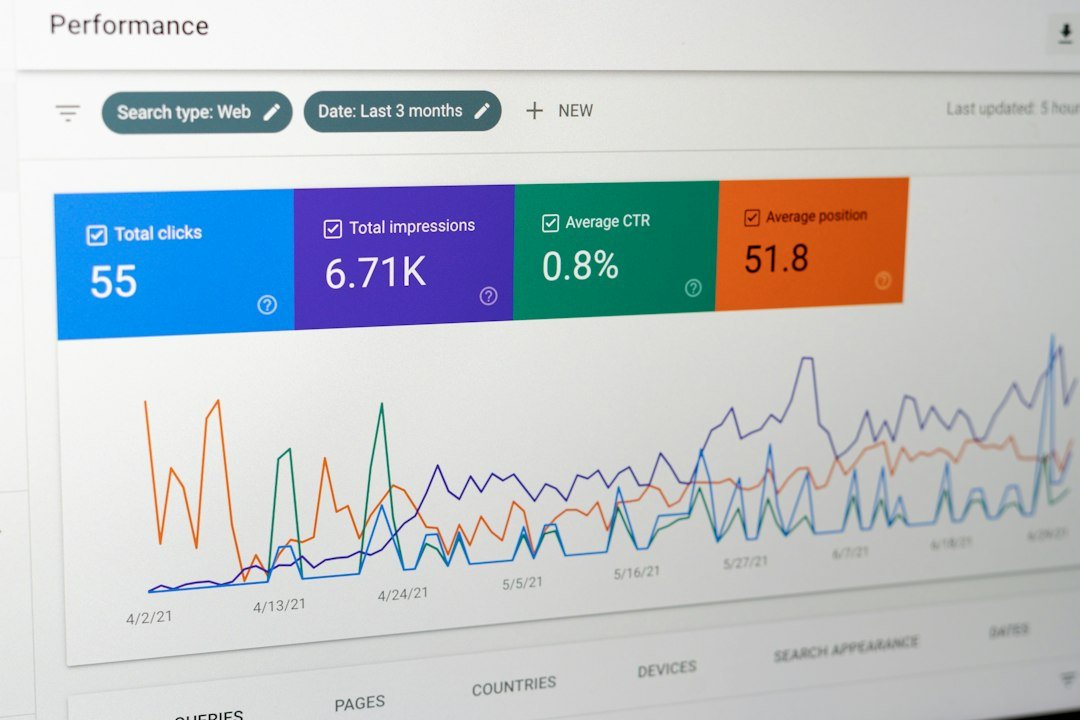
Open Search Console, go to Performance, then Search results. Enable all four metrics: clicks, impressions, CTR, and average position. Sort by impressions descending, then filter for queries where your average position is between 8 and 20. These are keywords where Google already shows your site but not on page 1. You are earning impressions but losing clicks. Each one is a content opportunity with documented demand, grounded in your own site’s actual performance data rather than a third-party estimate.
The competitor angle: for each of these page-2 keywords, search the term in Google and look at who ranks above you. That is your competitor set for that keyword. Note what their content covers that yours does not. The gap between your existing page and their ranking page is your content brief. You do not need SpyFu to tell you what keywords to target. Search Console already told you, and with better data than any paid tool can provide because it comes directly from Google. For a deeper look at using Search Console data to find these opportunities, our SERP position monitoring guide walks through the exact filters that surface page-2 keywords worth pursuing.
Google Related Searches: Free Topic Expansion
At the bottom of every Google search results page, you will find 8 related searches. These are queries that users frequently search alongside your keyword. They are not the same as PAA questions; they are alternate phrasings, synonyms, and adjacent topics. Click any related search and you get a new results page with 8 new related searches at the bottom. This branching lets you expand a single seed keyword into a full topic cluster in minutes.
Related searches are particularly useful for finding the language your audience actually uses. A plumber might search “plumbing services” and discover related searches like “emergency plumber near me,” “plumbing repair cost,” and “water heater installation.” Each one is a potential blog post or service page, and each one came from Google’s own data on what people search next.
When Free Methods Are Enough (Under 50 Posts)
The honest math: if your goal is 50 published WordPress posts, you need roughly 30 to 40 target keywords, since some posts target multiple keywords. Free methods can surface that volume in a single afternoon. PAA gives you 30 to 50 questions per seed query. Autocomplete gives you 50 to 100 phrases per seed. Search Console gives you every keyword your site already touches. You will have more keywords than you can write about, not fewer.
Paid keyword spy tools earn their keep at scale: when you need 500 keywords across 10 competitors with volume estimates, difficulty scores, and trend data. At 50 posts, that level of data is not just unnecessary. It is a distraction. Every hour you spend in a $139/month dashboard analyzing keyword difficulty scores is an hour you did not spend writing and publishing a post. The bottleneck is never keyword discovery for small businesses. It is content production, and we have documented this gap in detail in our keyword research cost analysis: the keyword list is 5% of the work. The content pipeline is 95%.
Turning Competitor Keywords Into Published WordPress Posts

This is the section most keyword spy guides skip. They tell you how to find keywords. They do not tell you how to convert them into published, ranking WordPress content. Here is the workflow, step by step, from raw keyword to live post.
Step 1: Filter and Prioritize by Winability
Take your raw keyword list and filter it down to keywords you can realistically rank for. For each keyword, search it in Google and look at the top 5 results. If the top results are from sites like Wikipedia, major publications, or domains with massive authority, skip the keyword for now. If the top results are from small businesses, niche blogs, or sites with similar authority to yours, that keyword is winnable. You are looking for SERPs where a well-optimized, specific, helpful post can compete.
Prioritize keywords where you already rank on page 2, positions 8 through 20 in Search Console. These are your fastest wins because Google already considers your site relevant. A new post or an updated existing page targeting that keyword can move you to page 1 in weeks, not months. Targeting a fresh keyword where you have zero presence takes 3 to 6 months to see first clicks.
Step 2: Cluster Keywords Into Topic Groups
Group your filtered keywords into clusters of 3 to 7 related terms that share a single search intent. “How to fix a leaky faucet,” “leaky faucet repair cost,” and “faucet leak repair DIY” all belong in one cluster because the searcher wants the same thing: fixing a leak. Each cluster becomes one blog post. The primary keyword in the cluster is your post title. The remaining keywords become H2 headings and sections within the post.
Clustering is what separates a keyword list from a content plan. A spreadsheet of 40 keywords without clustering gives you 40 unrelated posts with no internal linking structure. The same 40 keywords clustered into 8 groups of 5 give you 8 interconnected posts that build topical authority. For more on how cluster publishing drives traffic, our guide on how many blog posts until you see organic traffic breaks down the cadence and volume that triggers compounding growth.
Step 3: Draft With SEO Structure
For each cluster, write a post that answers the primary keyword’s search intent in the first paragraph, covers each related keyword as an H2 section, and includes internal links to other posts in the cluster. The post should be 1,000 to 1,500 words for most informational queries. Include a meta description under 155 characters with the primary keyword near the start.
If you are drafting manually, use the PAA questions from your research as section headings. Each PAA question becomes an H2, and the answer starts in the first sentence of that section. This maps directly to how Google chunks content for featured snippets and AI Overviews, and it is the structure that earns PAA box placements.
If you are using AI to draft, the workflow changes but the structure does not. The AI generates the draft with SEO structure, internal links, and meta tags, but the approval gate stays. Nothing publishes without your review. Any tool that auto-publishes without a human approval step is a liability, not a feature. The approval gate is the core design principle, not an afterthought. For the full framework on where this line sits, our AI content and Google penalty guide quotes Google’s actual policy language on scaled content abuse.
Step 4: Publish Through an Approval Gate
The final step is where most keyword spy workflows break down. The draft is written, but it sits in your dashboard unpublished because you are busy, the formatting needs work, or the SEO plugin fields are empty. The fix: use a workflow that pre-fills categories, tags, featured images, and SEO metadata so the only manual step is reading the draft and clicking approve.
This is where a WordPress-native tool like ClearPost collapses the pipeline. Instead of exporting keywords from one tool, drafting in another, formatting in WordPress, and manually filling in SEO fields, the entire workflow happens inside your site. Keyword data from your Search Console identifies the targets. Drafts land in an approval queue with SEO structure and internal links already in place. You review for 10 to 15 minutes per post, edit if needed, and approve. Nothing goes live without your sign-off.
Paid Keyword Spy Tools: When They’re Actually Worth It
Free methods handle keyword discovery for under 50 posts. Paid tools earn their keep when you need volume, competitive intelligence across multiple domains, or data that free methods cannot provide. This is not a generic roundup where every tool gets a participation trophy. Each tool below is evaluated by the specific job it does better than the free alternatives, and the job it does not do.
SpyFu: Best for PPC Competitor Intelligence
SpyFu starts at $39 per month as of September 2026, per competitor analysis tool pricing data from OneLittleWeb. Its genuine strength is PPC competitor research: showing you which keywords a competitor has been buying on Google Ads, sometimes for years, along with their ad copy variations. If you run paid search and want to know what your competitors bid on, SpyFu answers that question better than any free method.
Where SpyFu falls short: organic keyword data. Its organic database is smaller and slower to refresh than Semrush or Ahrefs. If your goal is finding organic content gaps, the free PAA and Search Console methods will surface better opportunities for your specific site than SpyFu’s organic reports. SpyFu is also heavily US and UK focused. If you target other markets, its international coverage gaps become obvious quickly.
Semrush: Best for Keyword Gap Analysis at Scale
Semrush Pro starts at $139.95 per month. Its keyword gap analysis, which shows keywords your competitors rank for that you do not, is genuinely useful for sites producing 100 or more posts across multiple topic clusters. The Keyword Magic Tool surfaces hundreds of keyword variations with volume and difficulty estimates in a single export. For a solo marketing director managing a content calendar across 5 competitors, this saves hours of manual PAA mining.
The honest limitation: Semrush’s keyword volume and difficulty numbers are estimates, not Google’s actual data. They will never match what Search Console shows for your own site. The estimates are useful for relative comparison, meaning keyword A likely has more volume than keyword B, but not for absolute planning. For a deeper look at what Semrush’s tools actually deliver per dollar, our guide on how to use Semrush for content marketing walks through the features worth using and the ones that are not.
Ahrefs: Best for Backlink-Driven Content Gaps
Ahrefs Lite starts at $129 per month as of September 2026. Its content gap tool, which compares your domain against competitors to find keywords they rank for that you do not, is the strongest in the category for organic keyword research. The backlink index is the largest available, which matters if your keyword strategy includes link building as part of your content plan.
The catch: Ahrefs dropped its free trial and runs lower plans on credits. Every report, filter, and export spends credits from a monthly allowance. Heavy users hit the ceiling and pay more. The headline price is the floor, not the ceiling. For a comparison of Ahrefs against alternatives by real cost, our SEMrush competitors comparison includes Ahrefs and breaks down the credit system’s impact on actual monthly spend.
Here is the comparison by use case to help you decide if a paid tool is worth it for your situation:
| Method | Monthly Cost | Best Use Case | Key Limitation | Data Source |
|---|---|---|---|---|
| Google PAA | Free | Question-based content, FAQ sections | No volume data; varies by device | Real Google results |
| Google Autocomplete | Free | Long-tail keyword discovery | No volume or difficulty scores | Real Google behavior |
| Google Search Console | Free | Your site’s page-2 ranking opportunities | Only your own data, not competitors’ | Google’s actual data |
| Google Related Searches | Free | Topic expansion, synonym discovery | 8 results per page; no metrics | Real Google results |
| SpyFu | $39 | PPC competitor keywords, ad copy history | Weak organic data; US/UK focused | Scraped and estimated |
| Semrush | $139.95 | Keyword gap analysis across multiple domains | Estimated data; expensive for solo use | Largest keyword database |
| Ahrefs | $129 | Backlink-driven content gap research | Credit-limited on lower plans; no free trial | Second-largest database |
Read the table by use case, not by price. If your job is finding question-based content topics, Google PAA does it for free and does it well. If your job is understanding which PPC keywords a competitor has been buying for three years, SpyFu is the only tool that answers that. If your job is analyzing keyword gaps across 5 competitors with 500 keywords each, Semrush saves you 10 hours of manual work. Match the tool to the job, not the job to the tool.
Common Mistakes When Spying on Competitor Keywords
The mistakes below are the ones that waste the most time and produce the fewest published posts. Each one is a pattern we see repeatedly across small businesses and solo marketing teams trying to turn competitor keyword data into content.
Mistake 1: Exporting Keywords Without a Publishing Plan
You run a keyword gap report, export 200 keywords, and feel productive. But the export has no content plan attached: no cluster assignments, no intent classification, no priority ranking. You have ingredients but no recipe. The fix: before you export a single keyword, decide how many posts you will publish in the next 30 days. If the answer is 4, you need 4 keyword clusters, not 200 keywords. Filter to the 4 you will actually write about and ignore the rest until your next publishing cycle.
Mistake 2: Targeting Keywords You Cannot Win
Keyword difficulty scores from paid tools are averages. A difficulty of 35 might be winnable for a site with domain authority 40 and impossible for a site with domain authority 5. Most small businesses target keywords their site cannot rank for, publish content that sits at position 40, and waste months before realizing the keyword was out of reach. The fix: for each keyword, manually check the SERP. If the top 5 results are domains you cannot compete with, move to a more specific long-tail variation. A keyword like “email marketing” is unwinnable for most small sites. A keyword like “email marketing for dental practices” is not.
Mistake 3: Copying Competitor Topics Without Adding Value
If you write the same post your competitor wrote, targeting the same keyword, with the same structure, you will rank below them because they have the backlinks and age advantage. Keyword spying is not about copying what competitors wrote. It is about finding what they missed. Read their top-ranking post for each target keyword and note what is missing: local specifics, first-hand examples, updated data, or a different format like a comparison, tutorial, or diagnostic guide. Your post needs to be better or different, not the same.
Mistake 4: Confusing Keyword Discovery With Content Production
This is the mistake that started this article. You spend an afternoon in a keyword spy tool, export 200 keywords, and consider the work done. Keyword discovery is 5% of the work. Content production is 95%. A spreadsheet of 200 keywords that produces 0 published posts has a return on investment of zero. Four keywords that produce four published, SEO-optimized posts have a return that compounds for years. The bottleneck is never finding keywords. It is publishing content about the ones you already found.
Build Your Keyword-to-Content Pipeline
The gap between a keyword spreadsheet and a published WordPress post is where every small business stalls. You collect the data, feel productive, and nothing gets published because nobody built the bridge. ClearPost was built to close that gap: keyword discovery from your Search Console data, drafting with SEO structure and internal links, and an approval queue inside WordPress where you review every post before it goes live.
The approval gate is what makes this safe. AI does the heavy lifting, but you approve every post before it goes live. No auto-published drafts, no unreviewed output, no brand damage from hallucinated statistics or off-brand messaging. You spend 10 to 15 minutes per post reading and approving instead of 75 to 90 minutes writing, formatting, and manually publishing. The per-post time drops by 80%, and the pipeline never breaks because the only manual step is the one that matters most: human judgment.
Try ClearPost free for 7 days. AI does the heavy lifting: keyword research from your Search Console data, drafting with SEO structure, internal linking, meta generation, and publishing via REST API. You approve every post before it goes live. No long onboarding, no agency overhead, cancel anytime. Stop exporting keywords into spreadsheets that sit there. Start turning them into published posts that rank.
Frequently Asked Questions
What is keyword spy and how does it work?
Keyword spy refers to researching which keywords your competitors rank for to find content opportunities for your own site. You can do this with free methods like Google People Also Ask, Autocomplete, and Search Console, or with paid tools like SpyFu, Semrush, and Ahrefs that export competitor keyword lists with volume and difficulty estimates.
Can I spy on competitor keywords for free?
Yes. Google People Also Ask, Google Autocomplete, Google Related Searches, and Google Search Console are all free methods that surface real keyword opportunities. For sites producing under 50 posts, these methods provide more keywords than you can write about. Paid tools add volume estimates, difficulty scores, and bulk competitor analysis, but most small businesses do not need that level of data.
How do I turn competitor keywords into blog posts?
Filter your keyword list to terms you can realistically rank for, cluster them into groups of 3 to 7 related keywords that share search intent, draft a post for each cluster with the primary keyword in the title and related keywords as H2 headings, and publish through an approval gate where you review every post before it goes live.
Are paid keyword spy tools worth it for small businesses?
For most small businesses producing under 50 posts, no. Free methods like Google PAA, Autocomplete, and Search Console provide enough keyword opportunities. Paid tools like Semrush at $139.95 per month and Ahrefs at $129 per month earn their keep when you need keyword gap analysis across multiple competitors at scale, volume estimates for prioritization, or PPC competitor intelligence through SpyFu at $39 per month.
How many competitor keywords do I need for 50 blog posts?
You need roughly 30 to 40 target keywords for 50 posts, since some posts target multiple keywords. Free methods can surface that volume in a single afternoon. PAA gives you 30 to 50 questions per seed query, and Autocomplete gives you 50 to 100 phrases per seed keyword. The bottleneck is content production, not keyword discovery.