

You published 15 blog posts. Then 30. Then 50. Your Google Search Console still shows a flatline. You are not lazy and you are not untalented. You quit by week three last time because you were publishing into a void with no system connecting keywords to content types to publishing cadence to measurement. This guide fixes that with a framework one person can actually run.
A content strategy is not a calendar of blog posts. It is a system for matching search intent to business outcomes. The framework below runs in four steps: keyword cluster, content type, publishing cadence, and measurement. Each step includes honest time estimates for a solo operator, because the reason your last attempt failed was not strategy. It was execution volume collapsing under manual labor. If you want the deeper statistical case for why post count alone does not produce traffic, our guide on how many blog posts until you see organic traffic breaks down the compounding curve in detail.
The One Question Your Content Strategy Must Answer First
Before you open a keyword tool, write a single sentence answering this question: what action do you want a search visitor to take that produces revenue? “Sign up for a demo,” “call for a quote,” “download the checklist,” “book an appointment.” If you cannot answer this in one sentence, you do not have a content strategy. You have a blogging hobby. Every keyword you target, every post you write, and every hour you spend must trace back to that sentence. Posts that do not connect to it are decorative.
The most common failure mode looks like this: you find 200 keywords in a sprint, publish 20 posts in a burst of motivation, and abandon the blog by month two because there is no system behind the effort. You exported 847 competitor keywords into a spreadsheet, felt accomplished for 20 minutes, then closed the tab. We have seen this exact pattern across small businesses and solo marketing teams. The keyword list is 5% of the work. The content pipeline is 95%. If you want the full breakdown of why keyword data without a publishing plan produces zero results, our keyword spy workflow guide walks through the gap between data collection and published posts.
Here is the diagnostic. Pull up your last content attempt and answer three questions. Did each post target a specific keyword with documented search demand? Did you cluster related keywords into interconnected posts, or did you publish one-off articles across unrelated topics? Did you have a repeatable workflow from research to publish that took under two hours per post? If you answered no to any of these, that is why the strategy failed. Not because you lacked discipline. Because you lacked a system.
Step 1: Find Keywords You Can Actually Rank For (In 2026)
Keyword research for a low-authority site is not about finding high-volume terms. It is about finding terms where the current top-ranking pages are weak enough that a well-optimized post from your domain can compete. Most solo founders target keywords their site cannot rank for, publish content that sits at position 40, and waste months before realizing the keyword was out of reach. The fix is a difficulty ceiling calibrated to your actual domain authority.
Set Your Difficulty Ceiling
Keyword difficulty (KD) scores are relative, not absolute. A KD of 30 is trivial for a site with thousands of backlinks and unreachable for a three-month-old blog. Per Semrush’s own difficulty scale, keywords scored 0 to 14 are classified as “Very Easy” where brand-new sites can rank with quality content alone, and 15 to 29 are “Easy” where new sites can rank with quality content focused on search intent. Industry analysis validated against real new-site ranking outcomes recommends an even stricter ceiling: KD 0 to 12 for your first three months, rising to 0 to 18 by months four through six, and 0 to 25 by months seven through twelve as your domain rating climbs.
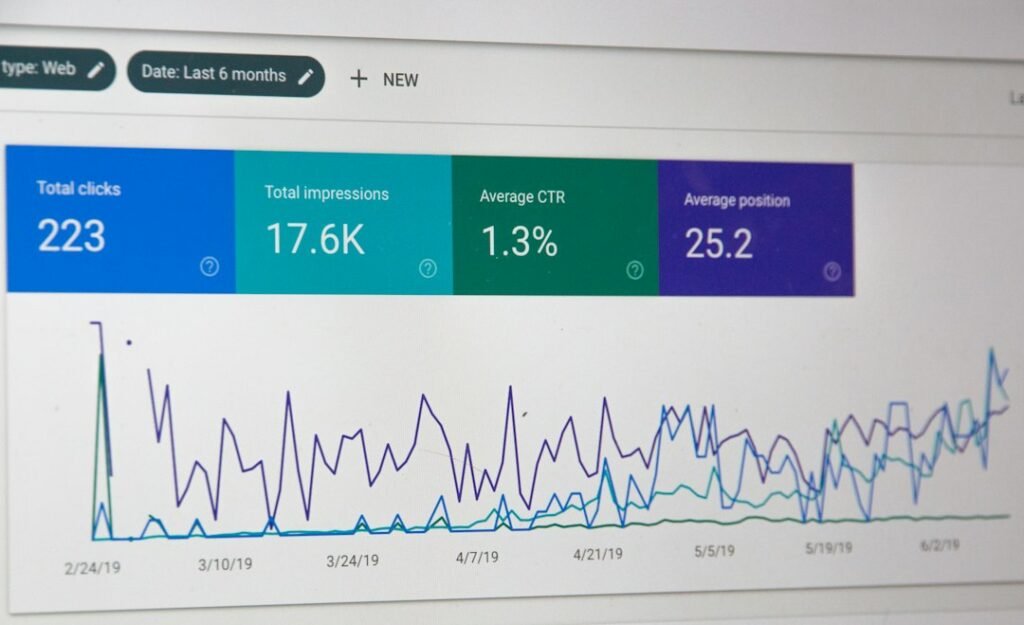
The practical process for a solo operator with no paid tools: open Google Search Console, go to Performance, then Search results. Sort by impressions descending, then filter for queries where your average position is between 8 and 20. These are keywords where Google already shows your site but not on page 1. You are earning impressions but losing clicks. Each one is a content opportunity with documented demand, grounded in your own site’s actual performance data. If you do not have Search Console data yet because the site is new, use Google’s People Also Ask boxes and Autocomplete suggestions. Both are free and surface real search behavior. A single PAA seed query can produce 30 to 50 question-based keywords in 10 minutes.
If you want one paid tool, Google Keyword Planner is free with a Google Ads account and gives you volume estimates. For difficulty scoring, the cheapest path is Semrush’s free Keyword Overview, which shows a KD score per query. You do not need the $139.95 monthly plan to get difficulty scores. You need it for bulk exports and competitor analysis, which you should not be doing in your first 90 days anyway.
A Worked Example With Real Numbers
Imagine you run a WordPress site for a local HVAC company with a domain rating of 8. Here is how the keyword research process plays out with specific numbers.
| Keyword | Monthly Volume | KD Score | Top 5 Result DR | Verdict |
|---|---|---|---|---|
| hvac repair | 8,100 | 67 | 50 to 85 | Skip. Unwinnable at DR 8. |
| hvac repair near me | 4,400 | 45 | 30 to 60 | Skip. Local pack dominates. |
| why does my ac smell like vinegar | 1,300 | 11 | 12 to 28 | Target. KD matches ceiling. Weak SERP. |
| how often should i replace hvac filter | 720 | 9 | 10 to 25 | Target. Question intent, easy SERP. |
| hvac maintenance checklist for homeowners | 480 | 14 | 15 to 30 | Target. Borderline KD, winnable. |
| best smart thermostat for two stage furnace | 260 | 17 | 18 to 35 | Save for month 4. Commercial intent. |
Notice the pattern. The keywords you can win in your first 90 days have three characteristics: KD under 15, top-ranking pages from sites with domain ratings close to yours, and long-tail phrasing that signals specific intent. The keywords you cannot win are short, broad, and dominated by sites with decades of authority. Filter to the winnable ones. You should end up with 20 to 30 keywords, which is more than enough for your first 90 days of publishing.
Time estimate for this step: 90 minutes if you use Search Console plus free Google tools. 45 minutes if you already have a paid tool with KD scores. Do not spend more than two hours here. The goal is a filtered list of winnable keywords, not a perfect keyword universe.
Step 2: Map Each Keyword to a Content Type and Intent
Matching content type to search intent is the single decision that determines whether your article ranks or flops. If the top 5 results for your target keyword are step-by-step how-tos and you publish a thought-leadership essay, you will not rank. If the top 5 are comparison tables and you publish a 2,000-word narrative, you will not rank. Google’s results page tells you exactly what format searchers want. Your job is to match it, then make yours better.
The Three Content Types by Funnel Stage
Every keyword falls into one of three intent categories. Map each one to a content type before you write a single word.
Informational spokes. These answer a question. “Why does my AC smell like vinegar” is informational. The content type is a focused, 800 to 1,200-word post that answers the question in the first paragraph, then elaborates with causes, fixes, and prevention. Use People Also Ask questions as H2 headings. These posts build topical authority and capture early-funnel impressions. They rarely convert directly, but they feed your internal linking structure and signal to Google that your site covers the topic comprehensively.
Commercial comparison posts. These serve a searcher comparing options before a purchase. “Best smart thermostat for two-stage furnace” is commercial. The content type is a structured comparison with a table, specific criteria, and a recommendation. Searchers in this stage want to see options side by side with real tradeoffs, not a generic listicle where every product gets a participation trophy. These posts convert at a higher rate than informational content because the searcher is closer to a decision.
Pillar hub pages. These are the broad, top-level pages that cover an entire topic and link out to every spoke post in the cluster. “HVAC maintenance guide for homeowners” is a pillar. The content type is a 2,000 to 3,000-word comprehensive resource that links to every related spoke post you have published. Pillar pages are not where you start. You publish spoke posts first, then build the pillar once you have 8 to 12 spokes to link to. The pillar consolidates the topical authority signal.
The SERP Matching Rule
Here is the decision framework. Search your target keyword in Google. Open the top 5 results in separate tabs. What format are they using? If 3 of the top 5 are numbered lists, write a numbered list. If 3 of the top 5 are step-by-step tutorials, write a step-by-step tutorial. If 3 of the top 5 are comparison tables, build a comparison table. Do not reinvent the format. Google has already told you what searchers click on for this query. Match the format, then add value they are missing: local specifics, first-hand examples, updated data, or a sharper structure.
This step takes 15 minutes per keyword. For 20 keywords, that is 5 hours total. Spread it across a week. Do it once per cluster, not once per keyword, because keywords in the same cluster usually share a SERP format.
Step 3: Build a Publishing Workflow You Will Not Abandon
The reason most content strategies fail is not strategic. It is the manual labor between draft and publish. A solo founder who spends 90 minutes writing, 30 minutes formatting in WordPress, 15 minutes filling in SEO plugin fields, and 10 minutes adding internal links is spending 145 minutes per post. At 4 posts per week, that is 9.6 hours of content production. By week three, client work, product work, or sales calls eat that time and the blog goes silent. The fix is not more willpower. It is a workflow that collapses the per-post time to under 30 minutes.
The Six-Step Repeatable Workflow
Here is the workflow, with honest time estimates for manual execution versus an automated approach.
| Step | Manual Time | With Automation | What Happens |
|---|---|---|---|
| Research | 90 min | 10 min | Filter keywords, check SERP format, build the content brief |
| Draft | 75 min | 0 min (AI) | Write the full post with structure and sections |
| SEO optimize | 15 min | 0 min (auto) | Meta description, slug, H tags, keyword placement |
| Review | 15 min | 15 min | Read the draft, edit for accuracy and brand voice |
| Publish | 10 min | 2 min | Category, tags, featured image, click publish |
| Interlink | 15 min | 0 min (auto) | Add internal links to and from related cluster posts |
| Total per post | 220 min | 27 min |
The manual total is 220 minutes per post, which is 3.6 hours. Most solo founders cannot sustain that for more than two weeks alongside their actual job. The automated total is 27 minutes per post, which is the time it takes to read a draft, make edits, and approve it. That is sustainable at 4 posts per week because it costs you under 2 hours per week.
Why WordPress Makes the Bottleneck Worse
WordPress is not the problem. The problem is the number of separate steps WordPress requires between a finished draft and a published, SEO-optimized post. You draft in Google Docs. You copy-paste into the WordPress block editor. You manually set the category. You manually add tags. You manually write the meta description in your SEO plugin. You manually upload a featured image. You manually create internal links by searching for related posts. Each step takes 2 to 5 minutes, and each one is a point where you can lose momentum and close the tab.
This is where the ClearPost angle fits naturally. The bottleneck is not strategy. It is execution volume. ClearPost runs the workflow inside WordPress: keyword data from your Search Console, AI-generated drafts with SEO structure, automatic internal linking, meta tags pre-filled, categories and tags assigned, and scheduled publishing through the WordPress REST API. The only manual step is the approval gate, where you read the draft and click approve. Nothing publishes without your review. That is a non-negotiable safety principle. Any tool that auto-publishes AI content without a human approval step is a liability, not a feature.
The honest limitation: ClearPost does not write better than the underlying AI model you choose. If you use a weak model with a vague prompt, you get weak output. What it does is collapse the 220-minute manual workflow into 27 minutes by eliminating the copy-paste-format-optimize cycle that kills solo publishing schedules. The time you save is not in writing. It is in the 15 manual steps between writing and publishing that nobody accounts for when they plan a content strategy.
For a deeper look at how to structure the approval gate and what to check in those 15 minutes, our guide on optimizing blog post titles with CTR data covers the specific title and meta checks that should be part of every review.
Step 4: Measure What Matters (And Ignore What Does Not)
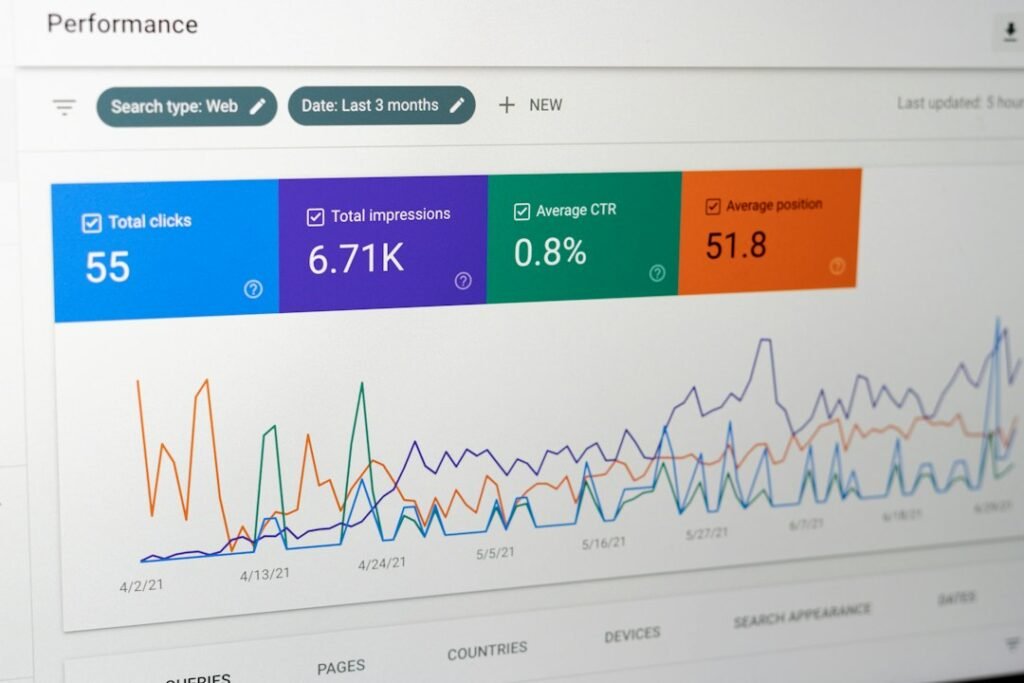
For a new content strategy, four metrics indicate progress. Everything else is noise. Track these four and explicitly stop tracking the vanity metrics listed below.
The Four Metrics That Matter
1. Impressions in Search Console (early signal). Per Google’s own Search Console documentation, an impression is counted whenever a link to your site appears in search results. Impressions are the first sign Google is testing your content. You will see impressions before you see clicks, sometimes by weeks. If your posts are generating impressions for target keywords, the strategy is working. If 30 days pass with zero impressions on a published post, check whether the page is indexed. If it is indexed but generating no impressions, the keyword may have lower demand than estimated or the page may not match intent closely enough.
2. Average position movement. Track average position per query in Search Console over 28-day windows. Look for keywords where position is improving week over week, even if the absolute number is still high. A keyword moving from position 35 to position 22 is progress. A keyword stuck at position 40 after 60 days needs a content review, not more patience.
3. Click-through rate from the SERP. CTR tells you whether your title and meta description earn the click when Google shows your page. A page that slides from position 8 to 14 loses a significant portion of its clicks. But a page at position 6 with a 1.2% CTR can double its traffic by improving the title alone, without moving up a single rank. For more on tracking these signals, see our SERP position monitoring guide. But a page at position 6 with a 1.2% CTR can double its traffic by improving the title alone, without moving up a single rank. Sort Search Console by impressions descending, then look for queries with high impressions and low CTR. Those are your title optimization opportunities.
4. Organic conversions. This is the only metric that ties to revenue. Set up a goal in Google Analytics 4 for the action you defined in the first section: demo signup, quote request, appointment booking, checklist download. Filter the source to organic search. This number will be zero for the first 2 to 4 months. That is normal. When it starts moving, it is the signal that your content strategy is producing business outcomes, not just search visibility.
Vanity Metrics to Stop Tracking
Stop tracking these. They feel productive and produce zero decisions.
- Total word count published. Writing more words does not produce more traffic. Writing better-targeted words does.
- Number of posts published per month. Volume without targeting is noise. Ahrefs found that 96.55% of published pages get zero traffic from Google.
- Domain authority score. This is a third-party estimate, not a Google ranking factor. It moves slowly and triggers no content decisions.
- Social shares. Shares do not correlate with rankings and rarely produce conversions for B2B or local service businesses.
- Time on page. Google has stated they do not use dwell time as a ranking signal. Optimize for search intent, not for how long someone lingers.
For a broader framework on using marketing data to make content decisions, our guide on marketing intelligence for WordPress walks through how to turn Search Console and Analytics data into specific publishing decisions.
What a Realistic 90-Day Content Plan Looks Like
Here is a concrete plan a solo founder can execute in 90 days, using the four-step framework above. This is not theoretical. It is the cadence that produces a topic cluster deep enough to trigger Google’s topical authority signal.
Days 1 to 7: Research and Cluster
Spend 3 hours total finding 20 to 25 winnable keywords using Search Console, Google PAA, and Autocomplete. Cluster them into 4 to 5 groups of 4 to 6 related keywords each. Map each cluster to a content type. Draft a working title for each post. This is your content plan for the next 12 weeks.
Days 8 to 84: Publish 2 to 3 Posts Per Week
At 2 to 3 posts per week for 11 weeks, you publish 22 to 33 posts. Each post targets one primary keyword from your cluster and 2 to 3 related keywords as H2 sections. Every post links to at least 2 other posts in the same cluster. Total time commitment: 2 hours per week if you use an automated workflow, 8 hours per week if you do everything manually.
Days 85 to 90: Build Pillar and Measure
Publish one pillar page per cluster that links to every spoke post. Run a Search Console audit: which posts have impressions, which have clicks, which have high impressions and low CTR. Optimize the titles on the low-CTR posts. Plan your next 90 days based on what the data tells you, not on what you assumed would work.
The expected outcome at day 90: 25 to 35 published posts across 4 to 5 interlinked clusters, impressions growing in Search Console for 15 to 20 queries, first clicks on 3 to 5 long-tail keywords, and a repeatable workflow that takes under 30 minutes per post. You will not have compounding traffic yet. That arrives at 6 to 9 months on a low-authority domain. But you will have a system that produces content consistently without burning your week, which is the prerequisite for getting there.
Try ClearPost free for 7 days. AI does the heavy lifting: keyword research from your Search Console data, drafting with SEO structure, internal linking, meta generation, and publishing via REST API. You approve every post before it goes live. No long onboarding, no agency overhead, cancel anytime. See what 30 SEO-optimized posts a month looks like compared to the 4 you are getting now.
Frequently Asked Questions
How long does it take to see results from a content strategy for SEO?
For a new or low-authority domain, first impressions typically appear within 2 to 30 days of publishing, first clicks on long-tail keywords arrive at 2 to 4 months, and compounding traffic kicks in at 6 to 9 months. Established domains with existing authority can see results significantly faster, sometimes within days of publishing.
How many blog posts do I need for a content strategy to work?
There is no magic number. What matters is topical focus. Twenty to thirty well-researched, interlinked posts concentrated in 4 to 5 topic clusters will outperform 100 scattered posts across unrelated topics. Ahrefs found that 96.55% of published pages get zero traffic, so volume without targeting produces nothing.
Can one person run a content strategy for SEO without an agency?
Yes, if the per-post workflow takes under 30 minutes. The bottleneck is not strategy or keyword research. It is the 15 manual steps between draft and publish in WordPress: formatting, SEO fields, categories, tags, internal links, featured images. Collapse those with automation and keep a human approval gate, and a solo founder can sustain 2 to 4 posts per week in under 2 hours.
What keyword difficulty score should I target for a new website?
For a brand-new site with domain rating under 15, target keywords with a difficulty score of 0 to 12 for the first three months. As your domain rating climbs to 15 to 25 by months four through six, raise the ceiling to 0 to 18. By months seven through twelve, 0 to 25 becomes achievable. Always verify by checking the domain ratings of the pages currently ranking in the top 5.
Should I auto-publish AI-generated content for my SEO strategy?
No. Every post should pass through a human approval gate before going live. Auto-publishing AI content without review risks publishing hallucinated statistics, off-brand messaging, or content that violates Google’s spam policies. The safe workflow is AI-assisted drafting with a 10 to 15 minute human review before each publish.