
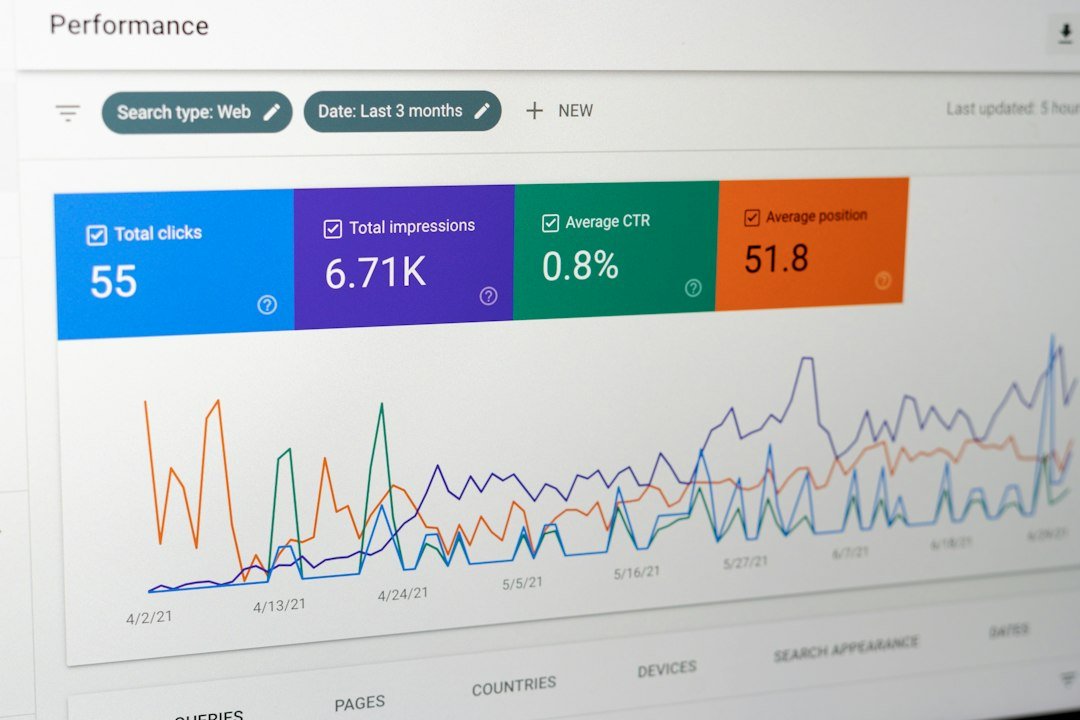
You pay $139 a month for a rank tracker. You opened it three times last quarter. The dashboard tracks 500 keywords, but you only care about 15. The pricing page said “track your rankings,” but it did not mention the 20 minutes a week you spend navigating a dashboard designed for agencies, exporting CSVs, and manually transferring insights into WordPress. That is the hidden tax on every rank tracking subscription, and almost no comparison accounts for it.
This is not one of those affiliate listicles where every SEO tool for monitoring keyword rankings gets a participation trophy. Some of these tools are genuinely worth their price for the right user. Others are overkill for a solo WordPress site owner tracking 15 keywords. We tested seven tools, verified their pricing pages as of late 2026, calculated the real cost per keyword with labor time factored in, and identified which ones oversell features small sites never need.
Why Most Rank Tracking Advice Misses the Point
Most rank tracking comparisons list features and prices, assign a star rating, and collect an affiliate commission. They never calculate the real cost of ownership because the real cost is not the subscription. It is the subscription plus the labor of using the tool, interpreting its data, and acting on what it tells you. That labor cost is where the math breaks down for small sites.
Here is the reframe that matters. Stop asking which rank tracker has the most features and start asking which one connects ranking data to a content decision you will actually make this week. A $139/month tool you check weekly and act on is an investment. A $29/month tool you never open is a tax on indecision. The price difference is irrelevant if neither produces a content decision. We have written about this SERP position monitoring problem in depth, and the pattern is consistent: buyers purchase dashboards they feel guilty about ignoring instead of building workflows that produce action.
The advice that misses the point usually sounds like “track as many keywords as your plan allows.” That is how you end up with 500 tracked keywords, no idea which page each one maps to, and a dashboard you abandon by month two. The right advice is: track 15 keywords, check weekly, act on movement, and close the tab. The tool that supports that workflow at the lowest total cost, including your time, is the one you should use.
What Actually Matters in a Rank Tracking Tool
Four criteria determine whether a rank tracking tool is worth paying for as a WordPress site owner. Everything else is marketing.
1. Cost per keyword, including your labor
The headline price tells you nothing. Semrush costs $139.95/month for 500 keywords. That is $0.28 per keyword before labor. Add 20 minutes a week of dashboard navigation and data transfer at $100 per hour, and the real cost is $0.57 per keyword. Ubersuggest costs $29/month for 125 keywords, which sounds cheaper. But at $0.23 per keyword before labor and $0.81 after labor, it is the most expensive tool on a per-keyword basis. The cheapest headline price does not mean the cheapest tool.
2. Update frequency that matches your workflow
Daily rank tracking is noise. Rankings fluctuate 1 to 3 positions on any given day for reasons unrelated to your content. Weekly tracking catches meaningful trends. If a tool only updates weekly, that is not a limitation for most solo site owners. It is the correct frequency. Paying more for daily updates you do not need is overspending.
3. WordPress integration, or lack thereof
Every rank tracker on this list except Google Search Console and ClearPost requires you to check rankings in a separate dashboard, then switch to WordPress to act on what you found. That context-switching is the hidden labor cost most comparisons skip entirely. If your rank tracker does not connect to your CMS, you are paying for data plus the friction of doing something with it.
4. Connection to a content production workflow
Rank tracking tells you which pages to update and which keywords to target next. None of that matters if you do not have a workflow to produce or update that content. A rank tracker without a content pipeline is a gauge on a car with no engine. This is where most tool comparisons end and where the real bottleneck begins. If you want the full framework for connecting keyword data to published posts, our content strategy guide breaks down the four-step system.
7 Tools We Tested: Pricing, Limits, and Honest Limitations

We evaluated seven tools that WordPress site owners are likely to consider for monitoring keyword rankings. Pricing was verified against each tool’s official pricing page in September and October 2026. The cost-per-keyword calculations include labor at $100 per hour, based on realistic weekly check times for each tool. This is the number most comparisons hide.
Google Search Console: Free, and It Covers 80% of What You Need
Google Search Console is free, already connected to your WordPress site if you verified it, and gives you real search data from actual users. No paid rank tracker can replicate this data because none of them have access to Google’s real impression and click logs. GSC shows impressions, clicks, click-through rate, and average position for every query where your site appeared.
The limitation: GSC does not track keywords you are not yet ranking for. It has a 3-day data delay. Its “average position” metric is an impression-weighted blend across every location, device, and query variant, not the actual position any single searcher saw. There are no alerts when a ranking drops. For most solo WordPress site owners tracking 15 to 20 keywords, GSC is enough.
Semrush (SEO Plan): Deep Data, Agency Pricing
Credit where it is due: Semrush has the deepest keyword research database and competitive analysis toolkit among the tools on this list. The Keyword Magic Tool is genuinely useful for finding long-tail opportunities. The position tracking module gives you daily updates, mobile tracking, and SERP feature monitoring. As a full SEO suite, it is a capable platform.
Where it falls short for WordPress owners: the SEO plan costs $139.95 per month ($117.33 if billed annually) for 500 tracked keywords across 5 projects, per Semrush’s pricing page. There is no WordPress plugin. No content production pipeline. You monitor in Semrush, then manually transfer insights to WordPress. The annual billing discount requires paying the full year upfront, which is a $1,399.40 charge on day one. For a deeper look at how to actually use Semrush for content marketing if you already pay for it, our Semrush workflow guide walks through the five steps that justify the subscription.
Ahrefs Lite: Best Backlink Data, Weak for WordPress Content
Ahrefs has the deepest and most frequently updated backlink index in the industry. If your monitoring needs center on backlink growth, referring domain analysis, or link gap research, Ahrefs Lite at $129 per month is the best tool for that specific job. The Lite plan includes 750 tracked keywords and 100,000 site audit crawl credits per month, per Ahrefs’ pricing page.
The limitation that matters: Ahrefs Lite tracks keywords weekly, not daily. Daily tracking requires the Standard plan at $249 per month. Ahrefs does have a WordPress plugin that surfaces SEO metrics in the block editor, but it is a data overlay, not a production tool. It shows you what to target. It does not format, optimize, or publish anything. One user seat is included, with extra users at $40 per month each.
SE Ranking Core: Best Value for Daily Tracking at Scale
SE Ranking is the best value for daily rank tracking if you need volume. The Core plan at $129 per month ($103.20 billed annually) gives you 2,000 keywords tracked daily across 10 projects, per SE Ranking’s pricing page. That is nearly three times the keyword allowance of Ahrefs Lite at the same price, with daily updates instead of weekly.
One important caveat: SE Ranking counts keywords as “targets,” meaning keyword times search engine. Track one keyword on Google and Bing, and it counts as two targets. Track Google only, which is what most sites need, and 2,000 targets really is 2,000 keywords. The limitation for WordPress users is the same as Semrush: no WordPress plugin, no content production. Annual plans are also billed upfront in full, so “$103.20 per month” is a $1,238.40 charge on day one.
Rank Tracker (SEO PowerSuite): Unlimited Keywords, Desktop Software
Rank Tracker is the desktop rank tracking module inside SEO PowerSuite. The Professional license costs $349 per year (approximately $29 per month) and tracks unlimited keywords across unlimited projects, per verified pricing data. A free edition exists with one project and no saving between sessions, but rank checking itself is not keyword-limited even on the free tier.
The tradeoff: Rank Tracker is desktop software, not a cloud platform. Your computer must be on and running for scheduled rank checks to execute. There is no web dashboard you can check from your phone. No WordPress integration. No team collaboration. If you want unlimited keywords at the lowest price and do not mind running a Java application on your machine, Rank Tracker delivers. If you want cloud convenience and WordPress integration, look elsewhere.
Serpstat Individual: Budget Option with a Small Database
Serpstat is the cheapest paid option after Ubersuggest. The Individual plan costs $50 per month (approximately $31 per month billed annually) for 5 projects and 10,000 keyword position checks per month, per Serpstat’s pricing page. That translates to roughly 333 keywords tracked daily, or 2,500 tracked weekly. The plan includes AI Overview keyword tracking, which most competitors charge extra for.
The limitation: Serpstat’s keyword database is smaller than Ahrefs or Semrush, which means keyword suggestions and search volume estimates are less complete. The Individual plan also lacks JavaScript rendering in site audits, which means it will miss client-side rendered content on modern WordPress sites using page builders or dynamic content plugins. No WordPress integration.
Ubersuggest Individual: Cheapest Headline Price, Highest Cost per Keyword
Ubersuggest is the cheapest entry point on this list at $29 per month. The Individual plan tracks 125 keywords per project on one project, with weekly updates, per Ubersuggest’s pricing page. For a solo site owner who wants more than GSC offers but cannot justify $129 per month, Ubersuggest fills that gap.
Here is the trap: 125 keywords is a hard per-project cap, not an account-wide pool you can distribute. Even the $99 per month Enterprise plan caps at 300 keywords per project. Rank tracking updates weekly on every tier, including the $99 one. No daily option exists at any price. When you factor in the limited keyword volume, Ubersuggest has the highest cost per keyword of any tool on this list once labor is included. The headline price is cheap. The value per dollar is not.
ClearPost Built-In Tracking: GSC Data, Zero Context-Switching
ClearPost lives inside WordPress and uses your Google Search Console data to surface ranking movements alongside your content workflow. You see which keywords are gaining or losing impressions in the same dashboard where you create and publish posts. No separate rank tracker to check. No CSV exports. No context-switching between a tool dashboard and WordPress.
The honest limitation: ClearPost does not query Google from a datacenter IP the way paid rank trackers do. It uses GSC’s impression-weighted average position data, which means you see real search performance rather than a controlled baseline snapshot. If you need daily per-keyword position tracking from a fixed location, competitor benchmarking, or SERP feature monitoring, you still need a dedicated rank tracker on top. ClearPost closes the gap between monitoring data and content production, which is the gap that makes every other tool on this list less effective than it should be.
Cost per Keyword Comparison Table
Here is the math most comparisons skip. Labor is calculated at $100 per hour, based on realistic weekly check times for each tool. Tools without WordPress integration require more time because of context-switching between the rank tracker dashboard and WordPress. The “true cost per keyword” column is the number that actually matters.
| Tool | Monthly Price | Keywords Tracked | Price per Keyword | WordPress Integration | Weekly Check Time | True Cost per Keyword (with labor) |
|---|---|---|---|---|---|---|
| Google Search Console | $0 | All queries you rank for | $0 | Native (verify property) | 15 min | $0 |
| Semrush (SEO) | $139.95 | 500 daily | $0.28 | None | 20 min | $0.57 |
| Ahrefs (Lite) | $129 | 750 weekly | $0.17 | Plugin (data overlay only) | 20 min | $0.36 |
| SE Ranking (Core) | $129 | 2,000 daily | $0.06 | None | 15 min | $0.12 |
| Rank Tracker (Pro) | $29/mo ($349/yr) | Unlimited | ~$0 | None (desktop app) | 20 min | ~$0 |
| Serpstat (Individual) | $50 | ~333 daily | $0.15 | None | 15 min | $0.48 |
| Ubersuggest (Individual) | $29 | 125 weekly | $0.23 | None | 10 min | $0.81 |
| ClearPost (built-in) | Included in plugin | Via GSC data | $0 | Native (built into WP) | 5 min | $0 |
Read the last column, not the second one. Ubersuggest has the cheapest monthly price but the highest true cost per keyword because 125 keywords is too few to spread the labor across. SE Ranking delivers the best value per keyword among paid cloud tools. Rank Tracker’s unlimited keywords make its per-keyword cost negligible, but the desktop-only architecture limits its usefulness for WordPress workflows. GSC and ClearPost are effectively free because GSC tracks every query you rank for and ClearPost eliminates the context-switching labor entirely.
How to Set Up Weekly Rank Monitoring Without Drowning in Data

The most expensive rank tracker is the one you abandon. Here is the workflow that prevents abandonment. It takes 15 minutes a week, works with any tool on this list, and connects to a content decision every time.
Step 1: Pick 15 keywords from real data
Open Google Search Console. Go to Performance, then Search Results. Set the date range to the last 28 days. Sort by clicks descending and take your top 10 traffic-driving queries. Then sort by impressions and take 5 more that have high impressions but low click-through rate. These 15 keywords are your tracked list. Each one maps to a specific page on your site that you can edit if the ranking drops. If you cannot name the URL a keyword corresponds to, do not track it.
Step 2: Check weekly, not daily
Pick a day. Monday morning works. Pull your data, compare against the previous week, and look for keywords that moved more than 3 positions. A keyword bouncing between position 6 and 8 across four daily checks is normal SERP volatility. A keyword that moved from position 5 to position 8 over seven days is a signal worth investigating. For more detail on why daily checking wastes your time, our SEO monitor tools comparison breaks down the daily checking trap in detail.
Step 3: Make one decision per week
From your triage, pick the single most impactful action item. That might be updating a page that dropped, improving a title tag for a high-impression low-CTR query, adding a missing section to match a competitor now ranking above you, or planning a new post targeting a query you just started appearing for. Do not try to act on everything. Pick one, write it down as your content task for the week, and close the tab.
Over a year, that is 52 content decisions driven by real data. Compare that to the dashboard you currently pay for and open twice a quarter.
Are You Paying for Rank Tracking You Do Not Need?

Here is the decision framework by site size. No participation trophies. Some of these tools should not be in your stack at all, depending on where your site is today.
Solo site owner (1 site, 15 to 20 keywords)
You need Google Search Console and a spreadsheet. That is it. GSC is free, covers 80% of what matters, and gives you real search data from actual users. A paid rank tracker at this stage is premature. Your bottleneck is not data. It is content production. If you are not publishing regularly, more ranking data will not help. Focus your budget on a content workflow that turns GSC insights into published posts. ClearPost handles that by using your GSC data to identify content gaps and generating SEO-optimized posts you approve before they go live.
Small team (1 to 3 sites, 50 to 100 keywords)
Add Serpstat Individual at $50 per month or Ubersuggest Individual at $29 per month for competitor tracking and keywords you are not yet ranking for. GSC remains your baseline. You do not need Semrush or Ahrefs at this stage. The keyword research volume you need does not justify $129 to $140 per month. If you want daily tracking instead of weekly, SE Ranking Core at $129 per month gives you 2,000 daily keywords, which is 4 to 15 times what competitors offer at the same price.
Growing business (3 to 5 sites, 100 to 500 keywords)
SE Ranking Core is the best value at this stage. Two thousand daily keywords across 10 projects for $129 per month (or $103.20 annual) outperforms Semrush and Ahrefs on per-keyword cost by a wide margin. If your team relies on Semrush’s Keyword Magic Tool or Ahrefs’ backlink index for specific workflows, keep one of those as a secondary tool. Do not pay for both. If backlink analysis is your priority, Ahrefs Lite at $129 per month is the strongest option. If competitive keyword research is your priority, Semrush SEO at $139.95 per month earns its subscription.
Agency (10+ sites, 500+ keywords)
SE Ranking Growth at $279 per month ($223.20 annual) gives you 5,000 daily keywords across 30 projects with API access. Semrush Pro+ at $299 per month gives you 1,500 keywords across 15 projects with historical data and content optimization tools. Rank Tracker Enterprise at $599 per year gives you unlimited keywords but no cloud collaboration. The right choice depends on whether your bottleneck is keyword volume (SE Ranking wins), competitive research depth (Semrush wins), or raw keyword count at the lowest price (Rank Tracker wins).
Tools that oversell features small sites never need
Be honest about which features you will actually use. SERP feature monitoring matters if you are competing for featured snippets or AI Overviews. It does not matter if your site ranks at position 35. Backlink monitoring matters if you actively build links. It does not matter if your link building strategy is “publish and hope.” Site audits matter if you have a large site with technical issues. A 20-page WordPress blog does not need 250,000 crawl credits per month. Competitor gap analysis matters if you have the resources to act on the gaps. A 9,800-keyword gap between you and a competitor with 10,000 rankings is not actionable. Focus on the 15 keywords that map to pages you can actually improve.
Start Tracking What Actually Moves the Needle
The best rank tracking setup for most WordPress site owners is Google Search Console plus a 15-keyword spreadsheet, checked weekly, acted on when movement is meaningful. That workflow costs $0 and 15 minutes a week. If you need competitor tracking, daily updates, or you manage multiple sites, SE Ranking Core delivers the best value per keyword among paid tools. If you do not need those features, paying $139 per month for a dashboard you never open is not an investment. It is a tax on indecision.
But ranking data only matters if you act on it. The gap between knowing a keyword dropped and actually publishing an updated post is where most WordPress owners stall. ClearPost closes that gap. ClearPost uses your Google Search Console data to identify content gaps, surfaces which keywords are moving, and generates SEO-optimized posts that target the terms your monitoring tells you are worth pursuing. AI does the heavy lifting, you approve every post before it goes live. No auto-published drafts, no unreviewed output, no brand damage from hallucinated statistics.
Try ClearPost free for 7 days. AI does the heavy lifting, you approve every post before it goes live. No long onboarding, no agency overhead, cancel anytime. See what 30 SEO-optimized posts a month looks like compared to the 4 you are getting now.
Frequently Asked Questions
What is the cheapest rank tracking tool for WordPress?
Google Search Console is free and covers roughly 80% of what most solo site owners need. Among paid tools, Ubersuggest Individual at $29 per month is the cheapest headline price, but its 125-keyword limit makes it the most expensive tool per keyword once labor is factored in. Serpstat Individual at $50 per month offers better value with 333 daily tracked keywords.
How many keywords should I track for my WordPress site?
Track 15 to 20 keywords per site. Every tracked keyword should map to a specific page you can edit if the ranking drops. Importing hundreds of keywords from a seed list is the most common reason rank trackers become abandoned dashboards. Pick your keywords from Google Search Console data, not from a keyword research tool.
Which rank tracking tools integrate with WordPress?
Google Search Console integrates natively once you verify your property. Ahrefs has a WordPress plugin that shows SEO metrics in the editor but does not produce or publish content. Semrush, SE Ranking, Serpstat, Ubersuggest, and Rank Tracker have no WordPress integration. ClearPost is the only tool that lives inside WordPress, uses GSC data, and publishes content through the WordPress REST API with a human approval gate.
How often should I check my keyword rankings?
Weekly, not daily. Rankings fluctuate 1 to 3 positions on any given day for reasons unrelated to your content. Daily checking creates anxiety without producing actionable decisions. Pick a day, check on that day every week, compare against the previous week, and act only on movements of 3 or more positions.
Is Semrush worth it for rank tracking alone?
No. At $139.95 per month for 500 keywords with no WordPress integration, Semrush is overpriced for rank tracking alone. SE Ranking Core gives you 2,000 daily keywords at the same price. Semrush earns its subscription if you use the full suite: Keyword Magic Tool, competitive analysis, content templates, and site audits. If your only need is rank tracking, use GSC for free or SE Ranking for better value.