
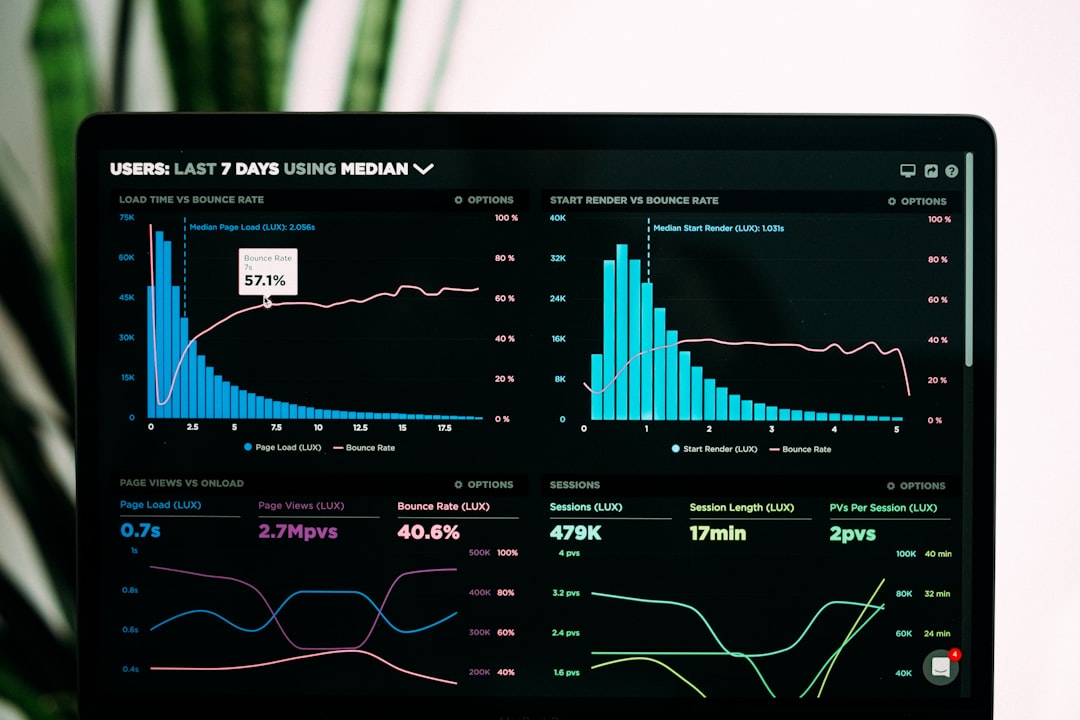
You’re spending hours every week on keyword research, content publishing, technical fixes, and performance tracking — and your organic traffic still isn’t where it needs to be. The problem isn’t effort. It’s that manual SEO doesn’t scale. SEO automation replaces the tedious, repetitive grind with systems that work consistently, so you can focus on strategy and content quality while your traffic grows.
This guide walks you through a complete framework for scaling organic traffic using SEO automation — from keyword research and content planning through technical optimization, link building, and performance monitoring. Every step is designed to help you publish more, rank faster, and grow traffic without burning out or blowing your budget.
Understanding SEO Automation for Traffic Growth
SEO automation uses software and AI to handle the repetitive, data-heavy tasks that consume most of your SEO time — keyword discovery, site audits, rank tracking, content optimization, and reporting. It doesn’t replace your expertise. It removes the bottleneck so you can execute faster and more consistently.
The opportunity is massive. According to BrightEdge data, 68% of online experiences begin with a search engine, and SEO drives over 1,000% more traffic than organic social media. Yet the competition for those clicks is fierce — less than 1% of searchers ever click on page two results. If your publishing pace and optimization quality can’t keep up, you’re leaving traffic on the table.
Manual SEO creates three specific problems that automation solves:
Inconsistency. When keyword research, content briefs, and publishing depend entirely on your available hours, the cadence suffers. Drafts pile up in your editor and never get finished or published. Automation keeps the content pipeline moving even when you’re focused elsewhere.
Slow response time. Technical issues, ranking drops, and new keyword opportunities require fast action. Manual monitoring means you often discover problems days or weeks late. Automated systems flag issues in hours.
Poor scalability. Doubling your content output manually means doubling your time investment — or doubling your team. Automation lets you scale output without a proportional increase in resources.
The SEO Automation Framework for Scaling Traffic
Scaling organic traffic isn’t about automating everything blindly. It’s about building an interconnected system where each step feeds the next — keyword research informs content creation, which is guided by technical SEO foundations, amplified by link building, and refined by performance data. Here’s the five-step framework:
Step 1: Automate keyword research and content planning
Step 2: Streamline content creation and optimization
Step 3: Run technical SEO on autopilot
Step 4: Automate link building and outreach
Step 5: Set up automated performance monitoring and reporting
The key principle: automate the repetitive execution, keep humans in charge of strategy and quality. You approve every post before it goes live. No surprises.
Step 1: Automating Keyword Research and Content Planning
Automated keyword research tools can surface thousands of relevant keywords, cluster them by search intent, and score them by difficulty — in minutes rather than days. This is where your entire content strategy begins, and it’s the step with the highest ROI for automation.
Seed Keyword Expansion at Scale
Start with 5–10 seed keywords that define your core topics. AI-powered tools then expand these into hundreds or thousands of related long-tail variations, question-based queries, and semantic alternatives. What used to be an afternoon of spreadsheet wrangling becomes a few clicks.
Intent-Based Keyword Clustering
Raw keyword lists are useless without organization. Automated clustering tools group keywords by search intent (informational, commercial, transactional, navigational) and by SERP similarity — meaning keywords that share the same top-ranking pages get grouped together. This tells you exactly which keywords to target on the same page and which need separate content.
Competitive Gap Analysis
One of the most powerful automation tactics is competitor monitoring. Set up automated tracking on 3–5 competitor domains. The tool alerts you when competitors start ranking for new keywords — giving you a direct pipeline into topics that are proven to gain traction in your niche. No guesswork, just data.
Content Calendar Generation
Once you have clustered keywords with difficulty scores and search volumes, automated systems can prioritize them by opportunity (low difficulty, high volume) and generate a content calendar. This transforms a chaotic spreadsheet into a clear, sequenced publishing plan that your team (or your AI content tools) can execute against week after week.
Step 2: Streamlining Content Creation and Optimization

Content creation is where most WordPress site owners hit a wall. You know what to write about, but the actual process — research, drafting, optimization, formatting, publishing — eats hours per post. Automation compresses this timeline dramatically.
AI-Assisted Content Drafting
AI writing tools generate first drafts based on your keyword targets, outlines, and brand guidelines. These aren’t “set and forget” outputs — they’re working drafts that you review, refine, and approve. The value is in eliminating the blank-page problem and cutting draft time significantly. At ClearPost, we built this workflow directly into WordPress so your content goes from keyword to published post without bouncing between five different tools.
On-Page SEO Optimization
Automated on-page optimization tools analyze your content against top-ranking competitors and provide real-time recommendations for:
• Target keyword placement and density
• Semantic keyword coverage (related terms you’re missing)
• Heading structure and content hierarchy
• Meta title and description optimization
• Internal linking opportunities
• Readability and content length benchmarks
These tools take the guesswork out of “is this post optimized enough?” and give you concrete, data-backed guidance.
Automated Publishing Workflows
For WordPress users, the final step — formatting, adding meta data, scheduling, and publishing — can be fully automated. Instead of copy-pasting from Google Docs, manually adding alt text, and fiddling with Gutenberg blocks, automated workflows handle the entire publish flow. You review and approve; the system does the rest.
If you’re experiencing these bottlenecks — drafts piling up, inconsistent publishing, hours spent on formatting — our team at ClearPost can help. The entire workflow from keyword to published post runs inside your WordPress dashboard.
Step 3: Technical SEO Automation

Technical SEO is the foundation that makes everything else work. If your site has crawl errors, slow page speeds, broken links, or missing schema markup, even the best content won’t rank. The good news: technical SEO is one of the most automatable areas of SEO.
Here’s a breakdown of key technical SEO tasks and their automation potential:
| Technical SEO Task | Manual Effort | Automated Approach | Time Saved |
|---|---|---|---|
| Site crawl and error detection | Run crawl, manually review issues | Continuous automated crawling with real-time alerts | ~80% |
| Broken link identification | Manual page-by-page checks | Automated scanning with fix recommendations | ~90% |
| Page speed monitoring | Test individual pages in PageSpeed Insights | Site-wide speed monitoring with alerts on regressions | ~85% |
| Schema/structured data validation | Manual JSON-LD checks per page | Automated schema validation and deployment | ~75% |
| XML sitemap management | Manually update and submit sitemaps | Dynamic sitemaps auto-generated on publish | ~95% |
| Index coverage monitoring | Check Google Search Console manually | Automated alerts for indexing issues | ~85% |
| Redirect chain detection | Manual URL-by-URL testing | Automated redirect auditing and cleanup | ~90% |
| Mobile usability testing | Manual testing across devices | Automated cross-device rendering checks | ~80% |
The ROI here is clear. A technical audit that might take 40 hours of analyst time can be completed in roughly 2 hours with automation, according to practitioners who have adopted these tools. That frees up 38 hours for strategic work — content creation, outreach, or improving existing pages.
Priority Actions for WordPress Sites
If you’re running WordPress, focus your technical SEO automation on these high-impact areas first:
1. Automated site health monitoring. Set up weekly automated crawls that flag new errors the moment they appear — broken links, 404 pages, missing meta descriptions, or slow-loading pages.
2. Dynamic XML sitemaps. Use a solution that auto-generates and updates your sitemap every time you publish or update a post. No manual submission needed.
3. Schema markup automation. Structured data (FAQ schema, article schema, breadcrumbs) can be applied automatically to every post based on its content type and structure.
4. Core Web Vitals alerts. Set up automated monitoring for LCP, FID, and CLS metrics so you catch performance regressions before they impact rankings.
Step 4: Automated Link Building and Outreach
Link building remains one of the most impactful ranking factors — and one of the hardest to scale. While you can’t (and shouldn’t) fully automate relationship-based outreach, you can automate the research and prospecting that makes outreach efficient.
What You Can Automate
Backlink monitoring. Track your existing backlink profile automatically. Get alerts when you gain or lose links, when competitors acquire notable backlinks, or when toxic links appear that need disavowing.
Prospect identification. Use automated tools to find sites in your niche that link to competitor content but not to yours. These are your highest-probability outreach targets — they’ve already demonstrated willingness to link to content like yours.
Broken link opportunity detection. Automated crawlers can identify broken outbound links on high-authority sites in your niche. You then offer your content as a replacement — a classic link building tactic that automation makes scalable.
Outreach email sequences. While the initial relationship-building email should feel personal, follow-up sequences can be automated with personalization tokens. Set it and track response rates without manually managing every thread.
What Should Stay Manual
The actual relationship building. Guest post pitches, partnership discussions, and expert roundup contributions require a human touch. Automation feeds you the right prospects and data; you bring the genuine outreach that earns links.
Internal Linking Automation
Don’t overlook internal links — they’re entirely within your control and heavily influence how search engines understand your site structure. Automated internal linking tools scan your content library, identify relevant anchor text opportunities, and suggest (or apply) contextual internal links across your posts. For sites with 50+ published posts, this alone can meaningfully boost rankings for target pages.
Step 5: Performance Monitoring and Automated Reporting
You can’t improve what you don’t measure — and manual reporting is one of the biggest time sinks in SEO. Automated performance monitoring gives you real-time visibility into what’s working without spending hours pulling data from five different dashboards.
Set Up Automated Dashboards
Connect your Google Search Console, Google Analytics, and rank tracking tools into a unified dashboard that updates automatically. Key views to configure:
• Organic traffic trends — weekly and monthly, broken down by landing page
• Keyword ranking movements — daily position changes for your target keywords
• Content performance — which posts are driving traffic growth, which are declining
• Technical health score — crawl errors, indexing issues, page speed metrics
• Backlink activity — new links gained, links lost, referring domain diversity
Configure Automated Alerts
Set up threshold-based alerts so you’re notified when something requires your attention — a sudden traffic drop, a key ranking lost, a spike in 404 errors, or a Core Web Vitals regression. This means you spend 5 minutes reviewing alerts instead of 3 hours combing through reports.
Automated Content Audits
Schedule quarterly automated content audits that flag pages with declining traffic, outdated information, thin content, or missing on-page elements. This creates a rolling optimization queue — you always know what to update next to protect and grow your existing traffic.
Tools and Technologies for SEO Automation
Your tool stack depends on your budget, technical comfort level, and which parts of the framework you’re automating first. Here’s how to think about it by category:
Keyword research and clustering: Tools like Ahrefs, Semrush, and dedicated clustering solutions handle seed keyword expansion, SERP analysis, and intent-based grouping. These form the backbone of your content planning automation.
Content creation and optimization: AI writing tools integrated into your CMS (like ClearPost for WordPress) eliminate the gap between keyword research and published content. Content optimization platforms provide real-time NLP-based recommendations as you write.
Technical SEO monitoring: Site crawling tools, Google Search Console integrations, and page speed monitoring platforms handle continuous technical auditing. Look for tools that provide alerts, not just reports.
Link building and outreach: Backlink analysis platforms combined with CRM-style outreach tools streamline prospect discovery and follow-up sequences.
Reporting and analytics: Dashboard tools that pull data from multiple sources into a single view — connecting Search Console, analytics, rank tracking, and backlink data into automated weekly or monthly reports.
The biggest mistake? Paying for overlapping tools that all do rank tracking or all do site audits. Consolidate where possible, and start with the category that addresses your biggest bottleneck first.
Measuring Success: Key Metrics to Track
Automating without measuring is just automated chaos. Track these metrics to ensure your automation framework is actually driving traffic growth:
Organic sessions (month-over-month). Your primary growth indicator. Are more people finding your site through search engines each month?
Keyword rankings distribution. Track how many keywords you rank for in positions 1–3, 4–10, and 11–20. A healthy automation program shifts keywords upward over time.
Content velocity. How many optimized posts are you publishing per week or month? Automation should measurably increase this number without sacrificing quality.
Indexation rate. What percentage of your published pages are indexed by Google? Technical SEO automation should keep this near 100%.
Time-to-publish. Measure the total hours from keyword selection to published post. One practitioner reported reducing this from 8 hours to under 2 hours with the right automation stack.
Organic conversion rate. Traffic growth is meaningless without conversions. Research from Doyen Digital shows that SEO leads close at 14.6% compared to 1.7% for outbound leads — an 8.5x advantage. Make sure your automated content drives conversions, not just clicks.
Cost per organic visit. Divide your total SEO spend (tools, time, content) by monthly organic sessions. Automation should drive this number down over time as traffic scales faster than costs.
Common Pitfalls and How to Avoid Them
SEO automation is powerful, but it goes wrong fast when misapplied. Here are the most common mistakes and how to sidestep them:
Pitfall #1: Automating without strategy. Generating 50 blog posts a month means nothing if they target the wrong keywords or cannibalize each other. Always start with a clear content strategy and keyword map before activating content automation. Let the automation generate options — you choose the bets.
Pitfall #2: Ignoring content quality. AI can draft content fast, but publishing unreviewed AI outputs will hurt your rankings and your brand. Always include a human review step. The best automation tools make this easy — you approve every post before it goes live.
Pitfall #3: Tool sprawl. It’s tempting to sign up for every shiny SEO tool. Many teams end up paying for three tools that all do rank tracking, two for content optimization, and another two for site audits. Consolidate ruthlessly. Pick the best tool per category, or choose a unified platform.
Pitfall #4: Neglecting data quality. Automation is only as good as the data feeding it. If your Google Analytics tracking is broken, your Search Console isn’t properly verified, or crawl restrictions prevent tools from accessing important pages, your automation produces misleading results. Audit your data infrastructure before layering automation on top.
Pitfall #5: “Set and forget” mentality. Automation reduces manual work — it doesn’t eliminate oversight. Review automated outputs weekly. Check that rank tracking is accurate, content recommendations are sensible, and technical alerts are actionable. Treat your automation as a system that needs regular tuning, not a fire-and-forget solution.
Pitfall #6: Automating high-impact work last. Many teams start by automating the easy, visible tasks (reporting, rank tracking) while leaving high-impact work manual (content optimization, technical fixes). Flip the priority. Automate what drives results first, then automate what saves time on monitoring.
Frequently Asked Questions
Start Scaling Your Organic Traffic Today
You don’t need a bigger team or a bigger budget to grow organic traffic. You need a smarter system. SEO automation replaces the expensive, time-consuming manual grind with a repeatable framework that scales — from keyword research through content creation, technical optimization, link building, and performance tracking.
The businesses winning organic search right now aren’t the ones working harder. They’re the ones who built systems that work consistently — publishing optimized content on a reliable cadence, catching technical issues before they impact rankings, and making data-driven decisions from automated dashboards.
Ready to stop spending too much time and money on SEO with too little traffic to show for it? Contact ClearPost today to see how our end-to-end WordPress automation takes you from keyword to published, optimized post — all inside your dashboard. You approve every post before it goes live. No surprises, no complexity.
Get Started Free 👉 — 7-day free trial, cancel anytime, zero commitment.
Frequently Asked Questions
Can SEO automation really replace manual SEO work?
No — and it shouldn’t try to. SEO automation excels at repetitive, data-heavy tasks like keyword research, site crawling, rank tracking, and report generation. Strategic decisions, content quality review, brand voice, and relationship-based outreach still require human expertise. The best approach combines automated execution with human oversight for strategy and quality control.
How long does it take to see results from SEO automation?
Most businesses see measurable efficiency gains (reduced time-to-publish, faster issue detection) within the first month. Traffic growth typically becomes visible within 3-6 months as automated content publishing builds momentum and technical improvements take effect. SEO is a long-term strategy, but automation accelerates the timeline by increasing publishing consistency and optimization quality.
What’s the best starting point for SEO automation?
Start with the biggest bottleneck in your current workflow. For most small businesses and solo site owners, that’s content creation and publishing — automating the path from keyword to published post saves the most time. For sites with existing content libraries, technical SEO monitoring and automated content audits often deliver the fastest ranking improvements.
How much does SEO automation cost compared to manual SEO?
Tool costs for a solid automation stack range from $100 to $500 per month depending on your needs. This typically replaces 15-25 hours per week of manual work. When you factor in the time savings at even a modest hourly rate, most automation investments show positive ROI within the first month. Compare this to hiring an SEO specialist ($45,000-$100,000+ annually) or an agency ($2,000-$10,000+ monthly).
Is AI-generated content safe for SEO?
Yes, when done correctly. Google has stated that AI-generated content is not against their guidelines as long as it’s not primarily used to manipulate rankings. The key is quality and relevance — AI-assisted content that provides genuine value to readers, is reviewed by humans, and demonstrates expertise ranks just as well as manually written content. Always include a human review step before publishing.
Install ClearPost free on WordPress.org. Set up in 2 minutes, approve every post before it goes live.