

You signed the retainer. You waited six months. Your Analytics barely moved. So you tried an “AI blog generator,” hit publish a few times, and ended up with content that sounded like it was written for nobody in particular.
At ClearPost, we’ve learned the hard truth: the best AI blog post generator for WordPress in 2026 isn’t the one that writes the prettiest paragraph. It’s the one that fits your publishing workflow, avoids WordPress friction, and still leaves room for human judgment before anything goes live.
Why Most AI Blog Generators Fail WordPress Users (And What Actually Works)
Most tools fail WordPress users for one simple reason: they optimize for generating text, not for shipping publish-ready posts inside WordPress. The output might look fine in a web app, but the moment you need blocks, internal links, images, categories, drafts, approvals, SEO fields, and consistent formatting, the “one prompt and a prayer” workflow breaks.
What actually works is a system where AI handles the heavy lifting and you approve every post before it goes live. That means your tool must do at least three things reliably: produce structured drafts (not walls of text), reduce WordPress formatting friction (blocks, headings, featured image, metadata), and give you a repeatable review loop your team can sustain.
What We Tested: 9 AI Blog Post Generators for WordPress

Below is a WordPress-focused comparison of nine options you’ll see in real buying conversations in 2026. We’re not ranking by hype. We’re ranking by what impacts day-to-day publishing: editor experience, SEO workflow, and how much cleanup your team inherits after the AI is done.
| Tool | Where it runs | Best fit | WordPress integration depth | Pricing model (high-level) | Honest limitation |
|---|---|---|---|---|---|
| Jetpack AI Assistant | Inside WordPress | Non-technical teams drafting in Gutenberg | Directly in the editor | Free tier + paid plan (per-site/month) | Great for drafting and rewriting, but it is not a complete SEO + publishing system by itself |
| Rank Math Content AI | Inside WordPress | Teams already using Rank Math SEO | SEO-first assistance in WP | Subscription/credits (varies by plan) | Helpful for SEO workflow, but still requires strong human editing and original expertise |
| GetGenie | Inside WordPress | Content + SEO in one plugin | Embedded in WP editor | Subscription (varies by plan) | Can push quantity fast; quality depends heavily on prompts, outlines, and your reviewer |
| 10Web AI Assistant | WordPress platform + editor | Teams that want hosting + AI workflow in one place | Integrated into 10Web WordPress environment | Platform subscription (per site) | Best when you’re willing to adopt the 10Web stack; may be overkill if you only need content |
| Elementor AI | Inside Elementor | Design-heavy teams creating landing pages + sections | Strong for page building; less “blog system” oriented | Addon/plan-based (varies) | Optimizes layouts and sections; not purpose-built for consistent SEO blog publishing cadence |
| AI Engine (Meow Apps) | Inside WordPress | Technical teams that want BYOK flexibility | Plugin-based; configurable | Plugin license + your API costs (BYOK) | Powerful, but you own the setup, prompt discipline, and governance |
| Yoast (with AI features) | Inside WordPress | Teams centered on Yoast SEO workflows | SEO editing workflow integration | Subscription (varies) | SEO tooling is strong; content generation is usually narrower than dedicated writing tools |
| External writer + copy/paste (ChatGPT/Claude, etc.) | Outside WordPress | Anyone who wants best raw writing models | Low (manual transfer) | Per-seat subscription | Highest hidden cost is formatting, metadata, internal linking, and consistency |
| ClearPost | WordPress workflow-first | Teams that need consistent publishing with approvals | Designed for WP publishing systems | Subscription (depends on volume) | Not “set and forget”; your review step is required by design |
The 3 Tools That Actually Moved the Needle
In 2026, most teams don’t need nine tools. They need one primary workflow and one fallback option. The three solutions below consistently reduce time-to-publish for WordPress users without pushing you into embarrassing, generic output.
Tool #1: Jetpack AI Assistant – Best for Gutenberg-first drafting with minimal setup
If your team lives in Gutenberg and just wants a faster first draft, Jetpack AI Assistant is one of the cleanest “write where you publish” options. You draft, rewrite, summarize, and iterate inside the WordPress editor instead of bouncing between tabs.
Workflow example for a solopreneur publishing 1 post/week: open a new post in WordPress, generate an outline, expand section-by-section, then do a single editing pass for voice and accuracy. You’ll still need to add internal links, verify claims, and make the post sound like your business—not like the internet.
Tradeoff: Jetpack AI Assistant speeds up drafting, but it doesn’t magically become your editorial standards. If you’re searching for the best AI blog post generator for WordPress because you want “hands off,” Jetpack will disappoint. If you want “less blank page,” it delivers.
Tool #2: Rank Math Content AI – Best for SEO-driven teams already standardized on Rank Math
If your bottleneck is SEO execution inside WordPress (titles, descriptions, on-page checks, content gaps), Rank Math Content AI can tighten your workflow because the writing help sits next to the SEO tasks you already do. For small teams, that “single cockpit” matters more than fancy prose.
Workflow example for a lean marketing team publishing 4–12 posts/month: writer drafts in WordPress, SEO reviewer uses Rank Math’s guidance to refine headers, keyword coverage, and on-page elements, then editor does a final brand pass. This split is realistic: AI accelerates the draft, but humans keep it credible and specific.
Tradeoff: It can encourage “optimize to the checklist” behavior. If your content lacks real examples, product expertise, or local context, you’ll publish perfectly optimized pages that still don’t convert. For a deeper look at what dedicated SEO plugins actually handle, our honest AIOSEO review covers the full range of on-page, technical, and schema features.
Tool #3: ClearPost – Best for teams that need a repeatable publishing system (with approvals)
If you’re tired of random drafts and inconsistent publishing, ClearPost is built around the reality that cadence wins. AI handles the heavy lifting. You approve every post before it goes live. No surprises. That approval step isn’t friction—it’s how you avoid brand damage and factual errors.
Workflow example for an agency or small team managing 5–20 sites: generate a structured draft that matches each client’s voice guidelines, route it to the right reviewer, and publish on a schedule. The goal isn’t “perfect on first try.” The goal is predictable throughput with consistent quality control.
If you’re experiencing these symptoms, our team at ClearPost can help. The fastest way to tell if we’re a fit is to map your current publishing steps and identify where WordPress friction is eating your week.
WordPress Integration: What Actually Matters (Beyond Auto-Publishing)
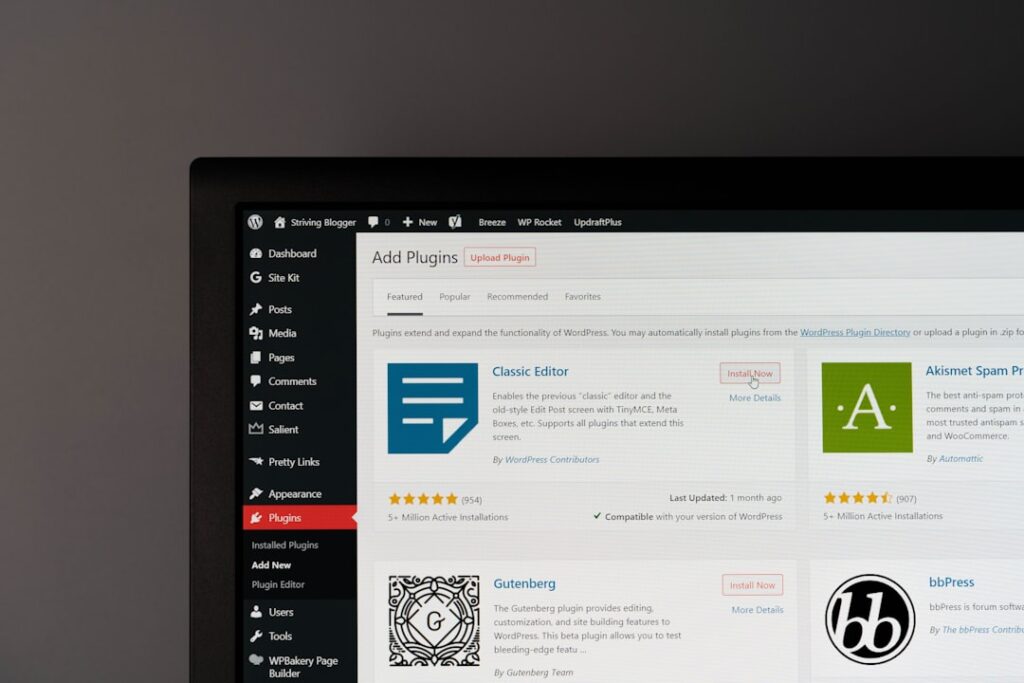
Auto-publishing is the least important feature, because it’s also the easiest way to ship low-quality content at scale. The integration details that matter are: block-level formatting, editorial workflow (drafts, revisions, roles), SEO fields, internal linking, media handling, and consistency across authors.
Here’s the practical litmus test for the best AI blog post generator for WordPress: can you go from idea to a WordPress draft with correct headings, clean paragraphs, and obvious places to insert your real expertise, in under 30 minutes—without breaking your site’s formatting?
If the tool forces copy/paste from an external editor, your “hidden tax” becomes formatting, image uploads, featured image selection, excerpt writing, category/tag hygiene, and fixing block weirdness. That is where most AI ROI disappears.
The Real Cost Breakdown: AI Tools vs. Agencies vs. Freelancers
Cost isn’t just subscription price. It’s cost per publish-ready post, including human review time. Most small businesses don’t lose because their tool is $20 more expensive. They lose because each post still takes 2–4 hours of cleanup and never ships consistently.
| Option | Typical monthly spend | What you actually get | Hidden cost you feel | Best for |
|---|---|---|---|---|
| AI tool inside WordPress (plugin) | Varies (often per-site/month) | Faster drafts, rewriting, sometimes SEO assistance | Human editing time and governance | Teams that can review content weekly |
| External AI writer (per-seat) | Varies (per user/month) | Strong raw writing and brainstorming | Copy/paste, formatting, metadata, process drift | Solo operators who enjoy hands-on editing |
| Freelancer writer | Varies (per post or retainer) | Human-first writing; may include interviews | Management overhead, inconsistency, limited volume | Brands needing expertise-led content |
| Agency retainer | Varies (often thousands/month) | Strategy + writing + project management | Generic output, slow iteration, unclear accountability | Teams that want outsourcing but demand reporting discipline |
| Hybrid (AI + lightweight human editor) | Varies | High cadence with quality control | Requires a real editorial checklist | Most small teams trying to grow steadily |
How Much Human Editing Do You Really Need? (Honest Answer: It Depends)
You always need human editing. The real question is whether you need 15 minutes or 2 hours per post. If your content is broad, informational, and low-risk, you can often get away with a light pass for voice, clarity, and internal links. If you’re writing about regulated topics, pricing, guarantees, medical/legal advice, or anything where a wrong claim hurts customers, you need a heavier review.
In practical terms, the best AI blog post generator for WordPress reduces the amount of editing needed by producing a structured draft that matches your template: correct headings, clear sections, and prompts for your expertise. The worst tools create plausible-sounding text that forces you to fact-check every sentence.
Red Flags to Watch For (We Found These the Hard Way)
Watch for tools that make it easy to publish but hard to maintain standards. If you can’t tell where claims came from, can’t enforce a house style, or can’t run a consistent approval workflow, your blog will drift into generic content fast.
Other red flags: content that overuses filler transitions, missing real examples, overconfident tone with zero sources, inconsistent formatting in Gutenberg blocks, and “SEO scores” that reward keyword stuffing over usefulness. If a tool promises zero editing, assume it’s optimizing for demos—not real marketing outcomes.
Which AI Blog Generator Is Right for Your WordPress Site?

The best AI blog post generator for WordPress depends on your constraints, not your ambition. If you’re a solopreneur publishing 1–4 posts/month, choose the tool that keeps you in WordPress and reduces friction. If you’re a small team publishing weekly (or managing multiple sites), choose the tool that enforces process: outlines, templates, approvals, and consistent formatting.
If you’re technical, BYOK tools can be powerful because you can control models and prompts—but you also inherit the governance burden. If you’re non-technical, pick a WordPress-native plugin that feels like part of the editor, not a separate product that happens to export text.
If you’re currently paying for an agency and not seeing movement, don’t switch to AI and hope. Switch to a system. Publish consistently. Measure what ranks and converts. Iterate. That’s how you get out of the retainer trap.
Frequently Asked Questions
Below are the most common questions we hear from WordPress site owners evaluating the best AI blog post generator for WordPress in 2026.
Getting Started: Your Next Step
Get started free — 7-day free trial, cancel anytime, zero commitment. You approve every post before it goes live. If you want a repeatable WordPress publishing system instead of random AI drafts, contact ClearPost today to schedule a consultation.
Once you have your AI blog generator set up, the next question is how often to publish. Our guide to how many AI blog posts per week breaks down the ideal cadence by site size. And if your drafts feel too robotic, see our walkthrough on making AI blog posts sound natural — it covers the 10-minute editing process that transforms generic output into content worth reading.
Frequently Asked Questions
What is the best AI blog post generator for WordPress in 2026?
The best option depends on your workflow. WordPress-native tools are usually best for reducing formatting and publishing friction, while SEO-first tools help most when your bottleneck is on-page execution. For a detailed comparison, see our guide to automated SEO tools for WordPress. Regardless of tool, you still need human review before publishing.
Do AI blog generators work directly inside WordPress?
Some do. WordPress-native plugins can generate and rewrite content inside the block editor, which saves time compared to writing externally and copy/pasting. Others run outside WordPress and require manual transfer and formatting.
How much editing do AI-generated WordPress blog posts need?
Every post needs editing. Low-risk topics may only need a light pass for voice, clarity, and internal links, while high-stakes topics require heavier fact-checking and subject-matter review. The best tools reduce editing by producing structured drafts and consistent formatting.
Is it cheaper to use an AI tool than a freelancer or agency?
Often, yes on subscription cost, but the real comparison is cost per publish-ready post. If AI output still takes hours to clean up, your true cost can approach freelancer pricing. AI tends to win when it shortens drafting and standardizes workflow.
What should WordPress teams prioritize when choosing an AI blog tool?
Prioritize WordPress integration (block formatting, drafts, roles), an approval workflow, consistency of output, and your team’s ability to review content on a schedule. Auto-publishing matters less than reliable quality control.
Install ClearPost free on WordPress.org. Set up in 2 minutes, approve every post before it goes live.
{“@context”: “https://schema.org”, “@type”: “FAQPage”, “mainEntity”: [{“@type”: “Question”, “name”: “What is the best AI blog post generator for WordPress in 2026?”, “acceptedAnswer”: {“@type”: “Answer”, “text”: “The best option depends on your workflow. WordPress-native tools are usually best for reducing formatting and publishing friction, while SEO-first tools help most when your bottleneck is on-page execution. For a detailed comparison, see our guide to automated SEO tools for WordPress. Regardless of tool, you still need human review before publishing.”}}, {“@type”: “Question”, “name”: “Do AI blog generators work directly inside WordPress?”, “acceptedAnswer”: {“@type”: “Answer”, “text”: “Some do. WordPress-native plugins can generate and rewrite content inside the block editor, which saves time compared to writing externally and copy/pasting. Others run outside WordPress and require manual transfer and formatting.”}}, {“@type”: “Question”, “name”: “How much editing do AI-generated WordPress blog posts need?”, “acceptedAnswer”: {“@type”: “Answer”, “text”: “Every post needs editing. Low-risk topics may only need a light pass for voice, clarity, and internal links, while high-stakes topics require heavier fact-checking and subject-matter review. The best tools reduce editing by producing structured drafts and consistent formatting.”}}, {“@type”: “Question”, “name”: “Is it cheaper to use an AI tool than a freelancer or agency?”, “acceptedAnswer”: {“@type”: “Answer”, “text”: “Often, yes on subscription cost, but the real comparison is cost per publish-ready post. If AI output still takes hours to clean up, your true cost can approach freelancer pricing. AI tends to win when it shortens drafting and standardizes workflow.”}}, {“@type”: “Question”, “name”: “What should WordPress teams prioritize when choosing an AI blog tool?”, “acceptedAnswer”: {“@type”: “Answer”, “text”: “Prioritize WordPress integration (block formatting, drafts, roles), an approval workflow, consistency of output, and your team’s ability to review content on a schedule. Auto-publishing matters less than reliable quality control.”}}]}