

You have 40 tabs open. Three are industry newsletters, two are competitor blogs, one is an RSS feed you set up six months ago and forgot about. Your content calendar has twelve empty slots for next month and your boss asked about traffic in yesterday’s standup. Automated content curation tools look like the answer: plug in some feeds, let the software aggregate relevant articles, and your blog stays active without writing a word. We tested the major tools to see whether that promise holds up once you account for the labor between raw aggregation and publish-ready output, and whether the result is something Google actually rewards.
The short answer: automated content curation tools solve the discovery problem but not the value problem. They find and filter sources faster than manual browsing, but every tool we tested still requires significant human labor to produce a post that adds value beyond the original source. And without that added value, you are not curating. You are scraping, which Google’s spam policies address directly.
What Content Curation Actually Means (and What It Doesn’t)
Content curation is the practice of selecting third-party content relevant to your audience, adding original commentary that contextualizes it, and publishing it with proper attribution. The emphasis is on the adding. A curated post where your contribution is a headline swap and a two-sentence intro is not curation. It is aggregation, and Google treats aggregated content with little added value as scraping.
The distinction matters because most automated content curation tools blur it in their marketing. They promise “one-click curation” and “auto-publish curated posts” that sound like curation but function as RSS-to-post pipelines. The tool pulls an article from a feed, wraps it in your site’s template, assigns categories, and publishes. Your contribution is zero. The reader gets the same content they could find on the original site, with your URL on it. That is the exact pattern Google’s spam policies flag as “reproducing content feeds from other sites without providing some type of unique benefit to the user.”
Real Curation Requires Human Judgment at Every Step
Genuine curation has four steps that tools can partially automate but cannot fully replace: source selection (which feeds are worth monitoring), filtering (which items in those feeds deserve a post), contextualization (what does this mean for your specific audience), and attribution (proper crediting and linking back). Tools can accelerate the first two. The third is where the value lives, and it is irreducibly human. If you have ever read a curated post that said “Here is an interesting article about X” and nothing else, you have seen what happens when that step gets skipped.
Our earlier analysis of the real time cost of content curation found that manual curation takes 55 to 85 minutes per post. The question this post answers is whether automated content curation tools meaningfully reduce that time, or whether they just shift the labor to a different step.
Tools We Tested: Curation Automation in Practice
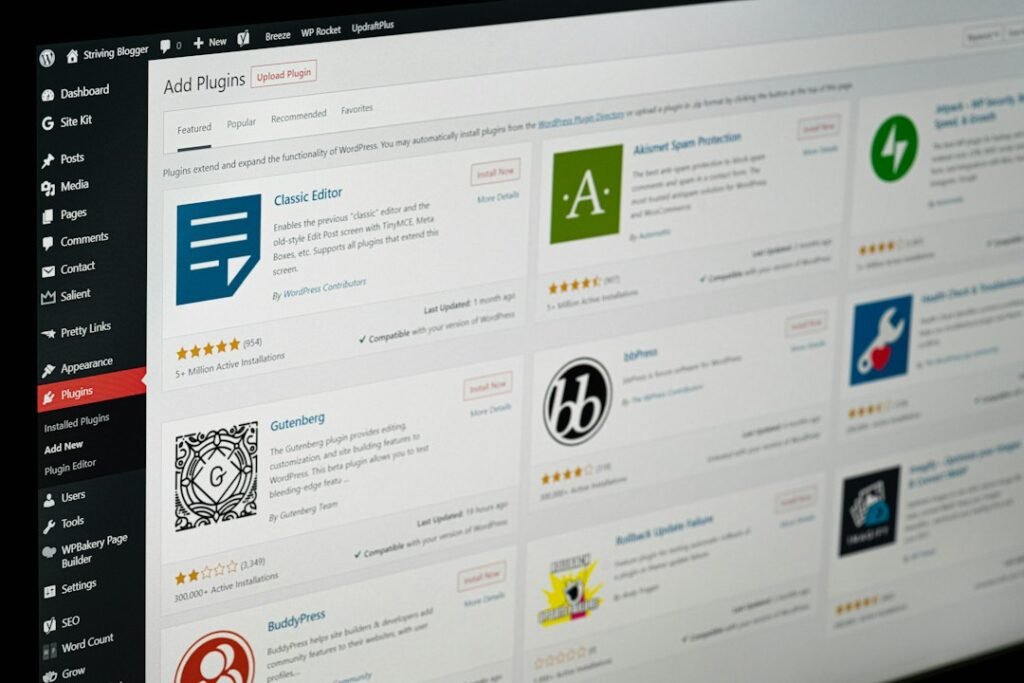
We evaluated four curation platforms that small and midsize marketing teams actually use, focusing on what each tool automates, what it does not, and the real per-post cost once you include the human labor no tool eliminates. All pricing below was verified at each vendor’s pricing page as of August 2026 and can change at any time.
Feedly: RSS Aggregation With AI Prioritization
Feedly is the most widely used RSS reader in the marketing space, and its Pro+ tier includes an AI assistant called Leo that prioritizes articles based on topics, keywords, and sources you define. Feedly solves the discovery and filtering problem well. You set up feeds, Leo surfaces the articles most relevant to your topics, and you can tag, highlight, and annotate articles within the platform. The Pro plan costs $8 per month (billed annually) for up to 1,000 sources and Google Alerts integration. The Pro+ plan with Leo AI starts at $16 per month, also billed annually, per Feedly’s pricing page as of August 2026.
What Feedly does not do: publish to WordPress. Feedly is a discovery and reading tool, not a publishing pipeline. You find and filter articles in Feedly, then you still need to write your commentary, format it as a WordPress post, add attribution links, set SEO fields, and publish. Feedly saves you 10 to 15 minutes on the source discovery step. The remaining 40 to 70 minutes of writing, formatting, and publishing are still on you.
Scoop.it: Curation With WordPress Integration
Scoop.it is closer to a full curation pipeline. It handles discovery, filtering, and publishing in one platform, including a WordPress integration on its Business plan. The free tier allows up to 50 curated “scoops” and one topic page. The Pro plan at $17.99 per month adds unlimited scoops, five topic pages, and automated social sharing. The Business plan at $79 per month includes up to 15 topic pages, an automated newsletter creator, WordPress integration, and team accounts. Enterprise pricing starts at $400 per month. All prices per Scoop.it’s pricing page as of August 2026.
The WordPress integration is where Scoop.it gets interesting and where its limitations show. The integration pushes curated content to your WordPress site, but the content it pushes is the source article with your scooping commentary as an annotation. If your commentary is a sentence or two, what lands on your WordPress site is mostly someone else’s article with a brief framing note. That is the pattern Google’s quality raters are trained to flag as “content from other sources with little additional comment, discussion, or curation by the content creator.” The tool automates the publishing step but does not enforce the value-add step that keeps you on the right side of Google’s policies.
Curata: Enterprise Curation With Editorial Workflow
Curata is the most expensive tool in this test, starting at $499 per month for an enterprise-grade curation engine with multi-channel publishing, custom editorial workflows, and analytics. It is designed for content marketing teams at larger organizations who need a structured pipeline from source discovery through editorial review to multi-platform publishing. Pricing per Curata’s vendor page as of August 2026, obtained through their sales team.
Credit where it is due: Curata’s editorial workflow is the most thoughtful of any tool we tested. It requires a human editor to review and annotate curated content before it publishes, which is the approval gate that most curation tools skip. The problem is the price. At $499 per month for a tool that produces curated posts unlikely to rank on their own, the math only works if curation is part of a broader content strategy that also includes original content. For a solo marketing manager at a 20-person company, $499 per month for curation tooling is a hard sell when original content tools cost a fraction of that and produce posts that actually target search demand.
Pocket: Save and Organize, Then Do Everything Else Manually
Pocket is the simplest tool in this test. It is a save-and-read-later app with tagging and basic organization. The free tier lets you save unlimited articles and sync across devices. Pocket Premium costs $4.99 per month for permanent library backup, full-text search, and smart tagging. Per Pocket’s pricing page as of August 2026.
Pocket is not a curation platform. It is a personal reading tool that you can use as the discovery step in a manual curation workflow. You save articles, tag them by topic, and read them later. Everything after that, writing commentary, formatting, publishing, is manual. Pocket is useful if your curation volume is low (one or two posts per week) and you want a lightweight way to capture sources without committing to a full curation platform. For any meaningful volume, it does not save enough time to justify the workflow overhead.
Comparison: What Each Tool Actually Automates
| Tool | Starting Price (Aug 2026) | Discovery | Filtering | Commentary | WordPress Publishing | SEO Fields | Human Review Gate |
|---|---|---|---|---|---|---|---|
| Feedly Pro+ | $16/mo | Yes (AI-assisted) | Yes (Leo AI) | No | No | No | Manual (you write outside the tool) |
| Scoop.it Business | $79/mo | Yes | Yes | Partial (annotation field) | Yes (integration) | No (manual in WordPress) | Optional (can auto-publish) |
| Curata | $499/mo | Yes (self-learning) | Yes | Partial (editorial workflow) | Yes (multi-CMS) | Partial | Required (editorial workflow) |
| Pocket Premium | $4.99/mo | Manual | Manual (tagging) | No | No | No | Manual (you do everything) |
The pattern across all four tools is the same. They automate discovery and filtering, partially automate publishing, and do not automate the one step that determines whether the post adds value: the commentary. That means the labor gap between raw aggregation and publish-ready output is still on you, regardless of which tool you choose.
Where Curated Content Fits in a WordPress SEO Strategy
Curated content has a role in a WordPress SEO strategy, but it is a supporting role, not the lead. Original content builds topical authority, targets keywords with search demand, and creates pages that earn backlinks. Curated content fills gaps, builds relationships with publishers you link to, and gives your audience a filtered view of your industry. If you flip that priority and make curation your primary content type, your site signals to Google that the real authority lives elsewhere.
The Topical Authority Problem
Topical authority is the signal Google uses to determine whether your site is a credible source on a subject. It is built through depth and coherence: a cluster of original posts systematically covering your niche, interlinked and organized. Twenty original posts on related subtopics tell Google your site is an authority. Twenty curated posts linking to other sites tell Google your site is a middleman. Google’s systems reward the site that produced the analysis, not the site that pointed to it.
If you want to understand how many posts it takes to see organic traffic, our analysis found that topical authority is the strongest predictor of ranking, and it requires original, focused content. Curated posts scattered across topics dilute that signal. They add pages to your site without adding the depth that triggers the authority threshold. Every curated post that links outward is a page that tells Google the real expertise lives somewhere else.
Where Curation Genuinely Adds Value
Curation is not useless. It adds value in three specific scenarios. First, industry developments your audience would miss: a trade publication publishes data that your clients need to know about but would never find on their own. Second, relationship building: linking to publishers in your space can lead to reciprocal links, collaborations, and referrals. Third, calendar gaps: when you do not have the expertise to write an original post on a topic, a well-curated piece with genuine commentary is better than a thin original post that adds nothing.
The key is the ratio. Curated posts should be no more than 20 percent of your publishing volume. If you publish 10 posts per month, 2 curated and 8 original is a reasonable mix. Publishing more curated posts than original ones signals to Google that your site is an aggregator, not an authority source. For a practical workflow on the social side of curation, our guide to curated social content in 45 minutes per week covers how curation fits a broader content program without eating your schedule.
Why Original Content Wins on Cost Per Ranking Post
The cost-per-post math favors original content when you measure what actually matters: cost per post that has a realistic chance of ranking. A curated post costs 40 to 70 minutes of human time (even with curation tools handling discovery) and targets no keyword with search demand. An AI-assisted original post costs 24 to 40 minutes of human time and targets a keyword your audience is searching for. If your goal is organic traffic, the question is not whether curation is cheaper. It is whether 55 minutes of curation that produces a post unlikely to rank is a better investment than 31 minutes of AI-assisted original content that produces a post targeting a keyword with real search volume.
For a full breakdown of how automated blog posts in WordPress compare on cost, and how AI-assisted workflows collapse the per-post time from 75 minutes to under 30, see our detailed cost comparison.
What Google Actually Says About Curated and Aggregated Content

Google’s spam policies address curated and aggregated content in two sections: scaled content abuse and scraping. Both are relevant to anyone using automated content curation tools, and both come down to the same test: does your page add value beyond the source, or does it reproduce someone else’s content with minimal modification?
The scaled content abuse policy, last revised August 2026 per Google’s spam policies documentation, defines the violation as “many pages generated for the primary purpose of manipulating search rankings and not helping users.” The policy lists specific examples that directly apply to curation tooling, including “scraping feeds, search results, or other content to generate many pages” and “stitching or combining content from different web pages without adding value.” The scraping policy separately calls out “reproducing content feeds from other sites without providing some type of unique benefit to the user” as abusive scraping.
Read those carefully. “Without adding value” and “without providing some type of unique benefit” are the operative phrases. A curation tool that pulls an article from a feed and publishes it to your WordPress site with a one-sentence intro does not add value. It reproduces a feed. That is the exact pattern Google names as abusive, regardless of whether you attribute the source. Attribution does not convert scraping into curation. The value-add does.
The Search Quality Rater Guidelines
Google’s Search Quality Rater Guidelines, updated September 2025, are even more specific. Pages where “almost all the main content is copied, paraphrased, embedded, auto or AI generated, or reposted from other sources with little to no effort, little to no originality, and little to no added value for visitors” should receive the Lowest rating. The guidelines explicitly include “pages with content from other sources with little additional comment, discussion, or curation” as an example. A curated post with a two-sentence intro and a blockquote from the source is exactly what this language targets.
The distinction in the rater guidelines is sharp. A page gets a Low rating if “some main content is reused, but there is at least minimal effort to curate or modify it.” It gets the Lowest rating if “almost all main content is copied or paraphrased with no effort or added value.” Your 150 words of original commentary might keep you at Low. Your two-sentence intro puts you at Lowest. For a deeper analysis of where the penalty line actually sits, our guide on AI content and Google penalties breaks down the policy language with direct quotes.
Google’s May 2026 Guidance on Commodity vs Non-Commodity Content
In May 2026, Google published guidance that introduced a useful framework for evaluating any content, including curated posts. The guidance contrasts commodity content, “often based on common knowledge, which could originate from anyone,” with non-commodity content that “provides unique expert or experienced takes that go beyond common knowledge.” A curated post that republishes an industry article with a generic intro is commodity content. A curated post that takes a specific data point from a source and applies your domain expertise to explain what it means for your specific audience is non-commodity. The same guidance notes that “a high quantity of pages doesn’t make a website higher quality or more relevant to users,” which is the exact assumption curation automation tools sell you on.
The Real Cost: Curation vs. Original Content

Here is the side-by-side math. These are real time and dollar figures based on our testing, not headline subscription prices. The curation column reflects the fastest curation workflow we could build using the tools above. The original content column reflects an AI-assisted workflow with a human approval gate, valued at $100 per hour of labor.
| Metric | Curation (Feedly + Manual Publish) | Scoop.it Business (Auto-Publish) | AI-Assisted Original Content |
|---|---|---|---|
| Tool cost per month | $16 | $79 | Varies by platform |
| Discovery and filtering time per post | 5 to 10 min (Leo AI assists) | 5 to 10 min (built-in) | 2 to 5 min (automated) |
| Reading and evaluating source | 10 to 15 min | 10 to 15 min | N/A (AI drafts from SERP data) |
| Writing commentary or reviewing draft | 15 to 20 min | 10 to 15 min (annotation only) | 15 to 20 min (review and edit) |
| WordPress formatting and SEO setup | 10 to 15 min | 2 to 5 min (integration) | 2 to 5 min (pre-filled by plugin) |
| Attribution and source linking | 5 to 10 min | 5 min (automated) | N/A (original content) |
| Total time per post | 45 to 75 min | 32 to 50 min | 24 to 40 min |
| Labor cost per post ($100/hr) | $75 to $125 | $53 to $83 | $40 to $67 |
| Targets keyword with search demand | No (comments on someone else’s topic) | No | Yes |
| Likelihood of earning organic rankings | Low (links to authority source) | Low to very low (thin curation risk) | Medium to high (targets keyword, builds authority) |
The numbers tell a story that contradicts every “curation saves time” blog post on the first page of Google. Even with the best curation tooling, your per-post time is 32 to 75 minutes. AI-assisted original content is 24 to 40 minutes and produces a post that targets a keyword with actual search demand. Curation is slower and ranks less often. The subscription price of the curation tool is a rounding error compared to the labor cost of producing a post that is unlikely to rank.
The Hidden Labor Tax of Curation Tools
The pricing pages for curation tools emphasize what the tool automates. They do not mention what it does not. Scoop.it’s WordPress integration saves you 10 minutes of formatting per post but does not write your commentary, which is the 15 to 20 minutes that determines whether the post adds value. Feedly’s Leo AI saves you 10 minutes of source discovery but does not help with the 30 to 40 minutes of reading, writing, and publishing that follow. The tool cost is $16 to $79 per month. The labor cost at 10 posts per month is $530 to $1,250. The labor cost is 7 to 16 times the tool cost, and the output is a post that links to another site as the authority.
Stop asking whether you should use automated content curation tools and start asking which bottleneck you are trying to solve. If your bottleneck is source discovery, a tool like Feedly for $16 per month is a reasonable investment. If your bottleneck is publishing volume and organic traffic, curation tools do not solve that problem. Original content does, and AI-driven SEO strategies that produce keyword-targeted posts with a human approval gate cost less in time and produce posts that actually rank.
The Approval Gate Is Non-Negotiable
Any tool that auto-publishes curated content without a human approval step is a liability, not a feature. The same principle applies to AI-generated content: the approval gate is non-negotiable. With curation, the risk is that you publish a source article that is outdated, factually wrong, or contradicts your own business positioning, and you only discover it after it is live. Scoop.it’s WordPress integration can auto-publish curated scoops, which means a source article goes live on your site with no one reading it first. The 10 to 15 minutes you spend reviewing each curated post is the difference between content that builds trust and content that undermines it.
Curata is the only tool in this test that enforces an editorial review gate by design. That is why it costs $499 per month. The other tools either make the gate optional (Scoop.it) or leave it entirely to you (Feedly, Pocket). The gate is not a feature you pay extra for. It is a discipline you maintain, regardless of the tool.
The Bottom Line on Curation Automation
Automated content curation tools solve a real but narrow problem: finding and filtering relevant sources faster than manual browsing. They do not solve the problem of adding value to those sources, which is the step that determines whether your curated post ranks, builds trust, or stays on the right side of Google’s spam policies. The labor gap between raw aggregation and publish-ready output is 32 to 75 minutes per post, and no tool closes it. AI-assisted original content costs less time per post (24 to 40 minutes), targets keywords with actual search demand, and builds the topical authority that curated posts cannot.
If you want a curation tool for source discovery, Feedly Pro+ at $16 per month is the best value. If you want a curation pipeline with WordPress publishing, Scoop.it Business at $79 per month works but requires you to enforce the commentary and review steps manually. If you want to build organic traffic, original content is the mechanism, and curation is a supplement at no more than 20 percent of your publishing volume.
Try ClearPost free for 7 days. AI does the heavy lifting, you approve every post before it goes live. No long onboarding, no agency overhead, cancel anytime. See what 30 SEO-optimized original posts a month looks like compared to the 4 curated roundups you spent three hours assembling.
Frequently Asked Questions
Common questions about automated content curation tools and their impact on SEO.
Frequently Asked Questions
Can automated content curation tools publish to WordPress automatically?
Some can. Scoop.it Business ($79/mo) has a WordPress integration that pushes curated content to your site. Curata ($499/mo) also supports multi-CMS publishing including WordPress. Feedly and Pocket do not publish to WordPress at all. However, any tool that auto-publishes curated content without a human approval gate is a liability. You should always review curated posts before they go live, which means the publishing step should be approval-gated, not automatic.
Does Google penalize curated content?
Google does not have a specific penalty for curated content. Its scaled content abuse policy targets pages generated primarily to manipulate rankings without adding value, regardless of how they are created. The scraping policy separately flags reproducing content feeds without providing a unique benefit. A curated post with 150+ words of original commentary that adds genuine value is not a violation. A curated post that republishes a source article with a two-sentence intro is exactly what the scraping policy targets.
How much time do curation tools actually save per post?
In our testing, curation tools saved 10 to 15 minutes per post on source discovery and filtering. The remaining 32 to 60 minutes per post (reading, writing commentary, WordPress formatting, attribution, SEO setup) was still manual. Total time per curated post with tooling was 32 to 75 minutes, compared to 24 to 40 minutes for AI-assisted original content. Curation tools reduce discovery time but do not close the labor gap between raw aggregation and publish-ready output.
Is content curation worth it for small business SEO?
Rarely, if your primary goal is organic traffic. Curation takes more time than AI-assisted original content and produces posts that are harder to rank because they link to other sites as the authority. It is worth it if you want to build relationships with industry publishers, share developments your audience would miss, or fill calendar gaps on topics where you lack expertise. Keep curated posts to no more than 20 percent of your publishing volume.
What is the cheapest way to start content curation?
Feedly’s free tier or Pocket’s free tier handles source discovery at no cost. Feedly Pro at $8 to $16 per month adds AI-assisted filtering. If you need WordPress publishing integration, Scoop.it Business at $79 per month is the cheapest option with a native WordPress integration. None of these tools write commentary or enforce a review gate, so the labor cost per post ($53 to $125 at $100/hour) is still your largest expense.