
You’re spending $800, $1,500, maybe more per month on a content agency. Six weeks later you get three blog posts, two rounds of revisions, and traffic that stubbornly refuses to budge. If that sounds familiar, you’re not alone — and there is a better way to think about this problem.
AI blog post generators for WordPress have moved from novelty to genuine time-saver. But the landscape is noisy, the quality varies wildly, and the wrong approach can actually hurt your SEO. This guide cuts through the hype to show you exactly what these tools can do, what they can’t, and how to build a workflow that produces content Google actually rewards.
The Real Cost of “Affordable” Content Agencies
Before you evaluate any AI tool, it helps to understand the full cost of the status quo. Most small business owners anchor on a per-post price, but that number rarely tells the whole story.
A content marketing agency averages about $250 to $1,000 per blog post, depending on the complexity of the content, the research needed, and the number of services required. That’s the advertised rate. Here’s what tends to get added on top:
- Revision rounds: Most agencies cap them at two. Need a third? That’s extra.
- Platform and account management fees: Platform fees can run 10–40%, which bumps your real costs up by 25–50%. That $2,000/month package frequently hits $2,500–$3,000 once revision fees, seat fees, onboarding costs, and coordination time are factored in.
- Content refresh costs: Content has ongoing costs too. You need to refresh evergreen content every 12–18 months. That seemingly simple blog post often costs significantly more over its lifetime when you include promotion and updates.
For outcome-driven, research-heavy content, the numbers climb even higher. According to SiegeMedia, an outcome-driven blog post can cost anywhere between $1,500 to $6,000 on average. And if you want a full content marketing programme? A good content marketing campaign for a medium-sized business should be in the $10,000 to $20,000 a month range as a starting block to be competitive.
None of this is to say agencies are bad investments — for the right business at the right stage, they can be excellent. But for small business owners and lean marketing teams trying to build consistent blog traffic, the maths rarely work out. AI-assisted content generation changes that equation dramatically.
What an AI Blog Post Generator for WordPress Actually Does
An AI blog post generator is exactly what it sounds like: a tool that takes a prompt, keyword, or topic and produces a structured draft. The WordPress-native versions do this directly inside your dashboard — no tab-switching, no copy-pasting.
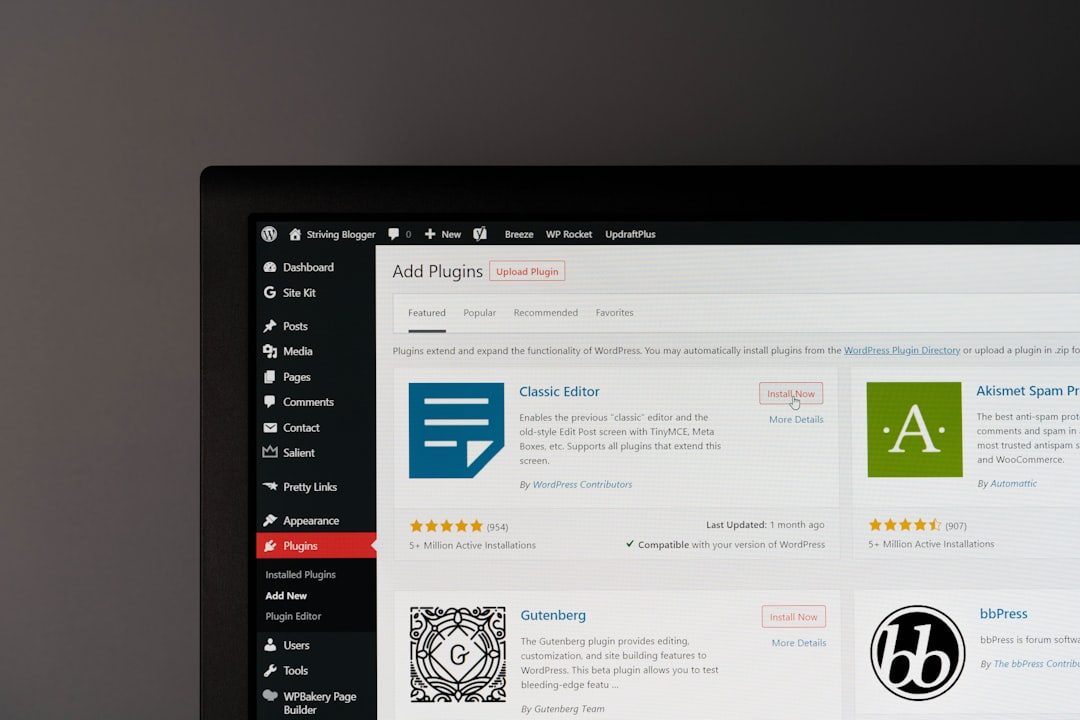
An AI blog writer with a WordPress plugin is an AI writing assistant that lives directly inside your WordPress dashboard. It uses artificial intelligence to help you research, write, and polish your blog posts, all without having to open another tab.
That workflow integration matters more than it sounds. The biggest advantage compared to standalone AI tools is the increased efficiency of the entire process. Instead of copying and pasting text back and forth, you generate content right where it needs to be published.
Three Types of WordPress AI Writing Tools
Not every plugin does the same job. Before you install anything, it’s worth understanding the three broad categories:
- Full-service generators: These are the most complete tools. You give them a keyword or topic, and they create an entire blog post, often with headings, images, and other media included.
- Writing assistants: These plugins help with specific parts of your writing process. They can brainstorm headlines, write meta descriptions, rephrase paragraphs, or check for SEO opportunities.
- Integrated builders: Some plugins are built into existing WordPress themes or page builders. These tools mix AI features into the website design process, helping with everything from writing copy to generating images.
Most small business owners and marketers benefit most from the full-service generator or writing assistant category. The integrated builders are powerful but generally aimed at developers or design-heavy builds.
Comparing the Real Costs: Agency vs. Freelancer vs. AI Plugin

Here’s where the numbers get interesting. The cost difference between traditional content production and AI-assisted WordPress content is not marginal — it’s structural.
| Content Method | Typical Cost Per Post | Turnaround Time | SEO Integration | Your Time Investment |
|---|---|---|---|---|
| Premium Content Agency | $500–$1,500+ | 5–10 business days | Varies; often an add-on | Low (briefing + reviews) |
| Mid-range Freelancer | $150–$500 | 3–7 business days | Depends on writer skills | Medium (sourcing, briefs, edits) |
| AI Plugin (SaaS subscription) | $1–$3 per post (at scale) | Minutes | Built-in with leading tools | Medium (prompting, editing) |
| AI Plugin + Human Edit | $50–$150 per post (editing time) | Same day | Strong with right plugin | Low–Medium |
The per-post cost story is compelling on its own. AI-generated content costs around $131 per blog post versus $611 for human-written content — roughly 4.7 times cheaper. But the honest version of that comparison includes editing time: AI content requires 5–10 hours of weekly editing when used at volume, which means the real savings are closer to 2–3x, not 4.7x. That’s still a significant efficiency gain for most businesses.
At the API level, the cost floor is even lower. The OpenAI API charges per token (a unit of text), and costs are typically low — creating a blog post and associated social media content might cost around $0.15 to $0.20.
How AI Changes the Equation for WordPress Site Owners

AI doesn’t replace your expertise — it removes the bottleneck between having something valuable to say and actually publishing it consistently. That distinction matters enormously for SEO, where publishing cadence and topical depth both drive results.
Here’s what AI genuinely excels at in a WordPress content workflow:
Where AI Genuinely Helps
- Beating the blank page: The hardest part of writing is starting. AI drafts give you something concrete to react to, reshape, and improve — which is far faster than writing from scratch.
- SEO scaffolding: AI content generators can incorporate keywords, suggest meta descriptions, and improve readability to help your content rank higher.
- Content repurposing: Powerful AI tools can help you automatically repurpose your blog post into various formats — social posts, email newsletters, FAQs — multiplying the value of each piece you produce.
- Consistency at scale: Many AI plugins can learn from your site’s existing content to keep your brand voice consistent.
- Workflow efficiency: 70% of SEO teams cite speed as the top benefit of using AI in their content process.
Where Humans Are Still Essential
Let’s be clear about the tradeoffs, because the data is worth taking seriously. A Semrush study analysing 42,000 blog pages found that content classified as purely AI-generated appeared in the top search position just 9% of the time, while content classified as human-written was there 80% of the time.
That’s a stark gap — and it tells you exactly where the human layer needs to show up. AI is most common in research, drafting, and optimization, but use drops sharply for multimedia, localization, and higher-judgment tasks.
The good news: the most effective teams use a human-led, AI-assisted workflow — not a fully automated one. The AI handles volume and structure; the human adds insight, experience, and the kind of specificity that earns both reader trust and search rankings.
Google’s ranking systems aim to reward original, high-quality content that demonstrates qualities of what it calls E-E-A-T: expertise, experience, authoritativeness, and trustworthiness. AI can help you draft efficiently. Only you can supply the experience and authority signals that make content genuinely rank.
The Right Workflow: AI Draft + Human Layer
The winning model isn’t “publish whatever the AI writes.” It’s using AI to accelerate the 60–70% of content production that’s structural and mechanical, then applying your expertise to the 30–40% that requires genuine judgment. In practice, that looks like this:
- Choose a keyword with clear intent. AI can draft brilliantly — but only if you’ve pointed it at the right target. Keyword research is still your job.
- Prompt with specifics. Vague input yields vague output. Give the AI your target keyword, preferred tone, target audience, and any specific angles you want covered.
- Review the structure before the copy. Check the headings first. Do they map to real search intent? Do they match what your audience actually needs to know?
- Add your expertise explicitly. Insert real examples, client stories, specific statistics, or first-hand observations. This is your E-E-A-T layer — the part no AI can fabricate authentically.
- Optimise before publishing. Run the post through your SEO plugin to check keyword placement, meta description, internal links, and readability score.
If you’re experiencing the frustration of slow content pipelines and agency costs that don’t justify the traffic results, ClearPost was built to handle exactly this workflow. Our AI generates SEO-structured WordPress drafts, and our on-page optimization layer guides you through the human editing steps that actually move rankings. Get Started Free → 7-day trial, cancel anytime, zero commitment.
Choosing the Right AI Blog Post Generator for WordPress: Key Features to Look For

Not all plugins are equal. These are the features that separate tools worth your time from ones that create more work than they save.
Native WordPress Integration
Not all AI writing tools are created equal, especially when your goal is to publish content directly from your WordPress site. The last thing you want is another browser tab to juggle. Constantly copying and pasting from a separate AI tool into your WordPress editor is clunky and kills your creative flow. The best tool is built right into your editing screen.
Built-in SEO Tooling
Generating content is only half the battle. You need that content to rank. A top-tier AI generator should be part of a larger SEO toolset, helping you create content that is structured for search engines from the very beginning. Look for plugins that integrate with Yoast SEO, Rank Math, or have their own keyword analysis features.
Brand Voice Consistency
The best tools can learn your company’s tone, style, and product information by scanning your website. This allows the AI to naturally include product mentions and write in a voice that sounds authentic to your team. If a plugin can’t adapt to your brand voice, every post will need heavy editing — and your time savings evaporate.
Ease of Use Without a Learning Curve
You shouldn’t need a special course to figure it out. The best tools are intuitive and let you generate titles, outlines, and paragraphs with just a few clicks, without a steep learning curve. Tools like AI Engine are powerful, but require you to bring your own API key and set up prompts yourself — the quality of what you get out depends entirely on how well you can write prompts, which can be tricky for newcomers.
Key Takeaways
Here’s the honest summary of what we know, based on current data and real-world use:
- AI-assisted content is significantly cheaper than agency content — somewhere between 2–5x cheaper depending on how much editing you do. The per-post cost at the API level can be as low as $0.15 to $0.20 for a blog post and associated social content.
- Google doesn’t penalise AI content by default. Using automation to generate content with the primary purpose of manipulating ranking in search results is a violation of Google’s spam policies — but helpful, original, well-structured AI-assisted content is explicitly permitted.
- Purely automated content underperforms. Early traffic and impressions may look promising, but without a clear SEO strategy and human guidance, those gains will likely fade within a few months.
- The winning model is hybrid. 64% of SEOs use a human-led, AI-assisted workflow — AI handles drafting and structure, humans add insight, examples, and editorial judgment.
- WordPress-native tools save the most time because they eliminate the copy-paste step and keep SEO analysis in the same screen as your editor.
- Quality signals still matter most. The key to ranking isn’t avoiding AI — it’s using AI strategically while maintaining quality, originality, and user-first content practices.
Quick win: If you’re currently using a standalone AI tool and copy-pasting into WordPress, switching to a native WordPress AI plugin alone will save you 20–30 minutes per post and reduce formatting errors.
Next Steps: Build Your AI Content Workflow This Week

The gap between businesses that are scaling their blog traffic and those stuck waiting on agency deliverables is increasingly a workflow gap, not a budget gap. AI blog post generators for WordPress have made consistent, SEO-structured content achievable for teams of one — if you use them the right way.
Start with one post. Pick a keyword your customers actually search for, prompt an AI generator with specific context about your business and audience, and focus your editing energy on adding the real-world examples and expertise that only you can provide. That’s the formula that produces content worth publishing — and content Google is willing to rank.
If the content bottleneck we’ve described throughout this guide resonates with you, ClearPost was built to solve exactly that. We generate SEO-ready WordPress drafts, optimise on-page signals automatically, and give you a clear editing checklist so every post you publish has a genuine chance of ranking. Start your free 7-day trial → No agency retainer. No word limits. Just content that moves the needle.
Frequently Asked Questions
Can AI-generated content rank on Google?
Yes, AI-generated content can rank on Google, but only when it meets Google’s quality standards for E-E-A-T (Experience, Expertise, Authoritativeness, and Trustworthiness). Google does not penalise content simply because AI was used to produce it — but it does penalise content that is thin, repetitive, or created primarily to manipulate rankings. The most effective approach is a hybrid workflow: use AI for drafting and structure, then add human expertise, examples, and editorial judgment before publishing.
What is the best AI blog post generator for WordPress?
The best AI blog post generator for WordPress depends on your needs. Full-service tools generate complete posts from a single keyword and often include SEO analysis. Writing assistants help with specific tasks like headlines and meta descriptions. For most small business owners, a native WordPress plugin that integrates directly with the editor and includes SEO tooling will save the most time and produce the most consistent results.
How much does AI blog content cost compared to an agency?
Agency blog posts typically cost $250–$1,500+ per post depending on length and expertise. AI-assisted content can cost as little as $0.15–$0.20 per post at the API level, or roughly $131 per post when factoring in editing time, compared to $611 for fully human-written agency content. Real-world savings after accounting for human editing time are typically 2–3x cheaper than traditional agency content.
How long does it take to generate a blog post with an AI WordPress plugin?
Most AI blog post generators for WordPress can produce a full draft in under two minutes. Some tools can generate a long-form post in under five minutes. However, you should budget an additional 30–60 minutes for human review, adding original examples and expertise, SEO optimisation, and final formatting checks before publishing.
Will using an AI blog generator hurt my WordPress site’s SEO?
Not if you use it correctly. Google’s guidance is clear: AI-generated content that is helpful, original, and meets quality standards is permitted. What triggers penalties is mass-produced, low-quality content with no editorial oversight. The safest and most effective approach is using AI to generate drafts, then applying human editing to add unique insights, fact-check claims, and ensure the post genuinely serves your readers’ needs.