

You’ve tried ChatGPT. Maybe you use it daily. But at some point you hit the wall: it doesn’t know your brand voice, it can’t pull live search data, it won’t publish to your WordPress site, and it starts every session with zero memory of what you’ve told it before. That’s not a failure of AI — it’s a failure of using the wrong tool for the job.
This guide breaks down 7 AI tools like ChatGPT — what each one actually replaces, what it costs, and which marketing job it’s built for. No hype. Just honest assessments for solo founders and lean marketing teams who can’t afford to subscribe to everything and waste time on tools that don’t deliver.
Why ChatGPT Isn’t Always the Right Tool for Marketers
ChatGPT is genuinely impressive — and that’s exactly why so many marketers are disappointed by it. The tool does so many things adequately that it’s easy to assume it should do everything well. It doesn’t.
Here’s the core problem: ChatGPT has no memory of your brand, no connection to your SEO data, no publishing workflow, and no structure for content strategy. Every session starts from scratch. If you want to scale a content channel, you end up doing a lot of manual setup, prompting, copy-pasting, and formatting — every single time.
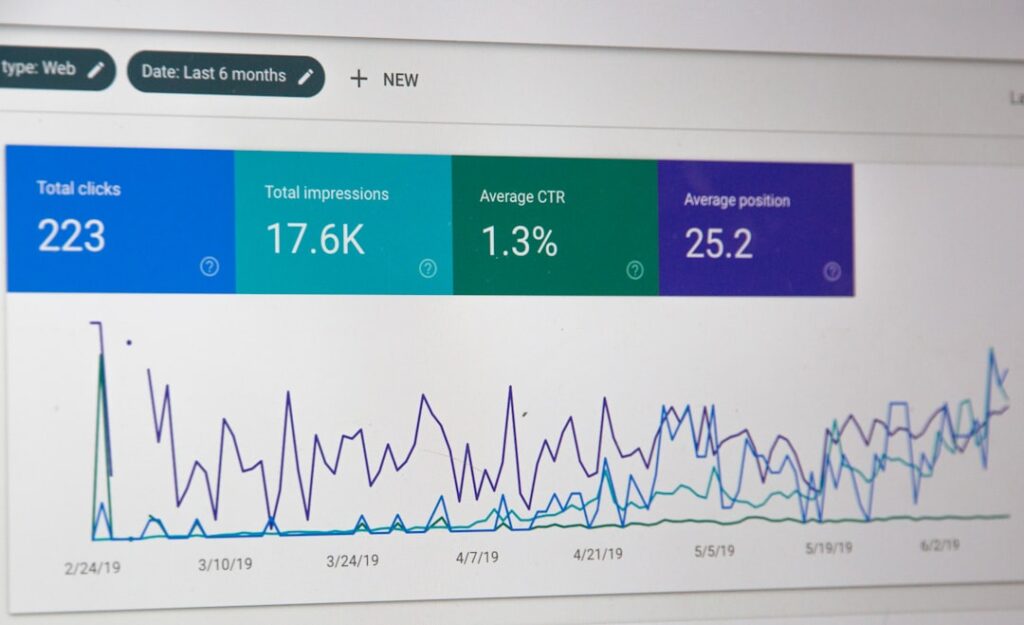
On the SEO side, the gaps are just as real. ChatGPT cannot crawl or analyze live websites. The tool relies on the information you provide and cannot access tools like Google Search Console for in-depth data. It also has no awareness of real search volumes — with keyword research, ChatGPT doesn’t know what monthly search volumes are, but it will often provide a number anyway. That’s a hallucination risk baked into a task marketers depend on.
And then there’s the editing tax. The system can hallucinate by filling gaps with plausible yet false claims. Every stat, every attributed quote, every claim that matters needs a human check before it goes live. That’s non-negotiable — and it’s time that adds up fast on a small team.
None of this means ChatGPT is the wrong tool. It means it’s the wrong default tool. ChatGPT is good for generating content ideas, but you can’t rely on it entirely. The smart move is to pair it with specialized tools that handle the jobs it isn’t designed for.
That’s what this guide is for.
7 AI Tools Like ChatGPT (Compared by Job-to-Be-Done)
Before diving into each tool, here’s the full comparison at a glance — for an even wider field, our 11-tool AI writing comparison covers additional options by use case. Use this to find your immediate fit, then read the tool sections below for the full picture on costs, tradeoffs, and use cases.
| Tool | Primary Job | What It Replaces | Starting Price | Best For |
|---|---|---|---|---|
| Claude (Anthropic) | Long-form writing & document analysis | Freelance copywriter for drafts | Free / $20/mo Pro | Writers, content marketers, analysts |
| Perplexity AI | Real-time cited research | Hours of manual fact-finding | Free / $20/mo Pro | Researchers, journalists, strategists |
| Google Gemini | Google Workspace integration + research | Switching between Docs, Sheets, AI tabs | Free / $19.99/mo AI Pro | Teams embedded in Google Workspace |
| Jasper AI | Brand-consistent marketing copy at scale | Agency retainer for campaign copy | $49/mo Creator | Marketing teams producing high volume |
| Midjourney | High-quality AI image generation | Stock photography subscriptions | $10/mo Basic | Designers, marketers needing visuals |
| Notion AI | In-workspace writing & summarization | Manual note-taking and content drafts | $10/mo add-on | Teams already living in Notion |
| Copy.ai | Sales copy & go-to-market content | Copywriter for ads, emails, landing pages | Free / $49/mo Pro | Sales-led teams, outbound marketers |
Each Tool Up Close: What It Replaces, What It Costs, When to Use It

Tool #1 — Claude (Anthropic): The Best AI Writer That Isn’t ChatGPT
What it replaces: Hiring a freelance writer or editor for long-form drafts, content polishing, and complex document analysis.
If your primary job is writing — blog posts, white papers, case studies, email sequences — Claude is the tool most worth paying for. Claude produces the highest-quality long-form writing and code, adapting to your expertise level. Independent benchmarks consistently place it above ChatGPT for nuanced writing tasks. Claude is widely regarded as a strong alternative to GPT-4o for writing-heavy tasks, with a longer context window and a more thoughtful writing style.
The honest tradeoff: Claude has the same structural limitation as ChatGPT when it comes to content marketing — no built-in SEO tools, no publishing workflow, no content strategy layer. It’s an excellent drafting partner, not a complete content system. You still need to get that draft from Claude into your CMS yourself.
Pricing: Free tier available (limited). Claude Pro at $20/month. For heavy users, Claude Max starts at $100/month.
When to use it instead of ChatGPT: When you care about writing quality over versatility. Claude is the better choice for long documents, nuanced brand voice, and following complex multi-step instructions without drifting. Teams whose primary need is writing quality and document analysis consistently gravitate toward Claude.
Tool #2 — Perplexity AI: Real Research, With Sources You Can Actually Check
What it replaces: Hours of manual research, tab-hopping, and fact-checking across multiple sources before writing or presenting.
Perplexity is fundamentally different from the other tools on this list. It’s not a text generator — it’s a research engine that cites its sources in real time. Perplexity is the strongest research tool with real-time cited sources, but it’s not designed for content creation or long-form writing. That’s a meaningful distinction. Use it for research; use Claude or ChatGPT for the writing that follows.
Perplexity has specific research tool functionality for academics, and its focus on reliable results can make it an even better choice than ChatGPT and Gemini when it comes to certain types of research. It also routes queries across multiple LLMs, so you can cross-check results from different models in one place — a genuine time-saver for strategists and journalists.
A transparency note: Perplexity has faced criticism for silently downgrading paid users to cheaper models without notice, and dramatically cutting daily query limits for Pro subscribers. If reliability is critical to your workflow, monitor plan changes closely before committing.
Pricing: Free tier with basic AI search and citations. Perplexity Pro at $20/month with multi-model routing and expanded daily queries.
When to use it instead of ChatGPT: Any time you need a sourced answer you can verify — competitive research, market analysis, fact-checking claims before publishing, or staying current on fast-moving topics. ChatGPT can hallucinate confidently; Perplexity shows you the receipts.
Tool #3 — Google Gemini: The Right Tool If You Live in Google Workspace
What it replaces: Constant tab-switching between AI tools and Google Docs, Sheets, Gmail, and Drive.
Gemini’s core value isn’t the AI model itself — it’s the integration. Google rebranded Gemini Advanced as Google AI Pro in 2025, and the $20/month plan includes native integration with Gmail, Google Docs, Google Drive, and Google Sheets, plus 2TB of cloud storage. If you’re already paying for Google One storage, the effective cost of the AI access drops to around $10/month.
Gemini also offers a massive context window — roughly five times ChatGPT’s — meaning you can paste entire documents, books, or codebases for analysis. That’s practically useful when you’re working with long transcripts, research reports, or multi-part briefs.
The honest caveat: if you strip away the Google integrations and storage, the AI model alone doesn’t justify the price. Gemini’s writing quality in isolation doesn’t match Claude’s. This is an ecosystem play, not a pure AI quality play.
Pricing: Free tier available. Google AI Pro at $19.99/month (includes 2TB storage). AI Ultra at $249.99/month for heavy users needing exclusive model access.
When to use it instead of ChatGPT: When your team already runs on Google Workspace and the friction of switching between your AI tool and your productivity suite is slowing you down. Don’t pay for it if your team uses Notion or Microsoft 365.
Tool #4 — Jasper AI: Brand Consistency at Scale (With a Real Price Tag)
What it replaces: Agency retainers and freelance copywriters for high-volume, brand-consistent campaign content.
Jasper exists to solve a problem ChatGPT doesn’t: keeping a brand voice consistent across dozens of marketing assets, produced by multiple team members. While ChatGPT requires you to manually enforce brand guidelines, Jasper bakes Brand Voice profiles and campaign templates directly into the workflow. For teams producing dozens of marketing assets weekly, this consistency is a major advantage.
Jasper’s Brand Voice feature lets you teach the platform a specific tone by providing a URL or pasting text. The Pro plan includes 2 Brand Voices and 5 Knowledge Assets — enough for a solo founder or small team managing one brand. For agencies managing multiple clients, the Business plan (custom pricing) is where Jasper’s real power kicks in.
The honest tradeoff: Jasper is expensive relative to its alternatives. The three most significant limitations are premium pricing that’s 3x higher than ChatGPT Plus without proportional quality improvements, a context limit in the Canvas editor that causes repetition in long-form content, and lack of internet access in the main editor requiring manual research and fact-checking outside the platform.
For solo founders writing their own content, ChatGPT Plus at $20/month is almost certainly more flexible at half the price. Jasper earns its keep when you have a team that needs to produce brand-aligned content at volume without constant oversight.
Pricing: Creator plan at $49/month (one user). Pro at $69/month. Business pricing is custom — contact sales.
When to use it instead of ChatGPT: When brand consistency across a team is your primary bottleneck, not raw writing quality. If you’re writing everything yourself and editing your own output, Jasper’s premium isn’t justified.
Tool #5 — Midjourney: AI Visuals That Don’t Look Like Stock Photos
What it replaces: Stock photo subscriptions, basic design tool costs, and the hours spent searching for images that don’t look generic.
ChatGPT includes DALL-E image generation on paid tiers — but it’s not in the same league as Midjourney for visual quality. ChatGPT’s DALL-E integration produces functional images, but Midjourney consistently delivers more artistic, stylistically distinctive visuals that give brands a memorable look on platforms like LinkedIn.
Midjourney is widely regarded as the benchmark for artistic quality in the AI art world, producing richly detailed, cinematic images that look like professional concept art. Originally Discord-based, it now has a streamlined web interface that’s significantly easier to use than its early days. Marketers use it for ad creatives, blog headers, social content, and brand imagery that stands apart from typical stock libraries.
The limitations are real: plans start around $8/month billed annually, with paid-only access, fewer fine-tuning options compared to open-source alternatives, and a learning curve for newcomers. There’s no free tier. And if you need in-image text rendered accurately, Midjourney is not the right tool — look at Ideogram instead.
Pricing: Basic plan from ~$10/month. Standard plan at $30/month. Pro plan at $60/month for heavy commercial use.
When to use it instead of ChatGPT’s image generation: When visual quality matters for your brand. Blog post headers that get skimmed are one thing; LinkedIn ad creative that needs to stop the scroll is another. Midjourney is for the latter.
Tool #6 — Notion AI: The AI That Lives Where You Already Work
What it replaces: Switching between your notes, docs, and an AI chat window — the copy-paste loop that wastes 20 minutes an hour.
Notion AI is the only tool on this list that’s purely a productivity multiplier rather than a content creator. Integrated into Notion’s workspace platform, Notion AI costs $10 per member monthly as an add-on to existing Notion plans. That makes it one of the most affordable AI add-ons available — and one of the most focused.
The value is contextual: Notion AI can summarize meeting notes, draft content from a bullet-point outline, rewrite sections of existing docs, and generate first drafts — all without leaving the workspace where your information already lives. If your team uses Notion for project management, content calendars, and SOPs, the add-on removes significant friction.
The tradeoff is ceiling, not floor. Notion AI is not going to outperform Claude on a complex 3,000-word article. But for internal docs, briefs, summaries, and short-form drafts, it’s fast, affordable, and already in your workflow.
Pricing: $10/month per member, added to any existing Notion plan (which starts free).
When to use it instead of ChatGPT: When your information is already in Notion and you need AI to work with that information, not beside it. If your team doesn’t use Notion, this tool offers no advantage over ChatGPT.
Tool #7 — Copy.ai: Sales-First AI for GTM and Outbound Content
What it replaces: Copywriters and agencies producing outbound email sequences, ad copy variants, landing pages, and sales enablement assets.
Copy.ai started as a marketing copywriting tool and has evolved into a GTM AI platform. For teams that produce a lot of sales enablement content, outbound messaging, and campaign copy, it’s a solid fit. It’s built around marketing-specific templates for cold email, LinkedIn outreach, ad variations, and sales pages — tasks where structured, conversion-focused output beats open-ended generation every time.
Where Copy.ai beats ChatGPT for outbound-heavy teams: it maintains structure and keeps copy focused on conversion outcomes. ChatGPT can write email sequences, but it takes significant prompting discipline to stay on-brief across a 7-step sequence. Copy.ai bakes that structure in.
The honest limitation: if you’re writing long-form SEO content or editorial pieces, Copy.ai isn’t the right tool. It’s optimized for short-form, high-conversion copy — not depth or nuance.
Pricing: Free plan available. Pro at $49/month. Team plans scale with users.
When to use it instead of ChatGPT: When you’re producing outbound content at volume — sales emails, ad copy, LinkedIn messages — and consistency of format and conversion intent matters more than creative flexibility.
The Hidden Costs: Time, Editing, and Tool Sprawl

Here’s the part most AI tool roundups skip over: the price on the pricing page is rarely the real cost. The real cost is the time you spend prompting, editing, reformatting, and stitching outputs together into something usable.
The Editing Tax
Every AI-generated draft requires human review. That’s not optional — it’s how responsible content works. Marketers employing generative AI tools should consider the potential for these tools to generate inaccurate or outdated content due to their reliance on statistical likelihood, necessitating thorough review and fact-checking.
The editing time varies dramatically by tool. A well-prompted Claude draft for a long-form article might need 20 minutes of cleanup. A generic ChatGPT output from a vague prompt might need an hour. The best use of AI in content writing is controlled assistance — not hands-free article production. Build your editing time into your workflow estimates before you start calculating cost savings.
Tool Sprawl Is a Real Problem
It’s easy to end up paying for five AI subscriptions that partially overlap. ChatGPT Plus at $20, Claude Pro at $20, Google Gemini at $20, and Perplexity Pro at $20 adds up to $80/month before you’ve touched Jasper, Midjourney, or Notion AI. For a one-person operation or a 2-person team, $80–$120/month in AI subscriptions starts to rival the cost of a junior contractor.
The smarter approach: pick one general-purpose AI (ChatGPT or Claude) and one specialized tool that addresses your biggest workflow bottleneck. A practical combination is Claude Pro at $20/month for writing and analysis, plus Perplexity’s free tier for research and fact-checking. That’s $20/month covering the two most common content marketing needs.
The Publishing Gap Nobody Talks About
None of the tools above publish content to your WordPress site. They all stop at the draft stage. Which means after the AI produces output, you’re still copying, formatting, uploading images, adding internal links, writing meta descriptions, and setting schema — manually.
For solo founders publishing 2–3 posts per week, that workflow overhead compounds fast. This is where a purpose-built WordPress content tool earns its place: not as a replacement for the AI tools above, but as the layer that connects AI output to actual published, SEO-ready content on your site. That’s exactly the gap ClearPost is built to close. You approve every post before it goes live — no surprises, no black-box publishing.
Which AI Tool Should You Start With?

Start with one question: what’s the most expensive bottleneck in your current content workflow?
If the answer is writing time, start with Claude Pro ($20/month). It produces the highest-quality drafts, handles long documents without losing coherence, and follows complex brand voice instructions better than any general-purpose alternative.
If the answer is research time, add Perplexity’s free tier before you pay for anything. Real-time cited sources replace hours of tab-hopping at zero cost. Upgrade to Pro only if you’re hitting query limits regularly.
If the answer is brand consistency across a team, evaluate Jasper — but be honest about whether the $49–$69/month is justified by your output volume. If you’re producing fewer than 20 pieces of marketing content per month, the premium is hard to recoup.
If the answer is visual content, Midjourney’s $10/month Basic plan is the clearest ROI calculation on this list. Compare it to what you’re spending on stock photos or a designer for routine marketing visuals.
If the answer is publishing overhead — all the work that happens after the draft is done — that’s a workflow problem, not an AI model problem. No amount of Claude or ChatGPT solves the gap between “great draft” and “published, SEO-ready post on your WordPress site.”
That’s where ClearPost comes in. We built our platform specifically for WordPress site owners and lean marketing teams who need AI-assisted content that’s SEO-structured, internally linked, and ready to publish — without the copy-paste-format-upload loop. See how ClearPost handles the full workflow — from keyword to published post, with human approval at every step.
Frequently Asked Questions
See the FAQ section below for answers to the most common questions about choosing between AI tools for marketing.
Try the Right Tool for Your Workflow
The goal isn’t to have more AI tools — it’s to have the right ones for your specific jobs. A 2-tool stack that you actually use daily beats a 6-tool stack that creates more overhead than it removes.
Start narrow. Pick the bottleneck that costs you the most time or money right now. Pick the tool that directly addresses it. Use the free tier for 2–4 weeks before committing to a paid plan. And build your human review step into the workflow from day one — not as an afterthought.
At ClearPost, we take this same approach to WordPress content. AI handles the heavy lifting — keyword research, SEO structure, internal linking, draft generation — and you approve every post before it goes live. No long onboarding, no agency overhead, no surprises. Start your 7-day free trial and see what your content workflow looks like when the publishing gap is finally closed.
Frequently Asked Questions
Is ChatGPT enough for content marketing, or do I need a specialized tool?
ChatGPT is a solid starting point but has real gaps for content marketing: no brand memory between sessions, no live SEO data, no publishing workflow, and a tendency to hallucinate statistics. For occasional drafts, ChatGPT Plus at $20/month works well. If you’re publishing regularly, you’ll likely need at least one specialized tool — Claude for writing quality, Perplexity for research, or a WordPress-integrated tool to handle the publishing gap.
What’s the most cost-effective AI tool stack for a solo founder?
The most practical entry-level stack is Claude Pro ($20/month) for writing and Perplexity’s free tier for research — total cost: $20/month. Add Midjourney Basic ($10/month) if you need custom visuals. Avoid subscribing to multiple general-purpose AI tools like ChatGPT, Claude, and Gemini simultaneously — they overlap significantly and the costs stack up fast.
Can AI-generated content hurt my SEO?
Google does not penalize content for being AI-assisted. The risk is low-quality content published without review — thin, generic, or inaccurate articles that don’t satisfy search intent. AI-assisted content that’s fact-checked, well-structured, and genuinely useful for readers performs the same as human-written content in search rankings. Human review before publishing is non-negotiable.
Does Claude or ChatGPT do better for long-form blog content?
Claude generally outperforms ChatGPT for long-form writing quality — it follows complex instructions more consistently, handles longer context windows without losing coherence, and produces more nuanced, less formulaic prose. ChatGPT offers more versatility (image generation, code, tools) but tends to over-explain and pad responses. For pure writing tasks over 1,500 words, Claude is the better choice.
None of these AI tools publish directly to WordPress — how do I handle that gap?
That’s the most common and underappreciated gap in AI content workflows. All general-purpose AI tools stop at the draft stage. Getting that draft to a published, SEO-structured WordPress post still requires manual formatting, internal linking, meta descriptions, image upload, and schema markup. Purpose-built WordPress content tools like ClearPost close this gap by handling the full workflow from keyword to published post, with human approval at every step.