

You signed the agency retainer. Waited six months. Got four blog posts a month, a progress deck you barely opened, and a $3,500 bill that showed up like clockwork. Your Analytics barely moved. Now you’re evaluating the best AI content writer options and wondering whether any of them can replace that retainer without replacing your standards.
This is not one of those affiliate listicles where every tool gets a participation trophy. We tested five of the most-used AI content writers in 2026 across five criteria that actually matter for WordPress site owners: output quality, WordPress integration, SEO alignment, pricing transparency, and human oversight. What follows is an honest breakdown of where each tool delivers, where it falls short, and which type of user each one actually serves.
Why Most AI Content Writers Fail WordPress Site Owners

Most AI content writers fail WordPress users for one simple reason: they were built as text generators, not publishing systems. They produce a draft in a browser tab. What happens next, formatting, SEO optimization, internal linking, image selection, category assignment, and the actual push to your WordPress site, is entirely on you. The “writing” is 20% of the work. The other 80% is the workflow that turns text into a published, indexed, ranking page.
Here’s the gap that kills most evaluations. You test a tool, it generates a decent 1,500-word draft in two minutes, and you think the problem is solved. Then you spend 45 minutes reformatting headings, copying and pasting into WordPress, fixing the H2 structure that broke during the paste, manually adding internal links, writing a meta description, setting the category, finding a featured image, and double-checking the Yoast fields. That draft that took two minutes to generate just cost you an hour of manual labor.
The result is predictable: publishing cadence collapses. You start strong with four posts in the first week. By week three, you’ve published nothing. By month two, the blog is abandoned again. The tool wasn’t the problem. The workflow was the problem. A tool that generates text but doesn’t connect to your site, your data, or your publishing pipeline is a faster first step in the same broken process.
There’s also the quality problem. Generic AI output reads like every other blog post on the internet. It rephrases what already ranks without adding anything new. Our own 24-post AI vs. human content test found that pure, unedited AI content holds the #1 SERP position only 9% of the time, compared to 80% for human-written content. AI can make page one. It struggles to dominate it. The sites winning with AI in 2026 are the ones that layer human expertise into every AI-drafted post before it goes live.
How We Tested: The 5 Criteria That Actually Matter
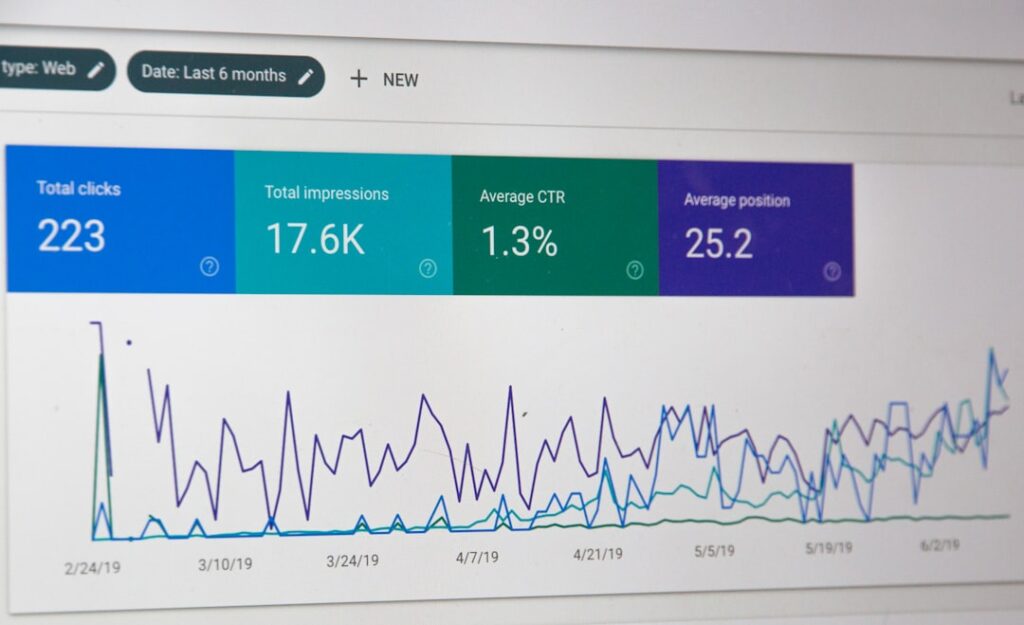
We evaluated each tool by running a real post through its full workflow, from keyword input to published WordPress page. No feature-list comparisons. No landing-page claims. We tested what actually happens when you sit down and try to produce a publish-ready, SEO-optimized blog post using each tool.
Here are the five criteria we scored each tool on, and what we measured under each:
| Criterion | What We Measured | Why It Matters for WordPress |
|---|---|---|
| Output Quality | Readability, structure, factual accuracy, editing burden before publish | A draft that needs 90 minutes of cleanup costs more than one that needs 15 |
| WordPress Integration | Direct publish via REST API, category/tag handling, featured image, SEO plugin field pre-fill | Copy-paste workflows add 30-45 minutes per post of manual formatting |
| SEO Alignment | SERP-grounded research, keyword targeting, meta generation, schema markup, internal linking | Posts that ignore what’s already ranking are guessing at search intent |
| Pricing Transparency | Real per-post cost at 10 and 20 posts/month, hidden limits, add-on costs | $20/month tools that need 90 min/post are pricier than $99/month tools needing 15 min |
| Human Oversight | Built-in approval gate, ability to edit before publish, no auto-publish without review | Unreviewed AI content at scale is the fastest path to ranking drops and brand damage |
Each tool received a score of Strong, Moderate, or Weak on each criterion. The rankings below reflect the composite of those scores, weighted toward the criteria that matter most for WordPress site owners who need consistent, quality output.
The Best AI Content Writers in 2026: Ranked and Reviewed
1. ClearPost: Best for WordPress Owners Who Want End-to-End Automation
ClearPost is the only tool in this comparison built specifically as a WordPress plugin, not a standalone writing platform with a WordPress export bolted on. It connects directly to your site, reads your existing content library, pulls your Google Search Console data, and drafts posts grounded in what’s actually ranking in your niche. Every draft lands in an approval queue. Nothing publishes until you say so.
Output Quality: Strong. Drafts are structured with proper H2/H3 hierarchy, grounded in live SERP data, and include internal links to your existing posts automatically. The editing burden runs 10 to 20 minutes per post because the AI is working from your site data, not a blank prompt. You add original examples, verify a stat or two, and approve.
WordPress Integration: Strong. This is where ClearPost separates from the pack. It publishes via the WordPress REST API with categories, tags, featured images, and SEO plugin fields (Yoast or Rank Math) pre-filled. The publishing step is one click. No copy-paste, no reformatting, no manual SEO cleanup.
SEO Alignment: Strong. ClearPost handles keyword research, meta descriptions, schema markup, and internal linking as part of the draft generation, not as a separate step. It also monitors ranking performance after publishing and flags posts that need refreshing when positions drop. For a broader look at how this fits into a complete SEO stack, see our comparison of the best automated SEO tools for WordPress.
Pricing: Contact for current plans. ClearPost offers a 7-day free trial with no long onboarding and no agency overhead. Cancel anytime.
Human Oversight: Strong. The approval queue is a first-class feature, not an afterthought. Every draft requires your explicit approval before it goes live. This is the core principle: AI does the heavy lifting, you remain the editor-in-chief.
2. Jasper AI: Best for Marketing Teams with Brand Voice Needs
Jasper has evolved into a full marketing platform with brand voice training, campaign workflows, and team collaboration features. It is the strongest option for marketing teams that already have an SEO workflow and need AI that can maintain a consistent brand voice across multiple content types.
Output Quality: Moderate to Strong. Jasper’s brand voice training genuinely reduces drift compared to raw ChatGPT output. Templates for blog posts, email sequences, and ad copy produce usable drafts. The tradeoff: long-form blog drafts still need 30 to 45 minutes of editing for specificity and factual accuracy. The voice is closer to yours, but the substance still needs human input.
WordPress Integration: Weak. Jasper does not publish directly to WordPress. You export content and paste it in, which means reformatting headings, adding internal links, configuring SEO plugin fields, and handling images manually. That’s 30 to 45 minutes of friction per post.
SEO Alignment: Moderate. Jasper integrates with Surfer SEO for content scoring, but that requires a separate Surfer subscription. Without it, Jasper drafts are not grounded in live SERP data. The on-page SEO layer depends on which add-ons you pay for.
Pricing: Varies by plan and seat count. Jasper is typically positioned around $59 per seat per month on annual plans. For a team of three, that adds up quickly. Verify current pricing before committing.
Human Oversight: Moderate. Jasper supports review workflows within its own platform, but there is no WordPress approval gate. The review happens in Jasper, then the approved content gets manually moved to WordPress. Two systems, two steps.
3. Surfer SEO: Best for On-Page Optimization Scoring
Surfer SEO is not a content writer. It is a content optimization tool that scores your draft against top-ranking pages in real time. It tells you what keywords you’re missing, what word count range to target, and how your heading structure compares to competitors. Pair it with a drafting tool and you get a strong two-step workflow. Use it alone and you still write every word yourself.
Output Quality: N/A (not a writer). Surfer produces data, not prose. It generates content briefs and outlines from SERP analysis, which are genuinely useful for guiding a draft. But the actual writing still comes from you or another AI tool.
WordPress Integration: Weak. Surfer operates in its own editor. There is a WordPress integration that lets you publish, but the formatting transfer is inconsistent. Most users draft in Surfer, optimize the score, then copy the content into WordPress and reformat.
SEO Alignment: Strong. This is Surfer’s core strength. The real-time NLP content scoring against live SERP data is the best in this comparison. If you want data-backed optimization as you draft, nothing beats it. The problem is that “as you draft” still means you or another tool is doing the drafting.
Pricing: Typically around $49/month billed annually. That gets you content optimization scoring. It does not get you AI draft generation. Add the AI writing feature and the price increases. You are paying for two capabilities that other tools bundle together.
Human Oversight: N/A. Surfer is a tool for humans to use during the writing process. The oversight question is moot because the human is already in the driver’s seat.
4. ChatGPT (OpenAI): Best for Flexible Drafting and Ideation
ChatGPT remains the most flexible text generation engine available. For $20/month, you get a tool that can draft, outline, rewrite, summarize, and brainstorm with a level of quality that rivals dedicated content platforms. The catch: it has zero WordPress integration, zero SEO tooling, and zero publishing capability. It is a blank chat window with a brilliant engine behind it.
Output Quality: Strong. Claude and GPT models produce genuinely impressive long-form drafts. The writing is clean, structured, and readable. The editing burden depends entirely on your prompting skill. A well-briefed prompt produces a draft that needs 20 to 30 minutes of editing. A vague prompt produces a generic post that needs a full rewrite.
WordPress Integration: None. ChatGPT has no execution layer. It does not know your site exists. You paste in, you paste out. Every step between text generation and published WordPress post is manual. This is the copy-paste tax in its purest form.
SEO Alignment: Weak. ChatGPT has no access to live SERP data, no keyword research capability, no meta description generation tied to your site, and no schema markup. You can prompt it to include keywords, but it is guessing at search intent, not analyzing it. For a deeper look at why data-grounded drafts outperform generic ones, our blog writing AI guide for WordPress owners breaks down the difference.
Pricing: $20/month for Plus. On a per-post basis at 10 posts per month, that is $2 per post. The cheapest option in this comparison. But the editing and formatting time adds 60 to 90 minutes per post, which is the real cost.
Human Oversight: Total, but manual. You review everything because you are doing everything. There is no approval queue because there is no system. The oversight is built into the manual workflow by necessity.
5. Frase: Best for Research-Driven Content Briefs
Frase sits between Surfer and a full writing platform. It pulls SERP data, generates content briefs from what’s ranking, and includes an AI writer for first drafts. For teams that prioritize research depth before writing, Frase offers the strongest research-to-brief pipeline in this comparison.
Output Quality: Moderate. Frase’s AI-generated drafts are usable but need significant editing. The research and brief generation is excellent. The actual prose tends toward generic patterns and requires 30 to 45 minutes of human editing for specificity and voice.
WordPress Integration: Moderate. Frase has a native WordPress integration that can push drafts directly to your site. This puts it ahead of Jasper and ChatGPT on the integration front. However, SEO plugin fields, internal linking, and category assignment still need manual attention after the draft lands in WordPress.
SEO Alignment: Strong. Frase’s SERP analysis and content brief generation are genuinely useful. It identifies keyword gaps, topic clusters, and questions to answer based on what’s actually ranking. The SEO research layer is its strongest feature.
Pricing: Varies by plan. Frase’s pricing has shifted over the past year. Check current plans before committing, as the AI writing feature may require a higher tier or add-on.
Human Oversight: Moderate. Frase supports review within its platform before pushing to WordPress, but there is no WordPress-native approval gate. The review happens in Frase, then the draft publishes to WordPress as a draft or published post depending on your settings.
How ClearPost Compares: Built for WordPress SEO, Not Just Writing

The fundamental difference between ClearPost and every other tool in this comparison comes down to one question: was it built for WordPress, or was it built for writing and then adapted for WordPress?
Jasper, ChatGPT, Surfer, and Frase all started as standalone tools. WordPress integration was added later, if at all. That means the workflow always involves leaving WordPress, doing work in another tool, and bringing the result back. ClearPost started inside WordPress. The plugin installs in two minutes, connects to your site directly, and handles the entire pipeline from research to draft to SEO optimization to publish without you ever switching tabs.
Here’s what the end-to-end workflow looks like with ClearPost versus a typical standalone tool:
| Step | ClearPost | Standalone Tool (Jasper, ChatGPT, etc.) |
|---|---|---|
| Topic research | AI pulls from your Search Console data and SERP analysis | Manual or requires separate SEO tool |
| Draft generation | AI drafts with heading structure, internal links, meta | AI drafts text only, no SEO layer |
| Human review | Approval queue inside WordPress, 10-20 min per post | Review in separate tool, then copy to WordPress |
| SEO optimization | Yoast/Rank Math fields pre-filled, schema auto-generated | Manual: 30-45 min of meta, schema, linking work |
| Publish | One click via REST API, categories and tags set | Copy-paste, reformat, set categories, add image |
| Post-publish monitoring | Tracks rankings, flags posts needing refresh | None. You build your own tracking spreadsheet. |
| Total time per post | 15-30 minutes | 75-90 minutes |
That time difference compounds fast. At 10 posts per month, ClearPost saves you 7 to 10 hours compared to a standalone tool workflow. At 20 posts per month, you are looking at 15 to 20 hours saved. For a solo founder or a one-person marketing team, those hours are the difference between publishing consistently and abandoning the blog by week three.
The other differentiator is the approval gate. ClearPost does not auto-publish. Every draft sits in an approval queue where you can review, edit, reject, or approve before anything goes live. This matters more than most people realize. Our 24-post test data showed that AI-assisted content with meaningful human editing performs within 4% of fully human-written content in rankings. Pure, unedited AI content has a 23% ranking deficit. The approval gate is not a nice-to-have. It is the mechanism that determines whether your AI content strategy compounds or collapses.
For a head-to-head breakdown of how ClearPost compares to another WordPress-native option, our ClearPost vs. BotWriter comparison covers pricing, content strategy, and workflow differences in detail.
Which AI Content Writer Is Right for You?
The best AI content writer for you depends on one thing: what is your actual bottleneck? If you cannot produce drafts fast enough, a drafting tool like ChatGPT or Jasper solves part of the problem. If your drafts are decent but never get published because the formatting and SEO work is too tedious, you need a WordPress-integrated tool. If you are an agency managing 20+ client sites and need standardized workflows with approval gates, you need a system built for scale.
Here is a quick decision guide based on user type:
Solo founders and small business owners
You need consistent publishing without hiring a writer or paying an agency retainer. Your time is the constraint. A tool that collapses the workflow from six steps to two (AI drafts, you approve) is the right fit. ClearPost is purpose-built for this. If budget is the absolute priority and you can tolerate 60 to 90 minutes of manual work per post, ChatGPT at $20/month is the budget alternative. For more on the cost math, our AI blog writer costs breakdown compares agencies, freelancers, and AI tools head to head.
Marketing teams and agencies
You need brand voice consistency, collaboration, and scalable output across multiple sites. Jasper’s brand voice training and team workflows serve this need well, though you will still need to solve the WordPress publishing gap. Surfer SEO adds the optimization scoring layer that Jasper lacks natively. For agencies managing 10 to 30 client WordPress sites, the approval-gate model in ClearPost enforces quality while multiplying output without proportional headcount growth.
Content teams that prioritize research depth
If your content needs to be grounded in deep SERP analysis before a single word is written, Frase offers the strongest research-to-brief pipeline. Pair it with a human writer or a strong AI drafting tool and you get a research-heavy workflow. The tradeoff: you are managing two tools and a manual WordPress publishing step.
Start Writing Smarter, Not More
The best AI content writer is not the one with the most features or the cheapest price. It is the one that fits your workflow, respects your editorial standards, and removes the friction between “draft generated” and “post published.” For WordPress site owners, that means a tool that lives inside your site, not one that sends you back and forth between tabs.
Here is what to do this week: pick one tool from this list, generate one post on a topic you know well, and run it through the full workflow to publish. Time every step. If the total time from keyword to published post exceeds 45 minutes, you are losing time to workflow friction, not writing speed. That is the signal to switch to a tool built for WordPress.
Try ClearPost free for 7 days. AI does the heavy lifting, you approve every post before it goes live. No long onboarding, no agency overhead, cancel anytime. 👉 Get Started Free.