
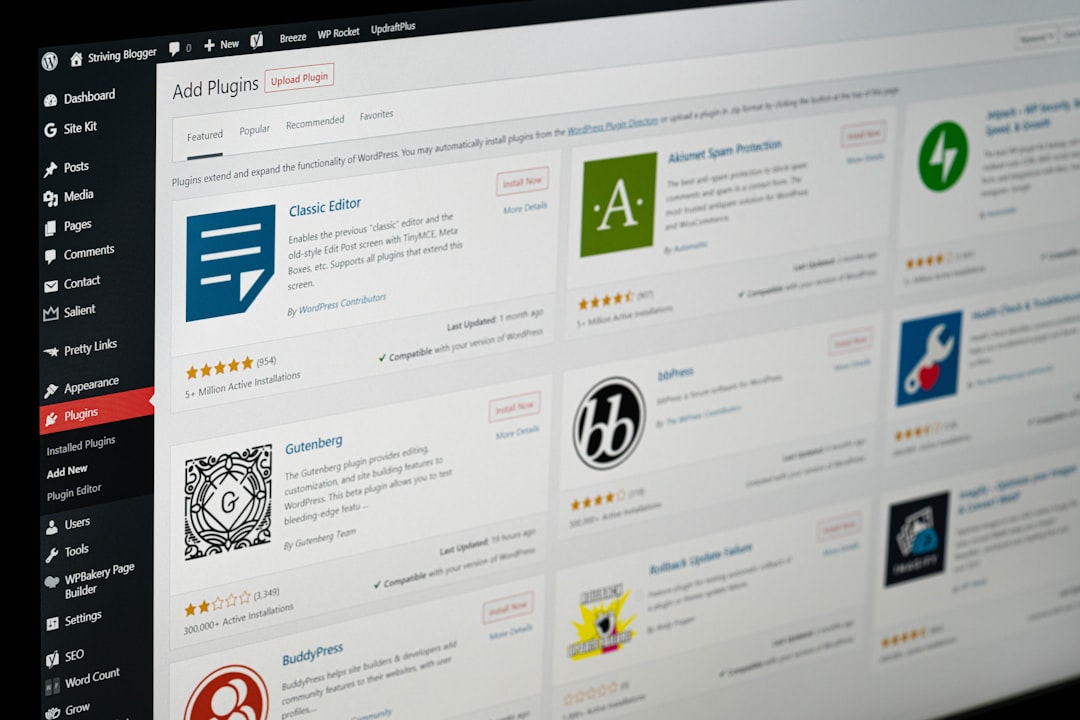
You tried the copy-paste workflow with ChatGPT. You spent 40 minutes on a post that still needed another hour of cleanup before it looked publish-ready. Now you’re wondering whether an automatic blog post generator for WordPress could actually handle that process end to end, inside your site, without turning your blog into a spam farm. That’s exactly what this guide covers.
The short version: yes, these tools work. But “automatic blog post generator” covers a wide spectrum, from dead-simple RSS importers that just republish other people’s content to full AI SEO agents that research keywords, write original drafts, optimize metadata, and publish directly to WordPress. Where you land on that spectrum determines whether you get a content library that actually ranks or an index bloat problem dressed up as productivity.
What Is an Automatic Blog Post Generator?
An automatic blog post generator is any tool that reduces or eliminates manual writing by creating, importing, or assembling WordPress posts without requiring you to write every word yourself. The category includes four meaningfully different approaches, and conflating them is the most common mistake buyers make.
RSS-to-Post Importers
The original autoblogging method. Plugins monitor RSS feeds from news sites, blogs, or content partners and import new posts automatically. Tools like WP RSS Aggregator pioneered this approach. With more than a decade of experience in the aggregator and RSS space, these tools let you add RSS feeds from unlimited sources in seconds, whether for news feeds, blog posts, or anything else.
The core limitation is obvious: you’re republishing someone else’s content. Installing a basic RSS aggregator set to publish 20 posts per day can earn a thin content penalty within six weeks. RSS importers work for content curation hubs where aggregation is the explicit purpose. They fail as a replacement for original SEO content.
AI Rewriters on Top of RSS
AI RSS rewriters take standard RSS feeds and rewrite the content using AI before publishing, solving the duplicate content issue common with basic aggregators. Higher-tier plans now offer AI rewriting on imported feeds, rewriting content into original posts in your own voice, with per-source settings and a preview before publishing. This is a meaningful improvement over raw importing, but it still anchors your content to whatever topics and angles other publishers have already covered.
Standalone AI Blog Writers
These tools generate original posts from keywords or briefs, without sourcing from external feeds. Newer plugins connect to OpenAI, Anthropic, or proprietary AI models to write original posts. The quality varies significantly between plugins. Many require you to copy the output and paste it into WordPress manually, which reintroduces the formatting friction and metadata overhead that defeats the purpose of automation.
AI SEO Agents with Native WordPress Integration
This is the category that actually changes the math. A true AI SEO agent doesn’t just write a post. It researches keyword gaps, drafts with proper heading structure and internal links, fills in your SEO plugin fields (Yoast or Rank Math), assigns categories, and publishes directly via the WordPress REST API. It routes the draft to a human approval queue before anything goes live. To understand what separates a real AI agent from a writing tool with marketing copy, this breakdown of AI SEO agents for WordPress explains the architecture in detail.
How Modern AI Blog Generators Work

Modern AI blog generators are built on four layers working together. Understanding them helps you separate tools that will actually perform from tools that are just a language model wrapped in a nicer interface.
Layer 1: The Language Model
Every AI writing tool runs on a large language model (LLM). GPT-4o, Claude 3.5, and Gemini are the most common underlying models in 2026. The LLM handles reasoning and language generation. But the model alone is not an automatic blog post generator. It’s a text engine with no connection to your site, your keywords, or your existing content. Everything else in the stack is what separates a useful tool from a fancy autocomplete.
Layer 2: Data Connections and Context
Better tools ground their output in live data rather than generic web training. This means connecting to your Google Search Console to understand what you already rank for, reading your existing post library to avoid redundancy, and pulling current SERP data to understand what’s ranking for your target keywords. A generator that operates without your site’s context will produce content that could have been written for any website in your niche, not specifically yours.
Layer 3: The Publishing Pipeline
This is where WordPress-native tools separate from external AI writers. The WordPress REST API lets authorized tools create posts, set categories and tags, upload featured images, and fill in SEO plugin fields without any manual steps in wp-admin. Tools that publish through this pipeline eliminate the copy-paste bottleneck entirely. Tools that don’t still require 20 to 40 minutes of formatting overhead per post, which is where most of the ROI of AI content generation disappears.
Layer 4: The Human Approval Gate
Any generator worth using routes drafts to a human review queue before publication. This is not a limitation of the technology. It’s the design decision that protects your brand and your rankings. Automated blogging is not about removing humans from the process. It’s about removing repetitive tasks so you can focus on quality control, optimization, and strategy. The review step is where you inject the firsthand expertise, real examples, and brand voice that no generator can manufacture on its own.
Setup in Under 5 Minutes
WordPress-native AI blog generators that use the REST API are genuinely fast to set up. Here’s what the process actually looks like, step by step.
Step 1: Install the Plugin or Connect via REST API
For WordPress-native tools, installation is identical to any other plugin: upload from the WordPress.org directory or via zip file, activate, and navigate to the plugin settings. For external tools that connect via the REST API, you’ll generate an application password from your WordPress user profile (Users > Profile > Application Passwords). No admin credentials are stored externally. The token gives the tool exactly the permissions it needs, nothing more.
Step 2: Connect Your Data Sources
Tools that ground output in real performance data will ask for your Google Search Console property at this stage. This is what lets the generator identify content gaps (topics your competitors rank for that you haven’t covered) and prioritize keywords where you’re close to page one. Skip this step and you’re generating content based on guesswork instead of actual search demand.
Step 3: Configure Your Brand Voice and Topic Focus
Better tools let you define your industry, target audience, tone guidelines, and any topics or terms to avoid. This configuration directly affects output quality. The more specific you are here, the less editing each draft requires. Think of it as briefing a new writer before their first assignment, not as filling out a form.
Step 4: Set Your Publishing Workflow
Define whether generated posts land in your approval queue as drafts, pending review, or scheduled. Set your categories, default tags, and any SEO plugin fields you want pre-populated. For teams managing multiple sites, this step is where you configure per-site voice and category settings. Once done, the generator runs on schedule. You check the queue, review drafts, approve or request revisions, and confirm before anything publishes. Need help choosing the right scheduling setup? See our WordPress content scheduling tools comparison.
If you want to see what this workflow looks like when designed specifically for WordPress publishing velocity, this guide on building an AI content workflow for WordPress covers the full setup, including how to preserve brand voice at scale.
Content Quality: AI-Generated vs. Human-Written
The quality gap between AI-generated and human-written content is real but narrower than it was two years ago. Where AI consistently falls short is firsthand experience, original examples, and genuine opinion. Where it consistently wins is structure, on-page optimization, and publishing velocity. For a detailed look at what a dedicated SEO plugin adds on top of AI-generated content, see our honest AIOSEO review for WordPress. Understanding the gap by content type helps you decide where human effort is worth the investment and where AI handles it well enough.
| Content Type | AI-Generated Quality | Human-Written Quality | Best Approach |
|---|---|---|---|
| Informational how-to posts | Strong structure, consistent format, good keyword coverage | Better examples, real troubleshooting context | AI draft + human adds specific examples |
| Product/service comparisons | Good at structure and feature lists; weak on nuanced opinion | More credible with firsthand testing notes | AI framework + human verdict layer |
| Thought leadership / opinion | Weak. Lacks real perspective and lived experience | Strong when backed by genuine expertise | Human-led, AI for editing and structure only |
| Local SEO service pages | Good for templated location pages at volume | Better for flagship location pages needing trust signals | AI for volume, human for primary market pages |
| Technical tutorials | Adequate for widely documented topics; risks factual errors on niche subjects | More reliable for cutting-edge or poorly documented topics | AI draft + mandatory fact-check before publish |
| Case studies / results posts | Cannot generate real data or outcomes | Essential: only humans have the firsthand data | Human-written only, AI for formatting and polish |
| FAQ and definition content | Very strong. Structured, clean, and well-optimized | Comparable, but slower to produce | AI-led with light human review |
The practical takeaway is that the content that performs best is AI-assisted and human-refined, shaped by experience, accuracy checks, and a real understanding of user needs. Pure automation wins on volume. Pure human effort wins on depth. The combination wins on both, which is the actual goal.
SEO Performance of Auto-Generated Content
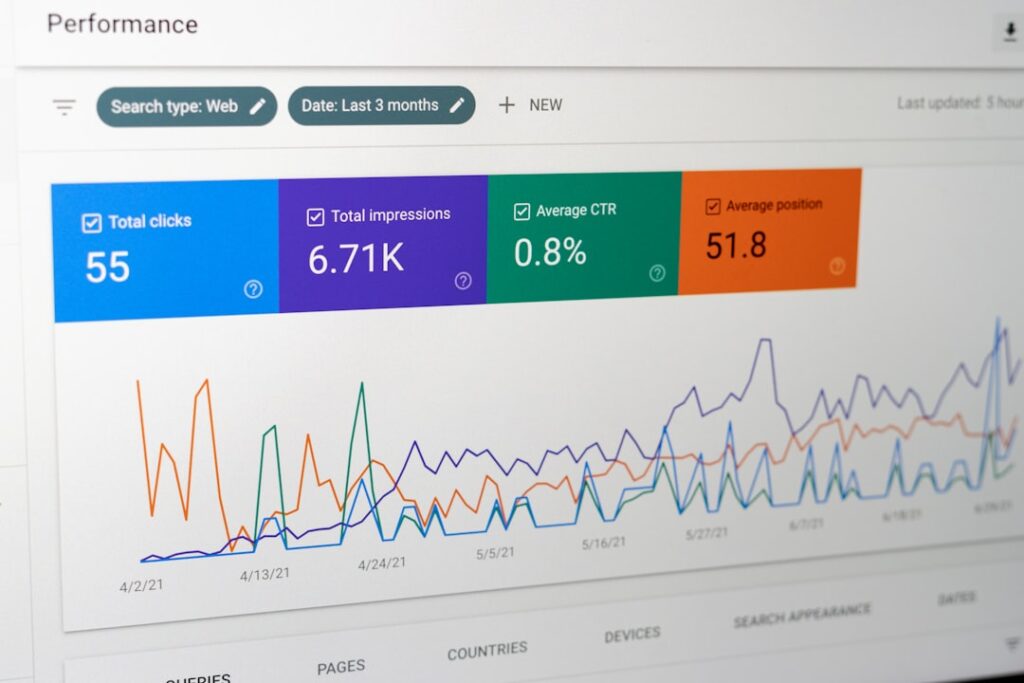
The honest answer about SEO performance is that auto-generated content can rank well or fail completely, and the difference almost always comes down to three variables: keyword targeting, content depth, and publishing consistency. Volume alone does not produce rankings.
What the Data Actually Shows
17% of top 20 search results are AI-generated as of September 2025, so the detection angle is a dead end. First-party data from sales calls, product analytics, and customer research is what makes AI content rank. That’s the real performance variable. Not whether you used AI, but whether the post contains information that can’t be found in 50 other results.
The Keyword Targeting Problem
Most auto-generated content fails not because of the generation method but because it targets the wrong keywords. Generators that run without Search Console data tend to produce content for high-competition terms that an established site might rank for, not for the long-tail, intent-specific queries where a newer or lower-authority site can actually win. The right tool connects to your real performance data before generating a single post.
Publishing Consistency Compounds
The SEO advantage of automatic blog post generators isn’t any single post. It’s the compounding effect of consistent publishing, which is why automatic SEO for WordPress has become a category of its own. The real lever is consistent publishing at a cadence no human team can match without significant headcount. A site publishing eight well-researched, properly optimized posts per month covers more keyword surface area, builds more topical authority, and earns more internal linking opportunities than a site publishing two. The generator makes that velocity financially viable for a solo operator or lean team.
For a detailed look at what consistent AI-assisted publishing actually delivers in terms of traffic results, the 24-post AI vs. human content SEO test is worth reading before you commit to any tool.
How to Track Whether Generated Posts Are Ranking
Connect Google Search Console to your site if you haven’t already. After publishing AI-generated posts, monitor the specific URLs in the Coverage and Performance reports. You’re looking for indexation first (Google has found and crawled the page), then impressions (the page is appearing in searches), then clicks. Impressions typically move before clicks. If a post is indexed but has zero impressions after 60 to 90 days, it’s either targeting keywords with no search volume, matching intent poorly, or competing in a space where your domain authority isn’t yet enough to break in.
Avoiding Google Penalties with AI Content

The skepticism is understandable. Early AI content was recognizable within the first paragraph. But Google’s position on AI content has been consistent and clear. Google’s ranking systems aim to reward original, high-quality content that demonstrates qualities of what we call E-E-A-T: expertise, experience, authoritativeness, and trustworthiness. The production method is not the metric. The content quality is. We cover this in depth in our guide to whether Google will penalize AI content.
What Google Actually Penalizes
Using automation, including AI, to generate content with the primary purpose of manipulating ranking in search results is a violation of Google’s spam policies. That’s the line. Not “using AI,” but using AI to flood the index with low-value content designed to game rankings rather than help readers. Sites experiencing AI content penalties typically show patterns of low-quality, duplicative, or misleading content rather than simple AI usage.
The practical translation: using generative AI tools or other similar tools to generate many pages without adding value for users may violate Google’s spam policy on scaled content abuse. Volume without value is the risk. Volume with genuine helpfulness is the opportunity.
The Helpful Content System: What It Actually Targets
Google launched its Helpful Content System as a site-wide signal designed to identify and demote content created primarily for search engines rather than people. This system operates continuously and applies a sitewide classifier, meaning if a large portion of your site is deemed unhelpful, your entire domain can see ranking suppression. This is the mechanism that punishes mass AI publishing, not because the content was AI-generated, but because it fails to help readers in any meaningful way.
Where AI content struggles is not because it’s AI-written, but because of what AI inherently lacks: it has no lived experience. It cannot write from personal testing, real-world failure, or genuine discovery. Content that reflects actual hands-on experience scores higher with both readers and Google’s evaluators. The fix is editorial, not technical: inject real examples, real data, and real perspective into every AI draft before it publishes.
Five Practices That Keep Auto-Generated Content Safe
1. Never auto-publish without human review. Every draft should pass through your eyes before it goes live. This is non-negotiable for protecting E-E-A-T signals and catching factual errors that AI generators produce without warning.
2. Add first-party data wherever possible. Sales call transcripts, product analytics, customer support patterns, and original research add information that doesn’t exist anywhere else on the internet. That’s what separates page one from page nowhere.
3. Target keywords where your site can realistically win. Content that lands on page seven of Google for a competitive term gets no traffic. The generator should be informed by your actual Search Console data, targeting queries where you have a realistic path to page one.
4. Maintain topical depth, not just breadth. Content that jumps between unrelated topics without demonstrating expertise in any particular area often struggles to rank. Use your generator to systematically build out a topic cluster rather than publishing random posts across unrelated subjects.
5. Avoid the tell-tale AI writing patterns. Cut words like “dives into,” “comprehensive,” “showcasing,” and “emphasizes.” Readers bounce when they spot these patterns because it signals raw AI output was published without editing. Your dwell time drops. Your rankings follow.
Frequently Asked Questions
See the FAQ section below for answers to the most common questions about automatic blog post generators for WordPress.
Try Automatic Blog Generation Free
You don’t need a six-month agency retainer and a dedicated account manager to publish consistently on WordPress. You need a tool that understands your site, researches what your audience is actually searching for, drafts posts that don’t sound like they were written by nobody, and routes every draft to you before publishing. That’s the workflow.
ClearPost connects to your WordPress site in under five minutes, pulls your real Google Search Console data, and starts identifying the content gaps that are costing you rankings right now. AI does the heavy lifting. You approve every post before it goes live. No surprises, no auto-published drafts, no brand damage from unreviewed output.
Try ClearPost free for 7 days. No long onboarding, no agency overhead, cancel anytime.
Frequently Asked Questions
Does an automatic blog post generator hurt my WordPress SEO?
Not by itself. Google’s position is that it evaluates content quality and helpfulness, not the production method. The risk is publishing generic, low-value content at scale without any human review. Generators that include a human approval step before publishing are far safer than tools that auto-publish everything without editorial oversight.
How long does it take to set up an AI blog post generator in WordPress?
Modern WordPress-native tools connect via the REST API using application passwords and typically take under five minutes to configure. You install a lightweight connector, generate an application password from your WordPress user profile, and the tool gains access to publish posts, set categories, and fill SEO plugin fields automatically.
What is the difference between an RSS importer and an AI blog post generator?
An RSS importer pulls existing content from external feeds and republishes it, creating duplicate content risk. An AI blog post generator uses a language model to write original posts from scratch based on keywords, briefs, or your site’s existing content gaps. Modern tools often combine both, using an AI rewriting layer on top of RSS feeds to produce unique output.
Can Google detect AI-generated blog content?
Google can identify patterns common to unedited AI output, particularly when content lacks nuance, firsthand experience, or a clear human perspective. However, Google does not penalize content simply for being AI-generated. It targets content that is thin, generic, or clearly produced to game rankings rather than help readers. Human review and expert input are what separate rankable AI-assisted content from content that gets suppressed.
How do I measure whether auto-generated posts are actually helping my rankings?
Connect Google Search Console to your site and track impressions, clicks, and average position for the URLs your generator publishes. Look for upward movement in impressions first (Google is discovering and indexing the content), then clicks. Compare organic traffic to those specific posts month over month. If posts are indexed but not gaining impressions after 60 to 90 days, review whether they target realistic keywords and whether the content genuinely answers the search intent better than existing results.
{“@context”: “https://schema.org”, “@type”: “FAQPage”, “mainEntity”: [{“@type”: “Question”, “name”: “Does an automatic blog post generator hurt my WordPress SEO?”, “acceptedAnswer”: {“@type”: “Answer”, “text”: “Not by itself. Google’s position is that it evaluates content quality and helpfulness, not the production method. The risk is publishing generic, low-value content at scale without any human review. Generators that include a human approval step before publishing are far safer than tools that auto-publish everything without editorial oversight.”}}, {“@type”: “Question”, “name”: “How long does it take to set up an AI blog post generator in WordPress?”, “acceptedAnswer”: {“@type”: “Answer”, “text”: “Modern WordPress-native tools connect via the REST API using application passwords and typically take under five minutes to configure. You install a lightweight connector, generate an application password from your WordPress user profile, and the tool gains access to publish posts, set categories, and fill SEO plugin fields automatically.”}}, {“@type”: “Question”, “name”: “What is the difference between an RSS importer and an AI blog post generator?”, “acceptedAnswer”: {“@type”: “Answer”, “text”: “An RSS importer pulls existing content from external feeds and republishes it, creating duplicate content risk. An AI blog post generator uses a language model to write original posts from scratch based on keywords, briefs, or your site’s existing content gaps. Modern tools often combine both, using an AI rewriting layer on top of RSS feeds to produce unique output.”}}, {“@type”: “Question”, “name”: “Can Google detect AI-generated blog content?”, “acceptedAnswer”: {“@type”: “Answer”, “text”: “Google can identify patterns common to unedited AI output, particularly when content lacks nuance, firsthand experience, or a clear human perspective. However, Google does not penalize content simply for being AI-generated. It targets content that is thin, generic, or clearly produced to game rankings rather than help readers. Human review and expert input are what separate rankable AI-assisted content from content that gets suppressed.”}}, {“@type”: “Question”, “name”: “How do I measure whether auto-generated posts are actually helping my rankings?”, “acceptedAnswer”: {“@type”: “Answer”, “text”: “Connect Google Search Console to your site and track impressions, clicks, and average position for the URLs your generator publishes. Look for upward movement in impressions first (Google is discovering and indexing the content), then clicks. Compare organic traffic to those specific posts month over month. If posts are indexed but not gaining impressions after 60 to 90 days, review whether they target realistic keywords and whether the content genuinely answers the search intent better than existing results.”}}]}