

You’ve heard “marketing automation” pitched as a way to send better emails. Your contacts get a welcome sequence, a nurture drip, maybe a cart abandonment flow. That’s useful — but if you’re a solo founder or a one-to-three-person team, email drips aren’t your pipeline problem. Your pipeline problem is that you don’t have enough organic traffic, enough consistent content, or enough hours in the day to publish at the frequency that actually moves the needle.
That’s a content and SEO workflow problem. And it’s almost entirely automatable in 2025 — for under $200/month — if you know which tools to string together and where to keep the human in the loop.
This guide is built for the skeptics: the founder who tried content marketing and saw nothing for six months, the lean team stuck between DIY burnout and a $3,500/month agency retainer that isn’t moving the needle either. We’re going to be honest about what automation can and can’t do, show you the exact numbers, and give you a working implementation plan.
Marketing Automation’s Branding Problem: It’s Not Just Email
Ask ten marketers to define marketing automation and nine will describe an email sequence tool. That framing made sense in 2012, when HubSpot and Mailchimp were the center of the universe. It doesn’t reflect how pipelines are actually built in 2025.
The honest truth is that organic traffic accounts for over 60% of all inbound leads, and it compounds in a way email never will. A well-ranked blog post generates leads at near-zero marginal cost for years after publication. An email sequence stops working the moment you stop adding subscribers. These are fundamentally different economics — and yet almost all “marketing automation” tooling is built around email, not around the content creation and SEO workflow that actually fills the top of the funnel.
Here’s what most small business owners actually need automated:
- Keyword research → content brief creation
- AI-assisted draft generation → human review queue
- WordPress publishing → social distribution
- Email newsletter syndication from published posts
- Rank tracking and content refresh alerts
None of that is email automation. All of it drives pipeline. And the gap between teams who have this running and teams who don’t is widening fast — AI has compressed content production costs by as much as 68%, which means the businesses already using these systems are publishing at a volume that simply wasn’t achievable for lean teams two years ago.
Let’s be clear about what we’re not dismissing: email automation is a real channel with real ROI. If you have a solid list and a working offer, a proper nurture sequence is worth building. But for most founders reading this, that’s not the bottleneck. The bottleneck is that nobody is finding you in the first place.
The Content Automation Stack (What Actually Drives Pipeline)
The content automation stack has five functional layers. Each one can be handled by a dedicated tool or rolled into a platform that covers multiple layers. Here’s how they fit together — and where the human touchpoint belongs.
Layer 1: Keyword Intelligence
You need a tool that tells you what to write — not based on guesses, but based on actual search demand and competitive difficulty. For most solo operators, this means a keyword research tool with automated rank tracking so you’re alerted when you have an opportunity (or when a ranking post is slipping). Tools like Semrush, Ahrefs, and Surfer SEO handle this layer. The automation here is scheduled rank tracking, automated site audits, and keyword alerts — so you’re not manually checking your positions every week.
Layer 2: AI-Assisted Content Creation
Once you have a target keyword, the next layer turns that keyword into a structured draft. This is where AI writing tools — and purpose-built WordPress AI plugins like ClearPost — come in. The best systems pull live SERP data to inform the draft structure, so the output is grounded in what’s actually ranking, not just generic GPT output. The draft lands in your WordPress dashboard as a draft post, ready for your review.
Layer 3: Human Review and Approval
This layer is non-negotiable. You review the draft, inject your expertise and brand voice, verify facts, and approve publication. No surprises, no autonomous publishing. The human approval step is what separates a responsible AI workflow from the generic, low-trust AI content that’s flooding search results. We’ll cover this in more detail later in this guide — it’s the most important part of the stack.
Layer 4: Distribution Automation
Once a post is published, it should automatically appear in the right places: social media (scheduled variations for LinkedIn, Twitter/X, Facebook), your email newsletter, and your internal content calendar. Tools like Buffer, Zapier, and Make handle this orchestration, connecting your WordPress site to your distribution channels so publishing once propagates everywhere.
Layer 5: Performance Monitoring
The last layer closes the loop. Google Search Console (free) combined with your keyword tracking tool gives you automated alerts when a post is gaining traction or losing rankings — triggering a refresh workflow that costs far less than creating new content from scratch. Updating old content leads to a significant traffic spike compared to newly published articles, which means this refresh layer is genuinely high-leverage and underused by most small teams.
The Under-$200/Month Tools Breakdown

Here’s every tool in the stack, its role, and its real 2025 pricing. This is an honest list — we’ve included the tradeoffs so you can make the right call for your situation.
| Tool | Role in Stack | Monthly Cost | Free Tier? | Honest Tradeoff |
|---|---|---|---|---|
| ClearPost | AI content generation + WordPress publishing | See site for pricing | 7-day trial | Purpose-built for WordPress; human approval baked in |
| Surfer SEO (Basic) | Keyword research + content scoring | ~$29/mo | No (free trial) | Best bang for buck at this price; limited to fewer queries than higher tiers |
| Ahrefs Webmaster Tools | Site audit + rank tracking for your own site | Free | Yes | Limited to your own domain; no competitor research |
| Zapier (Starter) | Workflow automation: publish → social → email | ~$30/mo | Yes (100 tasks) | Most content teams need the Starter tier for multi-step Zaps; free tier is too limited |
| Buffer (Essentials) | Social media scheduling + AI captions | ~$6/mo per channel | Yes (3 channels) | Affordable; AI caption support is genuinely useful but basic |
| Mailchimp (Free) | Email newsletter syndication | Free up to 500 contacts | Yes | Free tier is enough to start; pricing scales with list growth |
| Google Search Console | Performance monitoring + refresh triggers | Free | Yes | 3-day data delay; essential and irreplaceable at any price |
| Rank Math (Free) | WordPress on-page SEO | Free | Yes | Free tier covers all the SEO fundamentals most sites need |
Realistic monthly total: $65–$95/month for a lean stack (Surfer Basic + Zapier Starter + Buffer for two channels + free tiers for everything else). If you add ClearPost, you’re still well under $200/month — and you’ve replaced a workflow that previously required either a content manager or a $3,500+ agency retainer.
Sound like too many tools? Start with just two: ClearPost for content creation and Google Search Console for performance tracking. Add distribution automation (Zapier + Buffer) once you’re publishing consistently. The stack only earns its complexity once you’re shipping content regularly.
WordPress + AI Content Automation: The Center of Your Stack

WordPress is the right foundation for this stack, and not just because it powers over 40% of the web. It’s the right foundation because the content automation tools that matter most — from AI draft generation to SEO optimization to distribution triggers — have native WordPress integrations that simply don’t exist at the same depth for Webflow, Squarespace, or custom CMS platforms.
Here’s what a WordPress-centered AI content workflow looks like in practice:
- You enter a target keyword (sourced from your Surfer or Ahrefs keyword research).
- ClearPost generates a structured draft directly inside your WordPress dashboard — complete with headings, meta description, and internal link suggestions based on your existing content.
- The draft sits in your review queue. You read it, edit it, add your voice and specific expertise, and verify any factual claims.
- You click Publish. Zapier detects the new post and fires: a Buffer social post gets scheduled across your connected channels, your email newsletter template gets populated with the post excerpt and link, and the URL gets logged in your content calendar spreadsheet.
- Google Search Console and your rank tracker begin monitoring the post’s performance. After 60–90 days, you’ll know whether it’s gaining traction or needs a refresh.
The whole workflow — from keyword to published, distributed post — can run in under 45 minutes of your time, once the automations are configured. Compare that to the traditional process: brief writing (1 hour), writer coordination (30 mins of back and forth), first draft review (45 mins), revision (30 mins), manual publishing and formatting (30 mins), then manually sharing on each social channel. That’s 3–4 hours per post, per week, before you’ve done any actual marketing.
Why the AI Draft Quality Question Matters Less Than You Think
The most common objection to AI content tools is quality: “AI content sounds generic and Google will penalize me.” Here’s the honest answer: unreviewed AI content is a liability. Reviewed and edited AI content, with your expertise and voice layered on top, is indistinguishable from — and often better structured than — content written from scratch under time pressure.
The best AI content workflows follow this sequence: human strategy → AI draft → human edit → publish. AI handles the heavy lifting of structure, SERP-alignment, and formatting. You provide the judgment, the expertise, and the voice. That’s not a compromise on quality — it’s a smarter division of labor.
Distribution Automation: From Publish to Social to Email
Publishing a post is the beginning of the workflow, not the end. Most solo operators stop at publish — and then wonder why their traffic isn’t growing. The answer is usually distribution: their content exists, but nobody is being systematically told about it.
Distribution automation solves this by treating publication as a trigger, not a finish line. When a new article publishes on your site, Zapier can automatically submit it to indexing services, post it to social media, add it to your content calendar, and notify your team — all without manual intervention. Here’s how to wire it up:
The Publish-to-Distribution Zap
- Trigger: New post published in WordPress
- Action 1: Send post title + URL + excerpt to Buffer to schedule social posts (LinkedIn, Twitter/X, Facebook) — with slight copy variations per channel
- Action 2: Create a draft email in Mailchimp using the post title, excerpt, and featured image
- Action 3: Add a row to a Google Sheets content calendar with the post title, URL, and publication date
- Action 4 (optional): Ping Slack or email yourself with a summary for review
The whole Zap takes 30–45 minutes to configure once. After that, every post you publish automatically propagates to your distribution channels. That’s not a small time savings — marketing teams using automation save an average of 15 hours per week on repetitive tasks, and for solo operators, distribution is one of the most consistently skipped steps.
Email Newsletter Automation: The Overlooked Flywheel
Your email list is an asset that compounds alongside your content. The simplest email automation for content publishers is an RSS-to-email workflow: every time you publish a new post, your email subscribers automatically receive a digest. Mailchimp, ConvertKit, and most email platforms support this natively. It takes about 20 minutes to set up and runs indefinitely — turning every piece of content into an email touchpoint without any additional work.
SEO Workflow Automation: From Keyword Research to Publishing
The most time-consuming part of SEO isn’t writing — it’s the research and prioritization work that has to happen before a single word gets drafted. Automating this layer is where lean teams gain the most leverage.
Keyword Research Without the Weekly Ritual
Manual keyword research is a weekly time sink that most solo operators either rush or skip entirely. The automated alternative: set up a keyword position tracking campaign (Ahrefs, Surfer, or Semrush all support this), define your target topics and seed keywords, and let the tool run automated weekly rank checks. You get a dashboard — or an email alert — showing you exactly which keywords you’re ranking for, which ones are gaining, and which posts are slipping and need a refresh.
For competitive keyword discovery, Semrush’s automated workflows connect SEO data directly to your content tools via Zapier — so when a keyword opportunity surfaces, it can automatically create a task, a content brief, or a row in your editorial calendar. You’re notified rather than having to check.
Automated Site Audits: Fix Issues Before They Hurt Rankings
Technical SEO issues — broken links, slow pages, missing meta descriptions, duplicate content — accumulate quietly until they start dragging down your rankings. Automated site audits, scheduled to run weekly or monthly, surface these issues as they appear rather than after they’ve already done damage. Both Semrush and Ahrefs support scheduled crawls with email alerts. Ahrefs Webmaster Tools handles this for your own site for free.
Content Refresh Automation
One of the highest-leverage SEO moves available to lean teams is refreshing existing content rather than always creating new posts. Content lifecycle extensions through updates and refreshes improved organic traffic by 28% in 2025 — and because you’re updating existing content, you’re building on an asset that already has some domain authority and backlink equity.
Automate this with a rank-drop alert: when a post falls below position 15, you get an alert. That’s your signal to refresh the post — update statistics, add new sections, improve internal linking, and re-optimize for the keyword. ClearPost can assist with this refresh workflow directly inside WordPress, regenerating or augmenting sections without requiring you to start from scratch.
What You Can’t Automate (Yet): The Human Approval Layer
Let’s be direct: AI can’t replicate your expertise, your relationships, your firsthand experience, or your judgment about what your specific audience actually needs. If you try to fully automate content production — skipping the human review step — you will eventually publish something wrong, off-brand, or genuinely harmful to your credibility. The human approval layer is non-negotiable.
Here’s an honest list of what AI content tools currently do well and where they consistently fall short:
AI Does Well
- Generating structured outlines based on what’s ranking for a keyword
- Writing first drafts that cover the topic comprehensively
- Producing meta descriptions, title variations, and social copy at scale
- Suggesting internal links based on existing published content
- Reformatting existing content for different distribution channels
- Flagging missing sections or gaps vs. top-ranking competitors
AI Still Falls Short
- Original research and firsthand expertise: AI can’t write from experience. The proprietary insight that makes your content trustworthy and linkable has to come from you.
- Nuanced brand voice: AI can approximate your style, but it tends to flatten toward generic phrasing under pressure. Editing is where your voice gets restored.
- Strategic prioritization: Deciding what to write — which topics are actually important for your audience, your funnel, your competitive landscape — is a strategic judgment that tools can inform but not replace.
- Building real authority: Backlinks, relationships, community, and trust are still human-driven. No tool automates genuine authority.
The teams winning with AI SEO right now use it for the repetitive 60% so they can spend more time on the 40% that actually requires a brain. That’s the right mental model. Automation doesn’t replace your marketing — it removes the friction so you can actually do it consistently.
At ClearPost, we built human review into the core of the product for this reason. Every post ClearPost generates lands in your WordPress draft queue. You approve every post before it goes live. No surprises. No autonomous publishing. That’s not a limitation — it’s the architecture that makes AI content trustworthy at scale.
Real Numbers: Agency Cost vs. Automation Stack ROI
The ROI case for content automation is most obvious when you compare it directly to the alternative most small businesses consider: hiring a content marketing agency. Here’s how the numbers actually stack up.
| Factor | Content Agency Retainer | ClearPost + Automation Stack |
|---|---|---|
| Monthly cost | $3,500–$5,000 for small business | Under $200/month |
| Setup / onboarding | $1,000–$3,000 one-time + 2–4 weeks | Same week, no fees |
| Posts per month | 4–8 (typical mid-tier retainer) | 8–20+ (with human review) |
| Brand voice control | Moderate — you brief, they write | Full — you review and edit every post |
| SEO integration | Varies; often siloed from content team | Baked into the workflow (keyword → draft → publish) |
| Turnaround time | 5–10 business days per post | Same day (draft to review) |
| Contract flexibility | 3–6 month minimums common | Cancel anytime |
| Year-1 total investment | $45,000–$63,000 | Under $2,400 |
| Break-even horizon | Long-term; agencies acknowledge 6–18 months for content results | Same 6–18 month organic SEO horizon, at a fraction of the cost |
To be fair: agencies aren’t the enemy. A $3,500–$5,000 monthly budget for a content marketing agency can still be significantly cheaper than adding an employee to your payroll. For well-funded businesses that want zero involvement in content production and have a validated SEO strategy, a good agency is a real option. But for most solo founders, early-stage startups, and lean SMBs, the agency model has a fatal flaw: the economics assume you’re generating enough revenue to justify the retainer before the content starts working. That’s the wrong order of operations.
The compounding math of content: Companies with blogs generate 55% more website traffic and 67% more leads compared to non-blogging peers. Businesses publishing 16 or more blog posts per month generate 4.5x more leads than infrequent publishers. An automation stack that lets a one-person team publish at agency volume — for under $200/month — doesn’t just save money. It changes what’s competitively possible.
Implementation Timeline: 0 to Automated in 2 Weeks
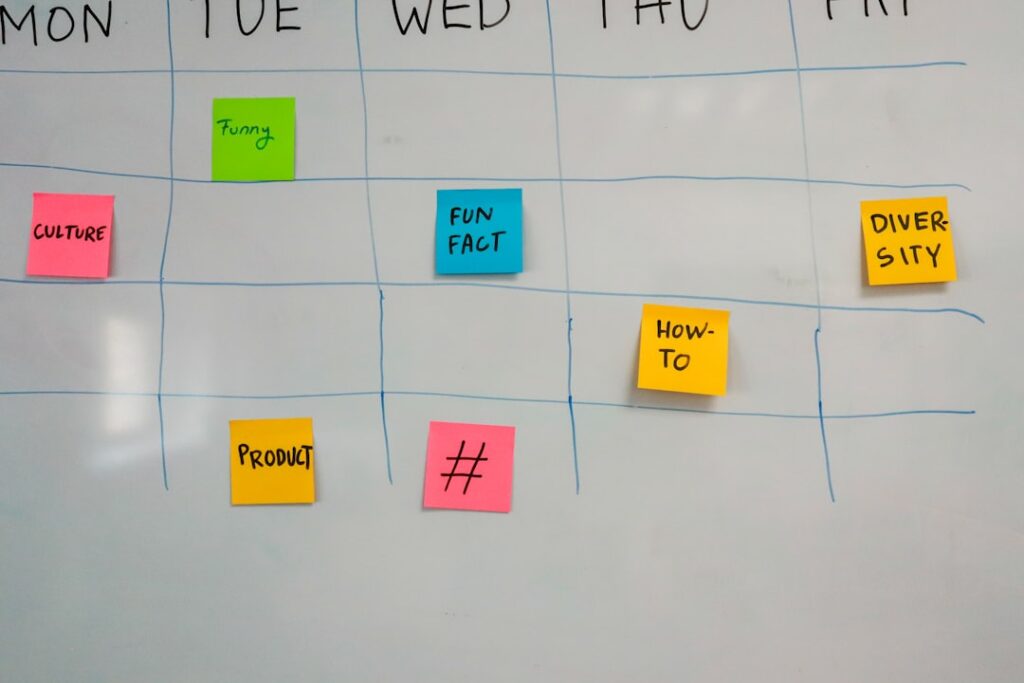
You don’t need a two-month onboarding. Here’s the realistic timeline to get this stack running, even if you’re starting from scratch.
Week 1: Foundation (Days 1–7)
- Day 1: Connect Google Search Console to your WordPress site (free, 15 minutes). If you haven’t done this, stop reading and do it now — it’s the most important marketing tool available to you.
- Day 2: Install Rank Math on WordPress (free, 30 minutes). Configure your site’s SEO settings using the setup wizard.
- Day 3: Sign up for Ahrefs Webmaster Tools (free) and run your first site audit. Note any technical issues flagged.
- Day 4: Start your ClearPost trial. Generate your first three draft posts using keywords from your Search Console “Queries” report — these are topics Google already associates with your site.
- Day 5–6: Review, edit, and publish the first draft. Apply your voice, add specific expertise, verify facts. Note how long it actually takes — most users report 20–40 minutes of editing per post.
- Day 7: Set up Buffer (free tier) for two social channels. Manually share your published post to test the copy.
Week 2: Automation (Days 8–14)
- Day 8: Sign up for Zapier Starter (~$30/mo). Build the publish-to-Buffer Zap using the WordPress trigger. Test it with a draft post.
- Day 9: Set up your RSS-to-email automation in Mailchimp. Map your post categories to your subscriber segments.
- Day 10: Create a Google Sheets content calendar. Add a Zap step to log each new post automatically.
- Day 11–12: Run your keyword research in Ahrefs or Surfer. Build a list of 10–20 target topics, ranked by search volume and relevance. This becomes your content queue.
- Day 13–14: Use ClearPost to generate the next batch of drafts from your content queue. Schedule your review sessions — block 30 minutes every two to three days for content review and approval.
By the end of Week 2, you have a working pipeline: keyword research → AI draft → human review → publish → auto-distribute to social and email. You’re not managing five separate manual workflows — you’re reviewing drafts and clicking approve. That’s a fundamentally different relationship with your own marketing.
Want to see how ClearPost fits into this workflow? Try ClearPost free for 7 days — no long onboarding, no agency overhead, cancel anytime. You approve every post before it goes live.
Start Here: The First Automation to Set Up This Week

Don’t try to build the full stack at once. The fastest path to results is to start with the two automations that have the highest ROI for the least setup time.
Automation #1: Connect Google Search Console. Free, 15 minutes, irreplaceable. Your Search Console “Queries” report is the single best keyword research tool available for your specific site — it shows you exactly what searches are already sending visitors your way, which pages are ranking but not getting clicks (easy wins for title and meta rewrites), and which topics you have existing authority in. If you’re not using this data to drive your content calendar, you’re writing into the dark.
Automation #2: Set up a ClearPost draft queue. Use the keywords from your Search Console report as inputs. Generate three to five draft posts in your first session. Review one, edit it to your standard, and publish it. That single experience will show you the actual time cost of the workflow — and most users are surprised by how little editing the AI drafts actually need once they’ve reviewed a few.
Everything else in the stack — Zapier, Buffer, email automation, rank tracking — layers on top of a consistent publishing habit. Build the habit first. Automate the distribution once you’re publishing at least two posts per week.
The businesses winning at content marketing right now aren’t publishing better content than you could. They’re publishing more consistently, at higher volume, with less friction. That’s not a talent gap. That’s a workflow gap — and it’s one you can close this week.
Ready to build your content automation workflow? Get started with ClearPost — 7-day free trial, zero commitment, and you approve every post before it goes live. No long onboarding. No agency overhead.
Frequently Asked Questions
Is marketing automation really worth it for a one-person team or solo founder?
Yes — but only if you focus on the right kind of automation. Email drip sequences won’t solve your pipeline problem if you don’t have organic traffic. The highest-ROI automation for solo operators is content and SEO workflow automation: using AI to generate drafts from keyword research, automating distribution to social and email, and setting up rank-tracking alerts. This stack costs under $200/month and can replace workflows that previously required a content manager or a $3,500+ agency retainer.
How long does it take to see results from content automation?
Content marketing takes 6–18 months to generate meaningful organic search results — that’s true whether you use automation or not. The advantage of automation is volume and consistency: teams using AI-assisted workflows can publish 3–5x more content without adding headcount, which accelerates the compounding timeline. Most teams see meaningful traffic growth within 6–9 months when publishing at least 2–4 posts per week.
Will Google penalize AI-generated content?
Google’s stated position is that they reward high-quality, helpful content regardless of how it was produced — and penalize low-quality, spammy content regardless of whether it was written by a human or an AI. Unreviewed, generic AI content is a real risk. AI-assisted content that goes through human review, editing, and expertise-layering is not. The human approval step is non-negotiable in any responsible AI content workflow.
What’s the minimum viable version of this automation stack?
Start with two tools: Google Search Console (free) and ClearPost (free 7-day trial). Connect GSC, pull your top performing queries, use them as inputs for ClearPost drafts, review and publish. That’s the core loop. Add Zapier and Buffer for distribution automation once you’re publishing consistently — two or more posts per week. Don’t over-invest in tools before you’ve established a publishing habit.
How is this different from just hiring a freelance writer?
Freelance writers give you one post at a time, require briefing and back-and-forth coordination, and cost $150–$500 per article at quality levels worth publishing. AI-assisted workflows give you a draft in minutes, let you publish at 4–8x the volume, and keep you in full creative control since you review every post. For a solo operator or lean team, the compounding effect of higher publishing volume over 12–18 months typically outperforms the higher per-post quality of a single freelancer working at lower frequency.